
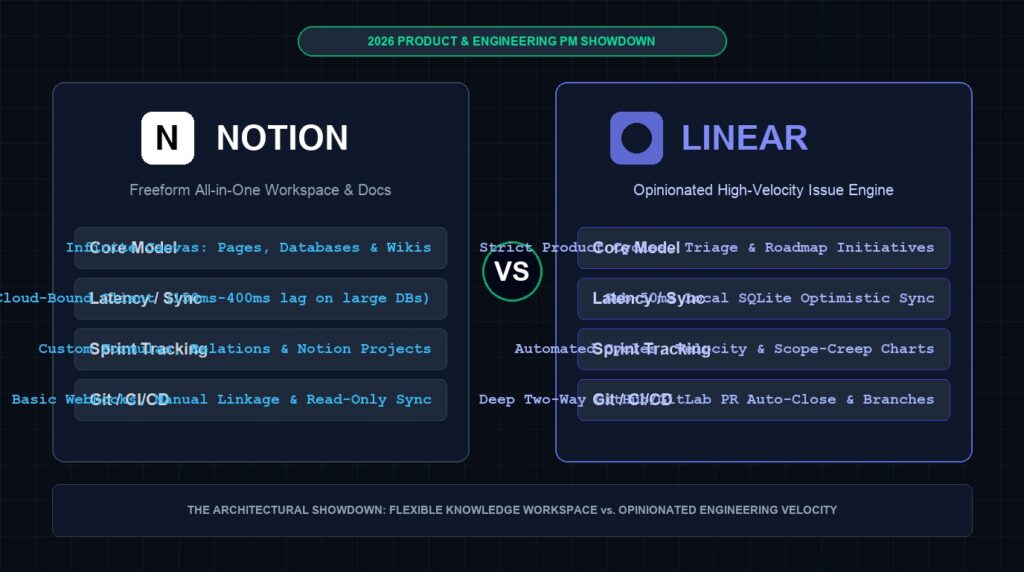
Every software startup eventually confronts the quintessential tooling debate that defines its internal operating velocity: should your company run entirely on Notion, the infinite blank-canvas workspace where documents, company wikis, and custom relational databases live in fluid harmony; or should your product and engineering squads standardize on Linear, the obsessively fast, keyboard-first issue tracker that revolutionized modern agile development? While early-stage founders frequently attempt to build “their own Jira” inside Notion using databases and rollups, scaling teams inevitably hit painful performance ceilings and Git friction. Having structured agile operations and sprint delivery systems across dozens of high-growth technology companies, here is the unfiltered architectural and workflow reality of Notion vs. Linear in 2026.
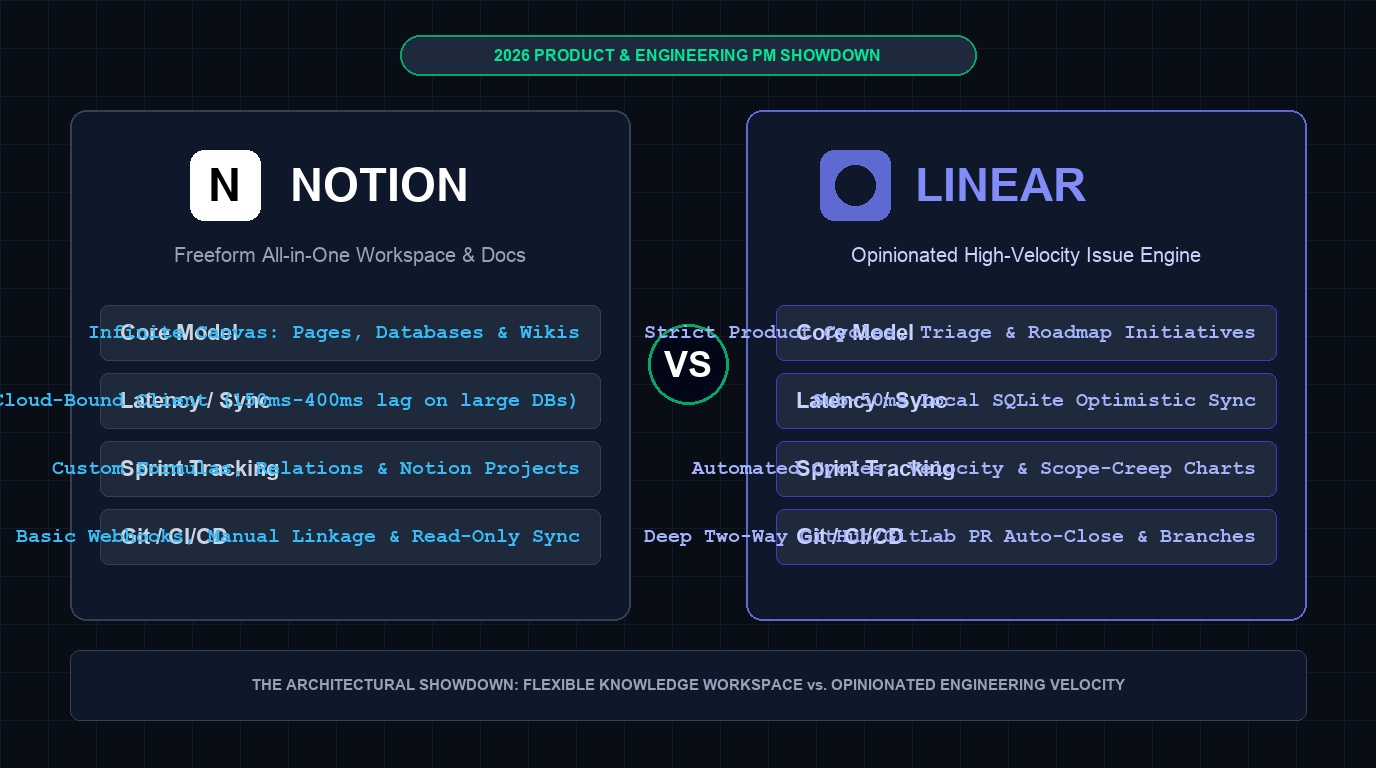
For Heads of Product, VP of Engineerings, and startup operators, the decision between Notion and Linear is not an either/or cosmetic preference. It is a fundamental choice between unbounded documentation flexibility and opinionated execution velocity. One gives you infinite power to model company knowledge; the other imposes strict engineering discipline designed to eliminate triage debt and ship software faster.
The Fundamental Architectural Divide: Block-Based Web Canvas vs. Local-First SQLite Engine
The operational divide between Notion and Linear begins with how each platform handles data synchronization, client rendering, and user input latency.
1. Notion: The Universal Block-Tree Model
Notion treats everything—text paragraphs, image embeds, database tables, and kanban cards—as modular “blocks” organized in a hierarchical tree structure stored in a cloud-hosted document database:
- Unbounded Relational Schemas: You can link customer databases to product feature specs, connect meeting notes to sprint tasks, and calculate rollup aggregates across arbitrary tables.
- Cloud-Tethered Latency: Because Notion computes relational queries, permissions, and complex rollups on the fly across distributed databases, opening a database containing 5,000+ sprint issues often introduces noticeable lag (200ms–800ms) and visual layout shifts.
- All-in-One Documentation: Product Requirement Documents (PRDs), brand guidelines, investor updates, HR onboarding handbooks, and architecture RFCs coexist under a single navigation sidebar.
2. Linear: The Sub-50ms Local-First Engine
Linear rejected traditional web architecture from its inception. Engineered by former Airbnb, Coinbase, and Uber product alumni, Linear runs on a local-first architecture powered by an embedded SQLite client cache synchronized via WebSockets and GraphQL:
- Instantaneous Keyboard Interactions: Every click, status change, filter adjustment, or search query executes against your local in-memory SQLite database instantly (sub-50ms). You can navigate the entire application without ever touching a mouse using Vim-style keyboard shortcuts (
Cto create,Cmd+Kcommand palette). - Flawless Offline Support: If your flight loses Wi-Fi, you can triage 50 bug reports, reassign backlog items, and update sprint estimations. The moment connectivity restores, Linear merges changes deterministically using operational transforms.
- Strictly Opinionated Structure: Linear does not allow you to invent random custom objects. It forces teams to adopt proven agile concepts: Teams, Cycles (sprints), Projects, Initiatives (roadmaps), and Triage Queues.
Issue Tracking & Sprint Mechanics: Custom Notion Formulas vs. Linear Cycles
How a tool manages daily software delivery dictates whether engineers maintain high momentum or drown in administrative busywork.
| Agile Capability | Notion (Notion Projects) | Linear (The Linear Method) |
|---|---|---|
| Sprint / Cycle Management | Manual database relations; require custom formulas to roll over unfinished tasks | Automated, continuous Cycles; rollover incomplete tasks with zero manual backlog grooming |
| Inbound Bug Triage | Requires a custom intake database; bugs mix directly into the active backlog | Dedicated Triage Queue with SLA timers; isolates unvetted issues from sprint velocity |
| Velocity & Burndown Insights | Basic chart blocks; lacks automated scope-creep detection or team historical velocity | Native real-time burndown charts, predicted completion dates, and scope-creep tracking |
| Document & Spec Authoring | World-class rich text, AI writing, embedded Figma, code blocks, and nested pages | Clean Markdown editor for issue descriptions and project briefs; lacks nested wiki support |
The fatal flaw of managing sprints in Notion is administrative entropy. In Notion, someone must remember to manually move incomplete tasks from Sprint 12 into Sprint 13, update date properties, and reconcile status relations. If someone accidentally renames a status column from “In Progress” to “Active”, filters across 10 linked team views quietly break.
Linear automates the entire lifecycle. When a cycle concludes at midnight on Friday, uncompleted issues roll into the next cycle automatically or return to the backlog based on your team’s configuration. Linear’s algorithm computes team velocity based on historical completion rates, preventing optimistic over-commitment. For teams comparing dedicated issue trackers, see our analysis of Linear vs. Jira and Linear vs. ClickUp.
Git & CI/CD Integration: Where Notion Crumbles for Engineers
For modern software engineers, an issue tracker must exist in symbiosis with Git version control.
Developer Workflow & Git Automation:
- Linear’s Automated Pull Request Workflow: Clicking on any Linear issue automatically copies the suggested Git branch name (e.g.,
git checkout -b sarah/lin-402-jwt-auth). When you open a pull request on GitHub or GitLab, Linear automatically links the PR, updates the issue status to “In Review”, and moves it to “Done” the second the PR merges into main. Releases can automatically tag issues and notify Slack channels without human intervention. - Notion’s Manual Overhead: While Notion offers GitHub integrations that can display PR status badges inside a database property, it lacks two-way branch creation heuristics, automated state transitions triggered by merge events, and native Git commit linking. Engineers must manually open Notion, search for the ticket, and drag the card across columns.
Pricing & Total Cost of Ownership (TCO)
Both platforms offer accessible starter tiers, but their pricing scales differently as headcounts grow.
Notion Pricing
- Free Plan: Generous for individuals and small collaborative workspaces (up to 10 guest collaborators).
- Plus Plan: \$10 per user / month (billed annually) or \$12 monthly. Unlimited blocks, unlimited file uploads, and 100 guest invites.
- Business Plan: \$15 to \$18 per user / month. Adds SAML SSO, private teamspaces, and advanced database permissions.
- Notion AI Add-on: Optional \$8 to \$10 per user / month for integrated generative AI writing and Q&A search across your workspace.
Linear Pricing
- Free Plan: Unlimited users, but capped at 250 active issues (ideal for validating product-market fit on an MVP).
- Standard Plan: \$8 per user / month (billed annually) or \$10 monthly. Unlimited issues, file storage, and GitHub/GitLab integrations.
- Plus Plan: \$14 to \$16 per user / month. Includes Linear Asks (internal ticketing via Slack), Triage SLAs, advanced customer support integrations (Zendesk, Intercom), and SOC2/SAML compliance.
Head-to-Head Comparison Table
| Feature / Dimension | Notion | Linear |
|---|---|---|
| Primary Purpose | Company knowledge base, PRDs, wikis, and flexible databases | High-velocity issue tracking, bug triage, and sprint cycles |
| Interaction Speed & Latency | Standard web app (150ms–600ms latency) | Instantaneous sub-50ms local SQLite client |
| Cross-Functional Usability | Universal: Sales, Marketing, HR, Finance, and Design | Optimized strictly for Product, Engineering, and Design |
| Git & PR Workflow Sync | Manual property updates; lacks branch generation heuristics | Best-in-class automated branch naming & PR auto-closing |
| Long-Form Document Authoring | Industry-defining rich text, AI assistance, and templates | Clean Markdown briefs; not intended for deep company wikis |
| Keyboard & Power Shortcuts | Standard slash commands (/heading, /table) |
Complete mouse-free keyboard navigation across all views |
When to Choose Notion vs. Linear
Choose Notion As Your Primary Work Hub If:
- You are a pre-seed startup or non-technical business: You have 2–5 people, no formal sprint cycles yet, and need one unified space to draft your pitch deck, track investor meetings, store brand assets, and organize a lightweight to-do board.
- Your team creates rich documentation and strategic RFCs: You produce comprehensive PRDs, API design specs, design system documentation, and cross-team roadmaps that need rich embeds and visual layouts. If you are comparing Notion against other modular workspaces, see our review of ClickUp vs. Notion.
- You want one tool for all non-engineering departments: Marketing, People Ops, Legal, and Sales can collaborate inside Notion without needing separate project management software.
Choose Linear As Your Issue Engine If:
- Engineering velocity and developer happiness are top priorities: Your developers despise heavy, bloated ticket systems like Jira and demand an interface that feels as responsive as their local code editor.
- You follow disciplined agile cycles: You want automated rollover, rigorous backlog triage, velocity forecasting, and SLA tracking out of the box without building complex database automations.
- You rely heavily on GitHub or GitLab: You want zero-effort Git branch creation, automatic PR state transitions, and real-time release synchronization.
The Modern Standard: The Notion + Linear Two-Tool Architecture
In 2026, top-tier engineering organizations do not force an unnatural compromise. Instead, the industry standard has converged on a frictionless two-tool stack:
- Notion as the “Brain” (The Source of Truth): Use Notion for high-level company strategy, employee handbooks, meeting notes, customer research transcripts, and deep architectural RFCs.
- Linear as the “Engine” (The Source of Execution): When an RFC in Notion gets approved, the product manager breaks it down into actionable issues inside Linear.
- Native Two-Way Embedding: Pasting a Linear issue link into Notion creates an interactive, live-updating widget that reflects assignee, priority, and completion status directly inside the spec. Similarly, Linear issues link back to the Notion PRD for architectural context.
By delegating long-form thinking to Notion and high-speed execution to Linear, your company eliminates administrative drag while empowering engineers to build at peak velocity.
Frequently Asked Questions
Can Notion replace Linear completely for software teams?
For a solo developer or a 3-person team building an initial prototype, Notion Projects is sufficient. However, once a team scales beyond 5–8 engineers, managing sprint cycles, bug triage, Git branch linkages, and velocity burndowns in Notion becomes slow, fragile, and administratively exhausting.
Does Linear have a wiki or documentation feature?
Linear features “Project Updates” and Project Documents where teams can write Markdown briefs and attach roadmap milestones. However, Linear is deliberately not designed to replace comprehensive company-wide wikis, HR handbooks, or multi-department knowledge bases like Notion.
Can I import issues from Notion into Linear?
Yes. Linear provides a built-in Notion importer that maps Notion database properties (status, assignee, priority, estimate points, due dates) into native Linear fields, preserving history and task relations.
How does Linear compare to Jira in 2026?
Linear is dramatically faster (sub-50ms local sync vs. 2–4 second page reloads in Jira), has cleaner default agile opinions, and requires zero dedicated Jira administrators. For a full technical evaluation, read our breakdown of Linear vs. Jira.