
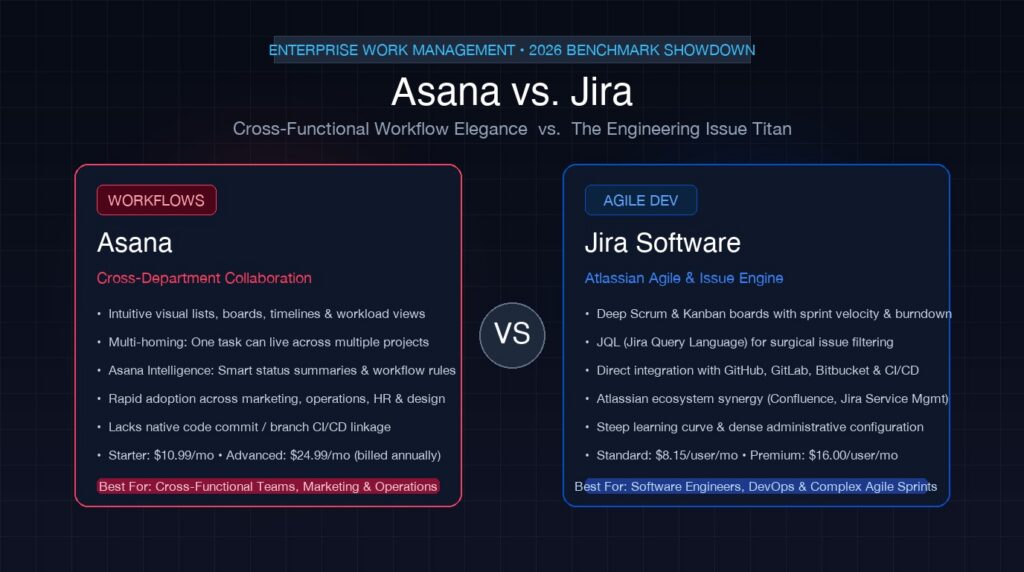
In the modern enterprise tech stack of 2026, no software divide is more pronounced than the chasm between business operations and software engineering. When leadership attempts to standardize project delivery onto a single platform, the battle inevitably boils down to Asana versus Jira. Asana is the darling of marketing, operations, human resources, and product design—celebrated for its clean visual workflows, multi-homed task architecture, and frictionless adoption. Jira, developed by Atlassian, is the undisputed operating system of global software development—revered for its granular issue tracking, release gating, and deep integration into code repositories and CI/CD pipelines.
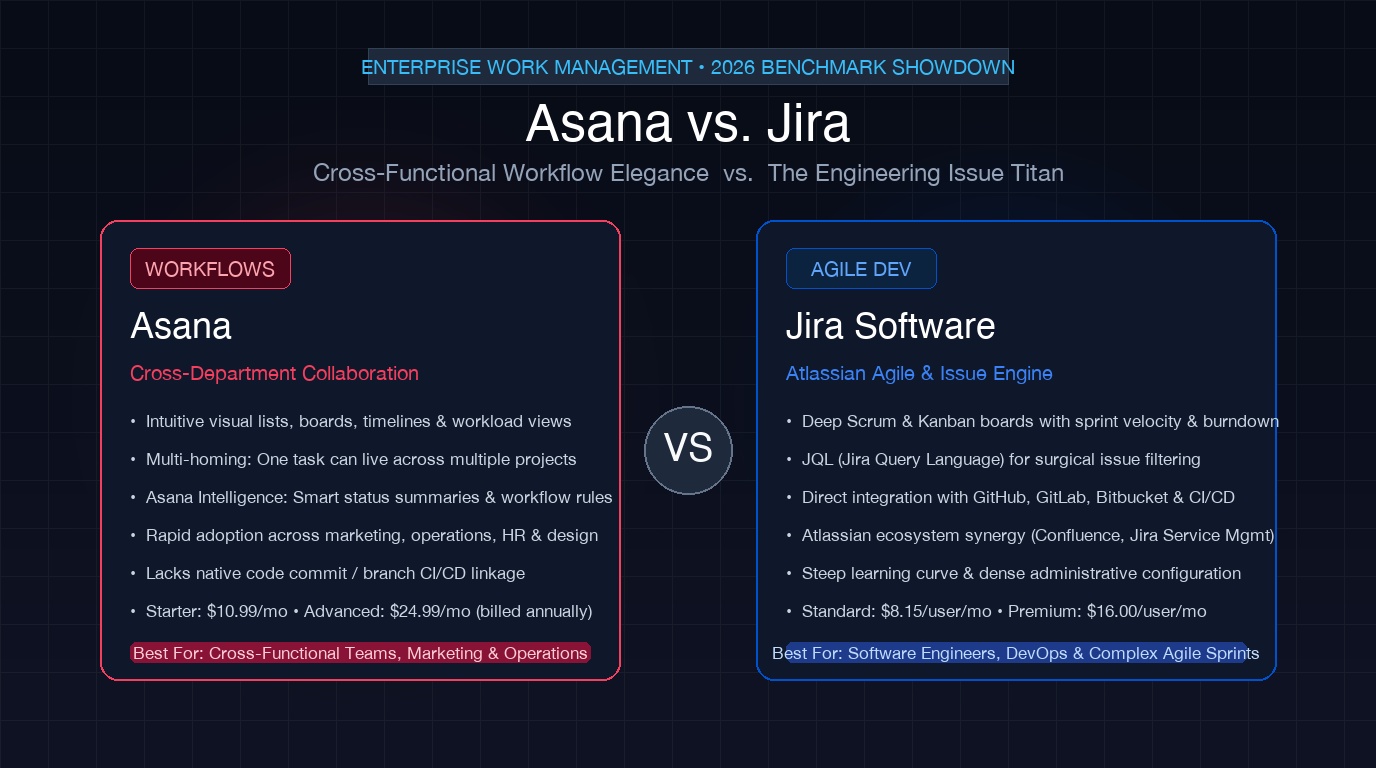
As Senior Agile & Product Workflow Lead Samantha Johnson, I have re-architected delivery operations across fast-growing venture-backed scaleups, digital agencies, and Fortune 500 enterprises. Having previously broken down Monday.com vs. ClickUp, dissected Linear vs. Jira, and compared Monday.com vs. Asana, I have witnessed firsthand what happens when companies force the wrong tool on their teams: forcing developers into Asana creates disconnected code repos and manual sprint reporting, while forcing marketing and executive teams into Jira results in catastrophic tool abandonment and shadow work in spreadsheets. Here is the definitive 2026 breakdown of Asana versus Jira.
Core Architectural Philosophies: Collaborative Workflows vs. Issue State Machines
Understanding why these tools feel so radically different requires inspecting their foundational data models:
Asana: The Cross-Functional Living Network
Co-founded by Facebook alumni Dustin Moskovitz and Justin Rosenstein, Asana was built on the proprietary “Work Graph” data model. Rather than treating tasks as static records confined to a single folder, Asana models work as an interconnected web:
- Multi-Homing (Asana’s Superpower): A single task can live simultaneously in multiple projects across different departments without duplication. A “Launch Product Webinar” task can exist in the Marketing Campaign board, the Sales Enablement list, and the Executive OKR portfolio. When the assignee updates the due date or marks it complete, it updates everywhere instantly.
- Human-Centric Interface: Beautiful typography, intuitive drag-and-drop timelines, and celebrations create a psychological environment that non-technical business teams genuinely enjoy opening every morning.
- Portfolios & Goal Rollups: Executives can aggregate dozens of departmental projects into high-level strategic Portfolios, automatically tracking team workload capacity, budget burn, and strategic milestone health.
Jira Software: The Finite State Machine for Code Delivery
Launched in 2002 by Atlassian as an open-source bug tracker, Jira Software is engineered specifically for the software development life cycle (SDLC):
- Strict Issue Workflows: Every ticket (Bug, Story, Task, Epic) moves through a formalized state machine (e.g., Backlog > In Development > Code Review > QA > Staging > Done). Transitions can enforce required form fields, validator checks, and automated pull request merges.
- Deep Developer Toolchain: Jira links directly to GitHub, GitLab, Bitbucket, and Jenkins. Committing code with an issue key (e.g.,
git commit -m "feat: [ENG-402] implement OAuth2") automatically updates the ticket status, links the branch, and flags CI build failures. - Jira Query Language (JQL): An immensely powerful SQL-like query language that allows technical managers to filter issues across thousands of tickets with precision (e.g.,
project = ENG AND fixVersion = "v2.4" AND status changed to "Code Review" after -2d). - Atlassian Ecosystem Integration: Seamlessly anchors into Confluence (product requirements documentation), Jira Service Management (ITSM service desk), and Loom.
Deep Technical Showdown: Head-to-Head Capability Comparison
1. Agile Sprint & Backlog Management
For dedicated engineering and DevOps teams running two-week Scrum sprints or continuous Kanban delivery, the competitive balance is stark:
| Agile Capability | Asana (Advanced / Enterprise) | Jira Software (Standard / Premium) | Architectural Winner |
|---|---|---|---|
| Scrum Sprint Boards | Custom board columns with manual date filtering | Native Sprint planning, story point estimation & backlog grooming | Jira (Decisive) |
| Burndown & Velocity Charts | Requires custom reporting widgets or third-party sync | Out-of-the-box Sprint Burndown, Velocity, and Cumulative Flow Diagrams | Jira |
| Code Commit & PR Tracking | Basic GitHub integration (links PR as attachment) | Deep two-way sync (auto-advances tickets on PR merge/deployment) | Jira |
| Release / Version Management | Milestone tracking across timeline view | Formal Fix Versions, release gating, and deployment tracking | Jira |
| Cross-Project Multi-Homing | Native, frictionless across unlimited projects | Limited (Requires complex sub-tasks or linked issues) | Asana (Decisive) |
While Asana has added sprint planning templates, it remains fundamentally a generalist workflow tool. It does not calculate historical team velocity, cannot natively burn down story points against sprint capacity, and cannot enforce strict branch protection policies. For serious engineering departments, Jira’s agile muscle is vastly superior.
2. Cross-Functional Operations & Team Adoption
When rolling out software to marketing, legal, sales enablement, and human resources, the tables turn completely in Asana’s favor:
The “Jira Rejection” Phenomenon: When non-technical departments are forced into Jira, adoption rates plummet. Marketing and HR professionals are overwhelmed by Jira’s dense metadata fields, complex issue types, and rigid permission schemes. Simple requests turn into administrative hurdles, driving teams back into Slack DMs, email threads, and rogue Google Sheets.
Asana’s Organic Spread: Asana achieves near-instant adoption across business units. A creative team can review design proofs with visual markups, a marketing team can organize campaign launches across a timeline Gantt view, and an HR team can track new-hire onboarding checklists with zero training. Workload management allows managers to rebalance individual capacity by dragging and dropping tasks across team members.
3. Automation & Administrative Governance
Both platforms feature sophisticated no-code automation builders, but their administration scales differently:
- Asana Rules & Smart Workflows: Asana provides an intuitive trigger-condition-action rule builder (e.g., “When a task is added to Creative Requests and priority is High, assign to Art Director and set due date in 3 days”). With Asana Intelligence, natural language prompts can generate rules automatically. However, cross-workspace global automations require expensive Enterprise tiers.
- Jira Automation & Global Rule Engine: Jira Automation is one of the most mature low-code rule engines in enterprise software. Administrators can build complex branched logic, trigger webhooks, query external APIs, and execute automated actions across multiple projects with smart values and regex matching.
The Pricing Breakdown & True Total Cost of Ownership (TCO)
Atlassian’s pricing model is notably more aggressive on sticker price, while Asana charges a premium for visual polish and portfolio governance:
| Pricing Dimension | Asana (Work Management) | Jira Software (Cloud) |
|---|---|---|
| Free Plan | Up to 10 users (Basic lists & boards) | Up to 10 users (Full Scrum/Kanban, 2GB storage) |
| Entry Tier | Starter: $10.99/user/mo (Timeline, Gantt, 250 rules/mo) | Standard: $8.15/user/mo (Custom permissions, 250GB storage) |
| Advanced / Enterprise Tier | Advanced: $24.99/user/mo (Portfolios, Workload, approvals) | Premium: $16.00/user/mo (Advanced Roadmaps, 24/7 support, unlimited storage) |
| Seat Purchasing Model | Blocks of 5 seats (e.g., 5, 10, 15, 20…) | Exact per-user billing (scales progressively) |
| Dedicated Admin Required? | No (Department leads can administer) | Yes (Jira Administrator required at 100+ seats) |
The Hidden Administrative Cost of Jira: While Jira’s software subscription is approximately 35% cheaper per seat than Asana, large organizations inevitably discover that managing Jira schemes, permissions, field configurations, and Confluence links requires hiring a full-time certified Atlassian Administrator ($110,000–$140,000/yr salary). Asana’s decentralized governance allows individual project managers to configure their own boards with zero dedicated IT overhead.
Comprehensive Feature Comparison Table (2026)
| Evaluation Metric | Asana | Jira Software |
|---|---|---|
| Primary Core Audience | Cross-functional business teams (Marketing, Ops, Design, HR) | Software engineers, QA, DevOps, and Product Managers |
| Core Data Architecture | Work Graph (Multi-homed tasks, living network) | Finite State Machine (Strict issue ticket workflows) |
| Agile Sprint Mechanics | Lightweight templates (manual date filters) | Deep native Scrum/Kanban with sprint velocity & burndown |
| Query Engine | Standard multi-filter saved searches | JQL (Jira Query Language) with programmatic syntax |
| Code Repository Integration | Basic commit linking via integrations | Native, bidirectional branch, commit & deployment tracking |
| Portfolio & Resource Management | Exceptional native Portfolios and Workload rebalancing | Advanced Roadmaps (Powerful but steep learning curve) |
| Team Adoption Speed | Immediate (Frictionless consumer-grade UX) | Slow & steep (Requires training and formal onboarding) |
| Enterprise Ecosystem | Independent hub (integrates with Slack, Google, MSFT) | Atlassian Suite (Confluence, Bitbucket, Jira Service Desk) |
The Final Architectural Verdict: How to Choose
The debate between Asana and Jira is rarely solved by picking a single winner for the entire company. In fact, forcing one tool across both business and engineering is the #1 mistake enterprise leaders make.
Choose Asana if:
- Your organization is dominated by non-technical teams (marketing campaigns, creative design reviews, sales ops, HR onboarding, client delivery).
- You need tasks to live simultaneously across multiple departmental projects without duplicating effort (multi-homing).
- Your executive leadership requires clean, high-level portfolio dashboards and drag-and-drop team workload capacity balancing.
- You want rapid organizational adoption without hiring a dedicated tools administrator.
Choose Jira Software if:
- Your core organization is a software engineering department running formal Scrum or Kanban sprints.
- You require automated issue transitions tied directly to Git commits, pull requests, and CI/CD deployment pipelines.
- You need complex, auditable ticket workflows with mandatory validator fields and strict role-based permission schemes.
- You have already standardized on the Atlassian ecosystem (Confluence, Bitbucket, Jira Service Management).
The 2026 Dual-Tool Enterprise Pattern (Recommended): For high-performing companies with more than 50 employees, the optimal strategy is not forcing a compromise. Instead, deploy Jira Software for Engineering and Product Development, deploy Asana for Marketing, Operations, and Business Teams, and connect them via Asana’s official two-way Jira integration or an automated sync tool like Unito. This enables engineers to remain in their native Git-linked sprint environment while marketing and product managers track cross-functional deliverables in a visually elegant workspace.
Frequently Asked Questions
Can Asana completely replace Jira for software engineering teams?
Only for very small, lightweight engineering teams. While Asana supports Kanban boards, custom fields, and basic GitHub integrations, it lacks native release versioning, code deployment tracking, burndown metrics, and JQL querying power. Modern software engineering teams almost universally prefer dedicated tools like Jira or Linear.
How well does the Asana to Jira integration work?
Exceptionally well. Asana’s native Jira integration allows business users to create a task in Asana that automatically spins up a linked Jira issue for engineering. Status changes, assignees, and comments sync bidirectionally in real time, eliminating status-check meetings between marketing and engineering.
Is Jira Product Discovery a replacement for Asana?
No. Jira Product Discovery (JPD) is Atlassian’s tool for capturing user feedback, prioritizing feature ideas, and building high-level product roadmaps. It is designed to feed product backlogs into Jira Software, not to manage cross-functional business operations like marketing campaigns or HR onboarding.