

Every hour you spend building a planning doc from scratch is an hour you’re not moving the project forward, and for most small business owners that time adds up fast across every quarter. Project management templates give you a reusable structure for scoping, tracking, and closing out work so your team spends energy on execution instead of formatting. The right template also reinforces the planning habits discussed in the complete guide to project management for small businesses, making it easier to stay consistent across projects of any size. What follows are the templates that actually get used — not the ones that look impressive and collect dust in a shared drive Project management templates.
Project management templates that cut planning time in half
Every project your business runs shares more structure with your previous projects than it differs from them. The scope conversation happens every time. The task breakdown happens every time. The deadline negotiation, the stakeholder alignment, the risk conversation — these are not unique events. They are recurring patterns that most entrepreneurs rebuild from scratch on every engagement because nobody told them they did not have to.
Project management templates exist to capture that recurring structure once and reuse it indefinitely. They are not bureaucratic overhead. They are the operational shortcut that lets you spend your energy on the work itself rather than on setting up the system around the work.
Why project management templates fail most teams
Before covering the specific templates worth using, it is worth addressing why so many teams download templates and abandon them within two weeks. The failure is almost never about the template itself — it is about how it was introduced and what it was expected to do.
The first mistake is treating a template as a finished product. A template is a starting point, not a final answer. It needs to be adapted to your business, your client communication style, and the specific type of project it supports. A template built for a software development team will not translate directly to a marketing agency without modification.
The second mistake is creating templates that are too comprehensive. A fifteen-section project initiation document that takes forty-five minutes to complete will be skipped under deadline pressure every single time. The most effective project management templates are the ones that capture only what is genuinely necessary — and nothing else.
The third mistake is storing templates somewhere nobody checks. If your team has to search for a template every time they start a project, the friction alone will stop them from using it. Templates need to live inside the tool your team already opens every day, whether that is Asana, Notion, ClickUp, or a shared Google Drive folder.
Choosing the right tool to house your templates connects directly to the decisions covered in best project management software for small teams, where platform selection is matched to actual workflow needs.
The five project management templates every small business needs
These five templates cover the full project lifecycle — from the first client conversation to the final delivery. Each one is designed to be minimal enough to use consistently and structured enough to prevent the most common project failures.
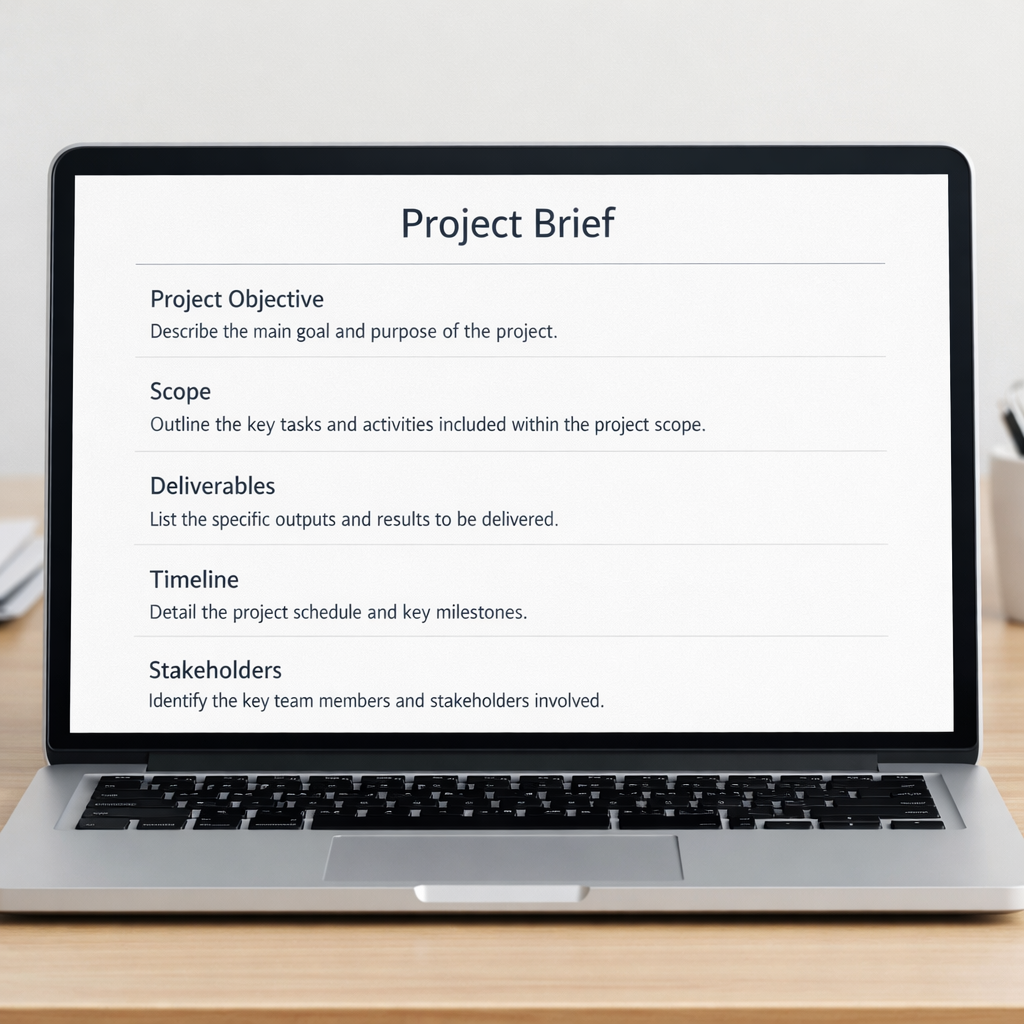
The project brief template
The project brief is the document that defines a project before any work begins. It exists to create alignment between you, your team, and your client on what the project is, what it is not, and what success looks like.
A functional project brief template includes six components: the project objective in one or two sentences, the scope definition covering what is included and explicitly what is excluded, the key deliverables with a brief description of each, the timeline with major milestones, the budget or resource allocation, and the primary stakeholders with their roles and decision-making authority.
The scope exclusion section is the most important and most frequently skipped part of the brief. Documenting what the project does not include protects you from scope creep — the gradual expansion of work beyond the original agreement — and gives you a clear reference point if a client requests additions mid-project.
The project plan template
The project plan template translates the brief into an actionable task structure. It is the operational document your team works from daily, and it needs to be built at the right level of detail — specific enough to assign ownership and track progress, not so granular that maintaining it becomes a project in itself.
A practical project plan template includes the full task list organized by project phase, an assigned owner for each task, a start date and due date for each task, a status indicator — not started, in progress, blocked, complete — and a notes field for context or blockers.
The template should also include a dependencies column — a field that identifies which tasks must be completed before a given task can begin. Dependencies are the single most common source of project delays, and most teams do not track them explicitly until they have been burned by ignoring them.
How you build and maintain this plan is covered step by step in how to build a project management plan from scratch, which walks through the full planning process with a focus on plans that teams actually follow.
The meeting agenda and notes template
Every project generates meetings, and most meetings in small businesses are underprepared. A standard meeting agenda and notes template takes less than five minutes to fill out and eliminates the most common meeting failures: unclear purpose, no decisions recorded, and no action items assigned.
The template includes the meeting objective in one sentence, the agenda items with a time allocation for each, a decisions section where every decision made during the meeting is recorded verbatim, and an action items section with the task, the owner, and the due date.
The action items section is what separates a productive meeting from a conversation. Every action item needs an owner and a deadline — not a vague commitment from the group. If an action item does not have a named person responsible for it, it will not get done.
The project status report template
The status report template is the document that keeps stakeholders informed without requiring a meeting. For client-facing projects, it is also a trust-building tool — clients who receive regular, clear updates are less likely to send anxiety-driven check-in emails and more likely to refer you to others.
A weekly status report template includes a one-line overall project health indicator — on track, at risk, or off track — a summary of what was completed in the past week, a summary of what is planned for the coming week, any risks or blockers that need stakeholder awareness, and any decisions that require stakeholder input before work can proceed.
The health indicator at the top is critical because it forces you to be honest about project status in a format that cannot be buried in paragraph language. A client who reads “at risk” in the first line knows immediately that they need to engage with the rest of the document.
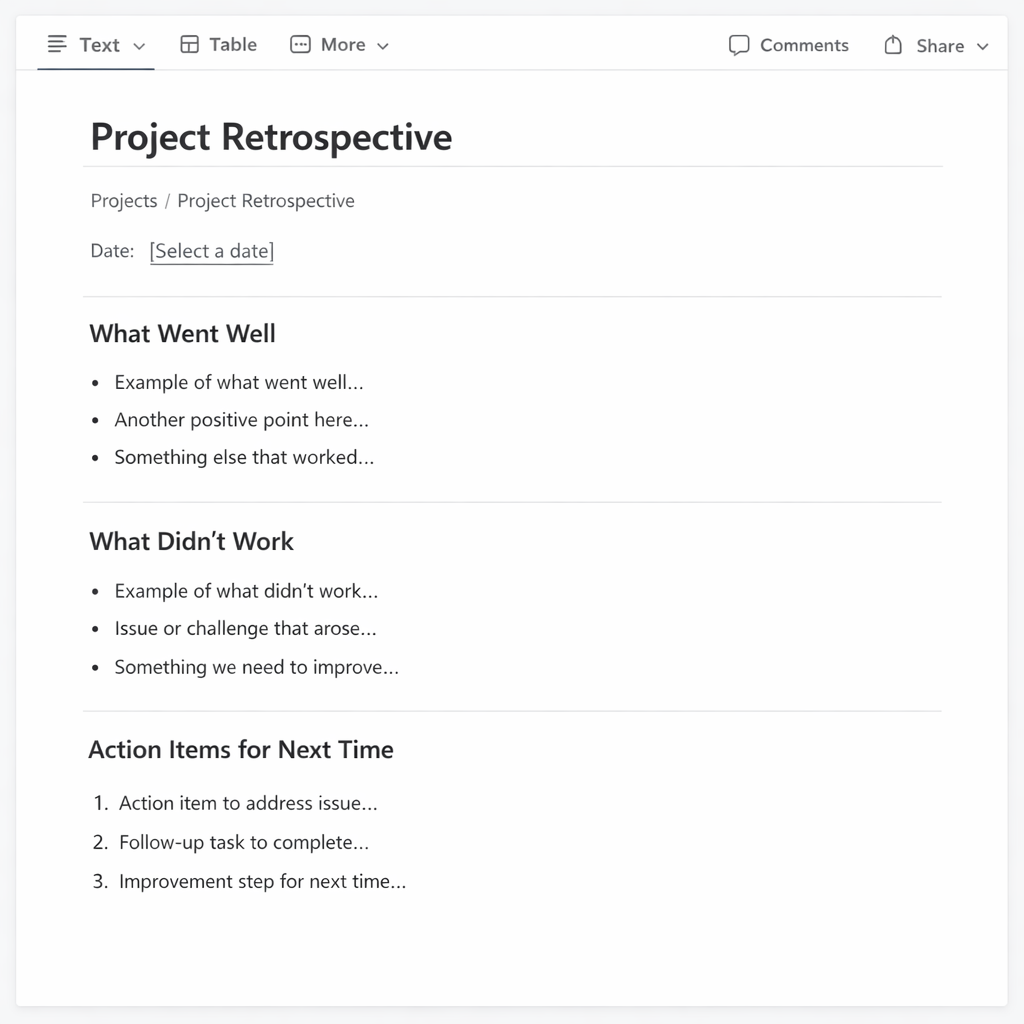
The project retrospective template
The retrospective template is the most underused document in small business project management and the one that compounds the most value over time. It captures what the team learned from a completed project so that knowledge is not lost when the next engagement begins.
A retrospective template includes four sections: what went well and should be repeated, what did not go well and should be changed, what was unclear and needs better definition upfront next time, and what specific process changes the team commits to implementing on the next project.
The final section — specific process changes — is what makes a retrospective actionable rather than just reflective. Without it, the team identifies problems but makes no commitments to addressing them, which means the same issues resurface on the next project.
For teams using agile workflows, the retrospective connects directly to the sprint review process covered in agile project management: why most small teams get it wrong.
How to build a template library your team will actually use
A template library is only valuable if it is accessible, maintained, and adopted consistently. Building one that your team uses requires three decisions made upfront.
First, decide where templates live. Pick one location — a dedicated folder in your project management tool, a Notion page, a Google Drive folder — and commit to it. Templates scattered across multiple platforms create confusion and reduce adoption.
Second, assign a template owner. Someone on your team needs to be responsible for updating templates when processes change and for ensuring new team members know where to find them. Without an owner, templates go stale and lose relevance quickly.
Third, build the habit of template use into your project kickoff process. The first step of starting any new project should be opening the project brief template and filling it out. If that step is documented in your kickoff checklist, it happens automatically rather than depending on someone remembering to do it.
Conclusion
Project management templates are one of the highest-leverage investments a small business owner can make. You build the structure once, adapt it to your context, and reuse it across every project that follows. The time saved compounds with every engagement, and the consistency they create — in communication, planning, and delivery — becomes a visible part of how your business operates. Start with the project brief and the project plan, use them on your next three projects, and add the remaining templates as your team’s comfort with the system grows.
