

Every small business team reaches the same breaking point. Work is tracked across three different tools, nobody agrees on which Slack thread is the source of truth, and the only person who knows the real status of a project is the one who has been manually chasing updates all week. That breaking point is not a people problem. It is a systems problem.
The best project management tools solve that systems problem by giving your team one place where work lives, ownership is clear, and progress is visible without a status meeting to surface it. The challenge is that the market is crowded with platforms making identical promises, and the differences between them only become clear after you have already committed to one.
This guide cuts through that noise. It covers what actually separates a useful project management tool from an expensive one, which platforms consistently perform for small business teams, and how to match the right tool to how your team actually operates — not how a software vendor thinks it should.

What makes a project management tool worth using in 2026
The evaluation criteria most comparison sites use — feature counts, integration lists, pricing tables — tell you very little about whether a tool will actually work for your team. A platform with 200 features that your team uses three of is not a better investment than a platform with 30 features your team uses daily.
The criteria that actually predict whether a project management tool will deliver value for a small business team come down to four things.
Adoption friction. How long does it take a new team member to understand the system and start contributing to it productively? If the answer is more than a day, the tool is too complex for a lean team that cannot afford extended onboarding. The best tools for small teams are intuitive enough that a new hire can navigate them within an hour and operate independently within a week.
Structural flexibility. Small businesses do not run uniform workflows. A five-person agency managing client projects has fundamentally different operational needs than a five-person product team running development sprints. The tool needs to accommodate your workflow, not force you to adapt your workflow to the tool’s default structure.
Visibility without meetings. The primary job of a project management tool is to make the current state of work visible to everyone who needs to see it without requiring a meeting to surface that information. If your team still needs a weekly status call to understand where projects stand, the tool is not doing its job.
Scalability without migration. The tool you choose today needs to grow with your operation. A platform that works well for four people but requires a complete migration when you reach ten is a liability, not an asset. Evaluate how the tool scales before you commit, not after you have built your entire operation around it.
For a detailed breakdown of how these criteria apply specifically to lean teams, project management tools for small teams covers the evaluation framework in full and identifies the platforms that perform best under those constraints.
Best free project management tools that don’t cut corners
For most small business teams, the tool selection process starts with a practical constraint: budget. Early-stage founders and lean operations cannot always justify a per-seat subscription before they have validated that the tool will actually stick. The good news is that the free tier landscape in project management software has matured significantly. Several platforms now offer genuinely capable free plans that can run a real operation without a monthly invoice.
The distinction worth making before evaluating free options is between tools that are free as a deliberate growth strategy and tools that are free because they cannot compete on paid tiers. The first category — which includes ClickUp, Asana, Trello, and Notion — gives you a functional product with the expectation that you will upgrade naturally as your team grows. The second category gives you a limited demo experience designed to frustrate you into paying.
ClickUp free forever is the most generous free tier in this category. Unlimited tasks, unlimited members, collaborative docs, whiteboards, and 100 automation runs per month — all at zero cost. For a small team getting started, that feature set covers the core operational needs without requiring an immediate upgrade.
Asana free supports up to 15 users with unlimited tasks, projects, and activity logs. The list and board views are both available. For teams that primarily need clean task assignment and deadline tracking, the free tier handles that workflow without meaningful constraint.
Trello free gives you unlimited cards and up to ten boards per workspace. The kanban interface is the most accessible entry point in project management software. The one Power-Up limit per board is the constraint that surfaces fastest for growing teams, but for a team just establishing its first structured workflow, Trello free is a low-friction starting point.
Notion free covers individual use and small team collaboration with unlimited pages and full database functionality. For teams that need a combined documentation and project management system, Notion’s free plan delivers surprising depth before the paid tier becomes necessary.
The universal constraints across free tiers are automation limits, reporting depth, and guest access controls. If your operation depends on any of those three capabilities from day one, factor the upgrade cost into your platform decision before committing to a free tier that will hit its ceiling within weeks.
For a complete breakdown of what each platform delivers at the free tier and where the constraints surface first, best free project management tools covers every major platform in detail so you know exactly what you are getting before you build your workflow around it.
Asana vs Monday vs ClickUp — which one wins for entrepreneurs
At some point, the free tier evaluation ends and the real decision begins. For most small business teams that decision narrows to three platforms: Asana, Monday, and ClickUp. They dominate the market, they serve overlapping use cases, and they are marketed so similarly that choosing between them feels harder than it should be.
The decision gets easier when you stop comparing feature lists and start comparing design philosophies.
Asana is built around tasks and accountability. Its core assumption is that work is a collection of tasks assigned to people with deadlines. The interface is clean, the learning curve is gentle, and the task lifecycle management — subtasks, dependencies, custom fields, automated rules — is the most polished implementation in this category. Asana is the right choice for teams that need fast adoption and clear ownership structures without complex configuration.
Monday is built around visual workflow management. Its core unit is a customizable board where columns can represent status, owner, budget, priority, or any other data point relevant to your operation. That flexibility makes Monday powerful for teams managing complex, data-rich workflows — but it also means the platform requires more intentional setup to deliver value. Monday wins for operations, sales, and marketing teams that manage work across multiple stakeholders and need a visual system that non-project-managers can read at a glance.
ClickUp is built to replace every other tool. Its core assumption is that a small team should not need separate platforms for tasks, documentation, goals, and reporting. The depth is unmatched at every price point — the free forever plan alone covers more functionality than the paid tiers of several competitors. ClickUp wins for founders who want one platform to run their entire operation and are willing to invest setup time to get there.
The pricing comparison reinforces those positioning differences. Asana’s premium plan starts at $10.99 per user per month. Monday’s standard plan — the tier where the platform becomes genuinely useful — starts at $12 per user per month with a three-seat minimum. ClickUp’s unlimited plan, which removes the automation ceiling and unlocks the full feature set, starts at $7 per user per month.
For entrepreneurs managing remote teams, the platform choice intersects with a second set of requirements around async communication, timezone visibility, and distributed coordination. Best project management software for remote teams covers how each of these three platforms handles that specific operational context.
For a complete side-by-side breakdown of Asana, Monday, and ClickUp across every dimension that matters for growing teams, Asana vs Monday vs ClickUp goes feature by feature, use case by use case, so you can make the decision once and move on.
Best project management software for remote teams running lean
Remote work did not create coordination problems. It exposed the coordination problems that were already there and made them impossible to ignore. When your team shares a physical space, informal communication fills the gaps in your project management system — the hallway conversation, the quick desk check-in, the visual cue that someone is overwhelmed. Remove the physical space and those gaps become operational liabilities.
The best project management software for remote teams is not simply a cloud-based version of an in-office tool. It is a platform designed around the specific coordination challenges of distributed work: async communication, timezone visibility, clear ownership without proximity, and documentation that lives where the work lives rather than in a separate system nobody consistently updates.
The platforms that perform best for remote small business teams share four capabilities that matter more in a distributed context than they do in an office environment.
Async-first communication. Remote teams cannot rely on real-time conversation to resolve ambiguity around tasks and projects. The platform needs rich comment threads, @mentions, and contextual discussions directly attached to the work they relate to. Decisions made in a task comment are visible to everyone with access to that task, permanently attached to the relevant context, and searchable when someone needs to understand why a decision was made three months later.
Centralized documentation. Remote teams make decisions in writing. When those decisions live in Slack threads or email chains, they disappear within days and the team spends time re-litigating resolved questions. The best remote project management platforms keep decisions, context, and rationale attached to the projects and tasks they relate to — creating an operational record that new team members can reference without scheduling an onboarding call.
Granular permission controls. Remote teams frequently work with contractors, freelancers, and clients who need limited visibility into specific projects. The platform needs guest access with precise permission settings so external collaborators can see what they need without accessing sensitive internal information or paying a full seat cost.
Integration depth. Remote teams rely on a communication and productivity stack to stay connected — Slack or Teams for real-time conversation, Google Workspace or Notion for documentation, Zoom for synchronous meetings. The project management platform needs to integrate cleanly with that existing stack so information flows between tools without manual duplication and team members are not context-switching between five different applications to get a complete picture of their work.
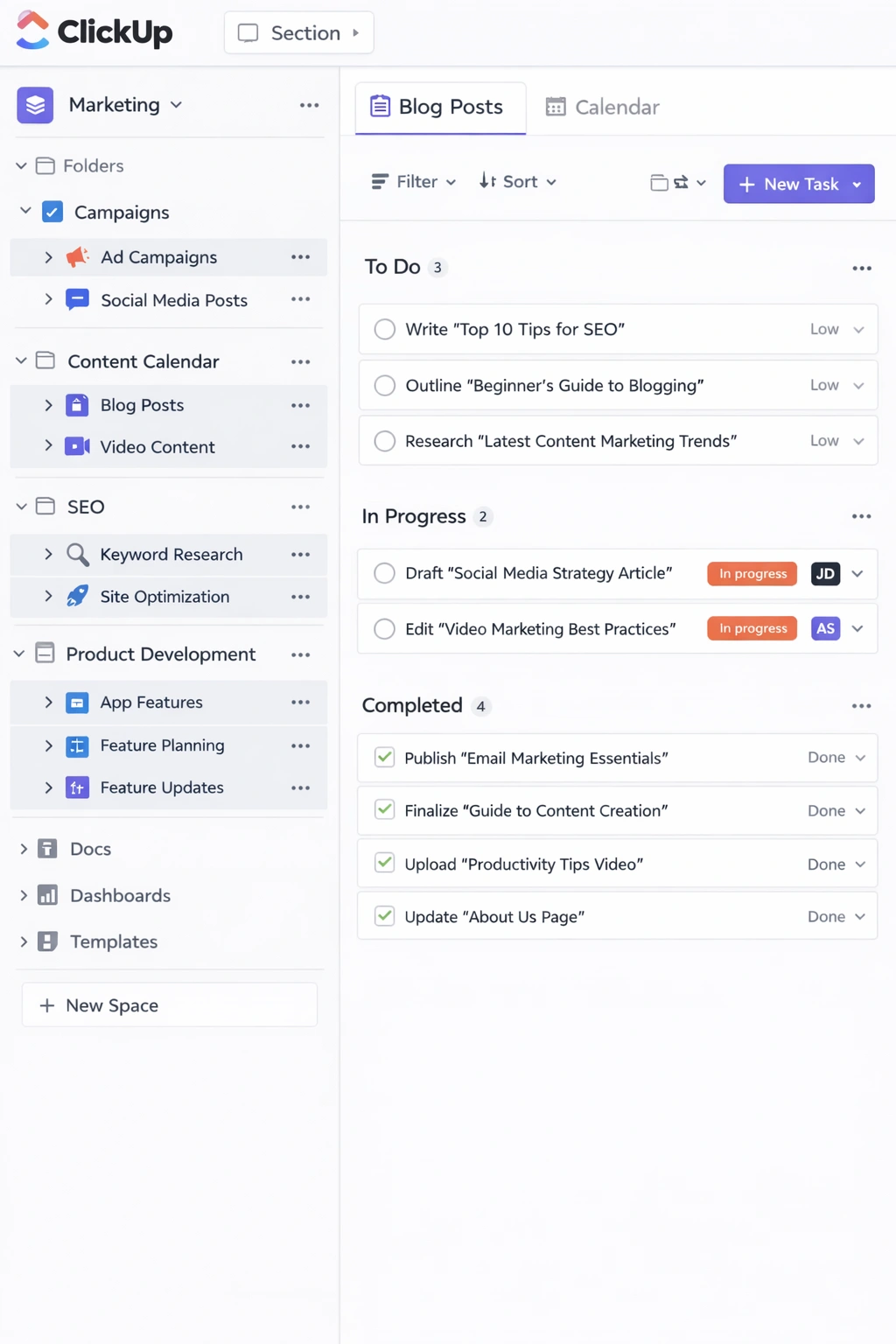
Among the platforms covered in this guide, ClickUp performs strongest for remote teams that need full operational visibility in one place. Its docs feature keeps written context inside the workspace. Its goal tracking system gives team leads progress visibility without requiring status update meetings. Its notification system, once configured correctly, delivers the right alerts to the right people without creating the notification fatigue that leads teams to mute everything and miss what actually matters.
Asana performs particularly well for remote service businesses and agencies managing multiple client projects simultaneously. The portfolio view gives project leads a single screen showing status across every active project — a capability that becomes significantly more valuable when you cannot walk the floor to get a quick read on team capacity.
Basecamp occupies a distinct position in this category with its flat pricing model of $99 per month for unlimited users. For remote teams scaling headcount, that pricing structure becomes increasingly cost-effective relative to per-seat competitors. Its deliberately minimal feature set — message boards, to-do lists, document storage, schedules, and group chat organized by project — eliminates configuration complexity and creates a consistent structure that every team member follows regardless of their technical comfort level.
The platform choice matters, but the workflow habits built around it matter more. A remote team that commits to one system, uses it consistently, and treats it as the single source of truth for all work-related decisions will outperform a team using a more sophisticated tool that nobody fully trusts or consistently updates.
For a complete evaluation of which platforms perform best for distributed teams and how to configure them for async-first operations, best project management software for remote teams covers the full remote-specific feature set across every major platform.
How to set up a project management system from scratch
Choosing the right platform is the first decision. Building a system your team actually uses is the harder one. The gap between those two outcomes — a tool that was evaluated carefully and a system that runs reliably — is almost always a setup problem, not a software problem.
The teams that build project management systems that stick share a common approach. They define their operational structure before touching the software. They build workspace architecture that reflects how work actually moves through their business. They document conventions before launching the system to the team. And they migrate incrementally rather than attempting a complete transition in a single weekend.
Start with structure, not software.
Before creating a single project or task in any platform, answer three foundational questions. What types of work does your team actually do? Most small business teams run two or three distinct categories simultaneously — client projects, internal initiatives, and ongoing operations, for example. Each category has a different rhythm, different ownership requirements, and different visibility needs. Your system needs to reflect those distinctions rather than flattening everything into a single undifferentiated task list.
Who owns what at every level? Define ownership at three levels before you build anything: the workspace level, which determines who maintains the system itself; the project level, which determines who is accountable for overall delivery; and the task level, which determines who executes each piece of work. Without explicit ownership at all three levels, accountability diffuses and the system becomes a suggestion rather than an operating structure.
What does done actually look like for your team? Define your status stages before you configure the software. The default stages most platforms ship with — To Do, In Progress, Done — rarely reflect how work moves through a real business operation. A client services team might need Scoping, Active, In Review, Delivered, and Invoiced. A content team might need Briefed, Draft, In Review, Approved, and Published. Those definitions need to exist before you build, not after.
Build the workspace architecture deliberately.
Once the operational structure is defined on paper, translate it into the platform. Create top-level containers for each major category of work — three to five maximum. Within each category, create individual projects. Within each project, build tasks with naming conventions consistent enough that any team member can understand what a task requires without asking a follow-up question.
Naming conventions are where most setups fail silently. A task named “homepage” tells nobody anything useful. A task named “write homepage headline copy — draft by Thursday” gives the assignee everything needed to execute without a clarifying conversation. Define the naming standard before the first task is created and document it where the team can reference it.
Migrate one project before migrating everything.
The instinct when launching a new system is to migrate everything at once — all active projects, all backlog items, all historical tasks. That instinct produces chaos. Start with one active project. Run it fully through the new system for two weeks. Let the team experience the difference between a structured workflow and an unstructured one before asking them to migrate their entire workload.
That single project becomes the reference implementation — the concrete example your team can point to as the model for how the system is supposed to work. It also gives you a low-stakes environment to test your conventions before they are applied at scale. The adjustments you make after two weeks of real usage will be more accurate than any adjustments you could have anticipated during setup.
Add automation after the foundation is stable.
Automation built on top of an unstable foundation amplifies inconsistency. If your status conventions are unclear, status-based automation triggers fire at the wrong moments. If your naming conventions are inconsistent, automated task creation produces a backlog nobody can navigate. Wait until the team has been running the system consistently for three to four weeks before introducing automation. At that point, the highest-friction manual processes are visible and the automation layer can target them precisely rather than speculatively.
Run a 30-day review without exception.
No project management system survives first contact with reality unchanged. The conventions defined in week one will need adjustment based on how the team actually used them. The workspace architecture will have gaps that only become visible through real usage. Schedule a 30-minute system review at the 30-day mark, ask what is working and what is creating friction, make the adjustments, and document the changes. That review cycle — 30 days, then 60, then quarterly — is what separates a system that improves continuously from one that degrades into disuse.
For a complete step-by-step walkthrough of this entire process including workspace architecture templates, convention documentation frameworks, and adoption strategies for lean teams, how to set up a project management system covers every stage from first project to full team adoption.
Project management tools with built-in automation that save you hours
Every small business team has a version of the same problem. The work is manageable. The team is capable. But a disproportionate amount of time disappears into coordination tasks that should not require human attention — sending deadline reminders, moving tasks between stages, creating recurring weekly to-dos, notifying teammates when a dependency clears. None of it is complex. All of it compounds into hours of lost productivity every week.
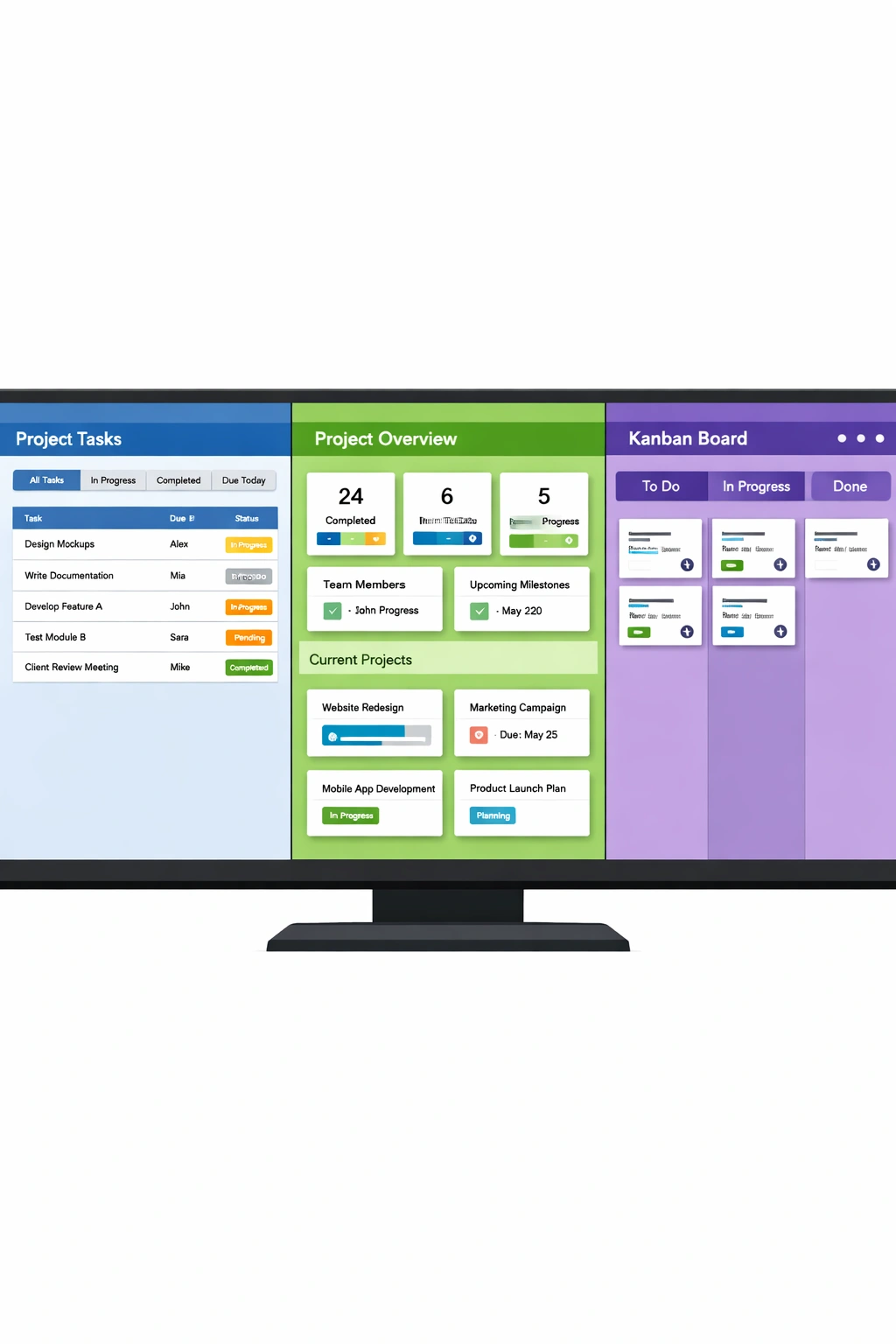
Project management tools with built-in automation eliminate that coordination overhead by handling repeatable processes in the background. The team stops managing the system and starts using it. That shift — from administering a tool to operating through it — is where the real productivity gain lives best project management tools.
Understanding what native automation actually covers.
There is an important distinction between native automation built into a project management platform and external automation tools like Zapier or Make. External tools connect separate applications and move data between systems that were not designed to communicate. They are powerful but require technical configuration and ongoing maintenance.
Native automation operates within the platform itself. It responds to events that happen inside your workspace — a task status changes, a due date passes, a new project is created — and triggers actions within the same environment. No API keys, no external configuration, no maintenance when the platform updates. For most small teams, native automation delivers the majority of efficiency gains with a fraction of the setup complexity.
The platforms with the strongest native automation.
ClickUp’s automation engine is the most comprehensive available outside of enterprise platforms. Multi-step automations, conditional logic, cross-space triggers, and actions that fire simultaneously across multiple workflow stages — all configurable through a visual interface that does not require a technical background. The free plan includes 100 automation runs per month. The unlimited plan removes that ceiling entirely and unlocks integrations with Slack, HubSpot, GitHub, and over 50 additional tools.
The conditional logic capability is where ClickUp separates itself from every competitor in this category. You can build automations that fire only when specific combinations of conditions are met — notifying a project lead only when a high-priority task moves to blocked, for example, rather than triggering on every status change across every project. That granularity prevents the notification fatigue that causes teams to disable automation entirely within the first month.
Monday’s automation builder uses plain language triggers and actions that any team member can configure without assistance. The interface presents automation logic in sentence form, which makes it the fastest platform to get basic automation running for non-technical founders. The cross-board automation capability — triggering actions on one board based on events on another — is particularly strong for teams managing interconnected workflows across multiple projects or departments.
Asana’s Rules system, available on paid plans from the Premium tier, handles task lifecycle automation cleanly. Automatic assignment when tasks enter specific projects, due date setting based on project start dates, section movement on status change, and overdue task escalation — all configured through a clean trigger-action interface. The automation depth is shallower than ClickUp but the implementation is more polished and easier to maintain for teams without a dedicated operations person.
The four automations worth building first.
Regardless of which platform your team uses, four automation workflows deliver the highest return in the shortest time for small business operations.
Due date reminders eliminate the most common source of manual follow-up. Set an automation to notify the task assignee 48 hours before a deadline and again on the day it is due. That single workflow removes the need for a project lead to manually monitor upcoming deadlines and chase team members who have not flagged that something is at risk.
Status-based assignment removes the handoff conversation from every workflow transition. When a task moves to In Review, automatically assign it to the reviewer. When it moves to Approved, automatically assign it to the person responsible for the next stage. The work moves forward without a Slack message, an email, or a follow-up call to confirm the handoff happened.
Recurring task creation removes repeatable work from the mental checklist permanently. Any task your team executes on a fixed schedule — weekly reporting, monthly invoicing, quarterly planning sessions — should be created automatically rather than manually. Set the recurrence once and the system handles it indefinitely.
Blocked task escalation creates a reliable path for surfacing stuck work without requiring the blocked team member to know who to contact or how urgently to flag the issue. When a task status changes to Blocked, automatically notify the project lead, add a comment requesting context, and set a 24-hour follow-up reminder. Work that was previously invisible until a deadline passed becomes visible the moment it stalls.
Building the automation layer at the right moment.
Automation built on top of an unstable workflow structure amplifies whatever inconsistency already exists. The right moment to introduce automation is after the team has been running the project management system consistently for three to four weeks and the highest-friction manual processes have become visible through real usage. At that point, automation targets known problems rather than anticipated ones, and the efficiency gain is immediate and measurable.
For a complete breakdown of which automation features each platform offers at every price point, along with step-by-step guidance on building the workflows covered above, project management tools with automation covers the full automation layer for small business teams.
Agile project management tools built for non-technical founders
Agile has spent years trapped behind a wall of engineering terminology that made it feel irrelevant to anyone who did not ship software for a living. Sprints, story points, burndown charts, velocity tracking — the vocabulary alone is enough to make a non-technical founder conclude that the methodology was built for someone else.
That conclusion is worth reconsidering. Stripped of its engineering-specific language, agile is a structured approach to breaking work into short cycles, reviewing progress at regular intervals, and adjusting direction based on what the team actually learns from doing the work. That is not a technical practice. It is a disciplined management practice that applies to any team doing complex, iterative work under conditions of uncertainty — which describes almost every small business operating today best project management tools.
The agile project management tools available in 2026 have matured to the point where a non-technical founder can implement a functional agile workflow without writing code, hiring a project manager, or spending a weekend reading methodology documentation.
What agile actually gives a non-technical team.
The operational value of agile for small business teams comes from three practices that work independently of the engineering context they originated in.
The backlog discipline forces prioritization in a way that most small teams never achieve through informal planning. A backlog is a ranked list of everything the business needs to do. New requests go into the backlog and get prioritized relative to existing items rather than jumping the queue because they feel urgent in the moment. That single habit eliminates a significant proportion of the reactive, low-value work that fragments small team attention across the week.
The sprint cadence creates natural accountability checkpoints without the overhead of continuous status management. A two-week cycle with a defined start, a fixed commitment, and a structured end-of-cycle review builds a realistic picture of team capacity over time. After three or four sprints, the team knows with reasonable accuracy what it can deliver in two weeks — which makes planning more honest and commitments more reliable.
The retrospective practice builds continuous improvement into the operational rhythm. A 15-minute honest conversation at the end of every sprint about what worked, what created friction, and what one thing the team will do differently next cycle compounds into meaningful operational improvement over a quarter. Most small teams never build this habit because there is no natural forcing function for it. The sprint cadence provides that forcing function automatically.
The tools that make agile accessible for non-technical founders.
ClickUp’s sprint functionality is the most complete agile implementation available outside of dedicated engineering tools. Sprint folders, configurable sprint durations, story point tracking, velocity reporting, and burndown charts — all accessible through a visual interface that does not assume a technical background. For a non-technical founder who wants the full agile toolkit without the engineering overhead, ClickUp delivers more depth at a lower price point than any competing platform.
The sprint dashboard gives team leads real-time visibility into sprint progress, remaining capacity, and blocked items without requiring a standup meeting to surface that information. The backlog management interface uses drag-and-drop prioritization that any team member can operate within minutes of first use.
Trello provides the most accessible entry point into agile working for teams that want visual simplicity over feature depth. A kanban board with columns representing Backlog, This Sprint, In Progress, In Review, and Done is a functional agile workflow. It lacks native sprint management, velocity tracking, and burndown charts, but for a team implementing agile for the first time, that simplicity is often an advantage rather than a limitation.
Notion’s database system is flexible enough to build a fully customized agile workflow for teams willing to invest setup time in exchange for a system precisely matched to their specific operation. The template library includes several sprint planning and backlog management templates that reduce that setup investment significantly.
For non-technical founders running businesses with a product or engineering component, Linear’s cycle system deserves consideration as a shared operational language that bridges the gap between business strategy and technical execution without requiring the founder to become fluent in engineering tooling.
Running agile without a scrum master.
The most persistent misconception about agile in a small business context is that it requires a dedicated facilitator to function. A lightweight agile system for a team of four can be run by any team member willing to own two ceremonies per sprint — a 30-minute planning session at the start and a 20-minute review at the end. Everything in between operates through async daily updates that take each team member five minutes and require no meeting to coordinate.
The agile concepts worth keeping for non-technical teams are the backlog, the sprint cadence, and the retrospective. The concepts worth skipping are story points for non-product work — replace them with simple time estimates or T-shirt sizing — and daily standups as synchronous meetings, which add scheduling overhead without improving coordination for small distributed teams best project management tools.
For a complete implementation guide including platform recommendations, ceremony templates, and the specific agile adaptations that work best for non-technical business operations, agile project management tools for non-technical founders covers the full methodology in accessible, jargon-free terms.
Conclusion
The best project management tools are not the ones with the longest feature list or the most recognizable brand. They are the ones your team adopts completely, uses consistently, and builds operational habits around over time. That distinction matters more than any platform comparison because a tool your team trusts and follows daily will always outperform a more sophisticated system that generates resistance every time someone opens it.
The platforms covered in this guide serve different team profiles at different stages of growth. Trello and Notion serve teams that need a low-friction entry point with enough flexibility to grow. Asana serves teams that prioritize clean task accountability and fast adoption over deep customization. Monday serves teams managing complex, data-rich workflows that need visual clarity across multiple stakeholders. ClickUp serves founders who want one platform to run their entire operation and are willing to invest the setup time to unlock that depth.
The decision process that works is straightforward. Start by identifying how your team naturally works — how decisions get made, how work gets communicated, how progress gets tracked informally right now. Then find the platform whose design philosophy most closely mirrors that natural behavior. Configure it around your actual workflow rather than the software’s default structure. Migrate one project, run it for two weeks, and measure adoption before expanding.
Add automation after the foundation is stable. Build the sprint cadence if your team does iterative work. Configure remote-specific settings if your team is distributed. And run a 30-day system review without exception — because the gap between a project management system that sticks and one that gets abandoned is almost always closed in that first honest review conversation.
The operational clarity that comes from a well-built project management system compounds in ways that are difficult to anticipate before you have experienced it. Fewer status meetings. Clearer ownership. Faster onboarding for new team members. Better capacity planning. More reliable delivery. Each of those outcomes builds on the others until the system becomes the invisible infrastructure your entire business runs on.
The most immediate next step for any team ready to move from evaluation to implementation is building the system correctly from the start. How to set up a project management system the right way walks through the full process — from defining your operational structure to running your first 30-day review — so the platform you choose has a foundation strong enough to deliver on its promise.
