

Remote teams do not fail because people stop caring about their work. They fail because the systems holding the team together were designed for people sitting in the same room. When you remove physical proximity, you remove the informal coordination layer that most in-office teams rely on without realizing it the hallway conversation, the shoulder tap, the visual cue that someone is stuck best project management software for remote teams.
The best project management software for remote teams replaces that informal layer with something more reliable: a structured, visible, asynchronous system where everyone knows what is happening, what is blocked, and what is next without a daily standup to hold it together.
This page focuses specifically on what distributed teams need from a project management platform and which tools deliver it consistently. If you are still in the early stages of evaluating platforms before factoring in remote work requirements, the best project management tools guide for 2026 covers the full selection framework for small business teams.
What remote teams need that in-office teams do not
The feature requirements for remote project management go beyond task assignment and due dates. Distributed teams operate in a fundamentally different coordination environment, and the software needs to account for that.
Async-first communication. Remote teams cannot rely on real-time conversation to resolve ambiguity. The project management tool needs to support rich comment threads, and contextual discussions directly on tasks and projects so that questions get answered and decisions get documented without requiring a meeting.
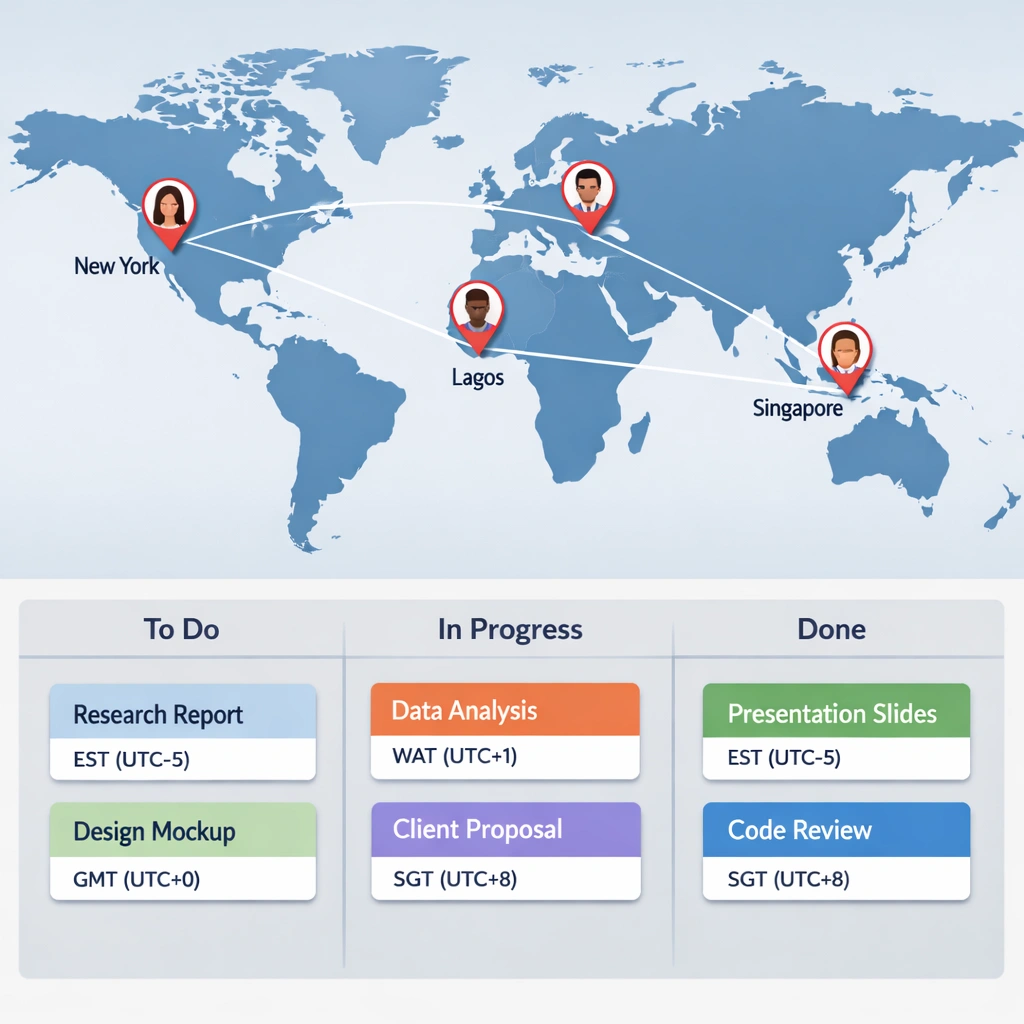
Timezone visibility. When your team spans multiple time zones, knowing when a teammate is available changes how you sequence work. Some platforms display working hours or availability status. Others integrate with calendar tools to surface that information automatically.
Clear ownership at every level. In a remote environment, unclear ownership creates delays that compound across time zones. A task with two assignees and no clear lead is a task that moves slowly. The software needs to make ownership unambiguous at the task, project, and workstream level.
Centralized documentation. Remote teams make decisions in writing. If those decisions live in Slack threads or email chains, they disappear within days. The best tools for remote teams keep decisions, context, and rationale attached to the work they relate tobest project management software for remote teams.
The best project management software for remote teams in 2026
best for remote teams that need full operational visibility
ClickUp’s combination of task management, docs, goals, and reporting makes it particularly well-suited for remote teams that need one platform to replace multiple tools. When your team is distributed, the cost of context-switching between applications is higher than it is in an office — there is no one to ask when you cannot find the right document or track down a decision.
The docs feature keeps written context attached to the workspace. The goal-tracking system gives team leads visibility into progress without requiring status update meetings. The notification system, while complex to configure initially, can be tuned to deliver the right alerts without overwhelming team members across time zones.
For remote teams comparing ClickUp against its closest competitors before committing, the Asana vs Monday vs ClickUp comparison breaks down each platform on the features that matter most for distributed operations.
Asana best for remote teams managing multiple client projects
Asana’s clean interface and strong task accountability model work particularly well for remote agencies and service businesses managing multiple client projects simultaneously. The portfolio view gives project leads a single screen showing status across every active project, which is valuable when you cannot walk the floor to get a quick read on team capacity.
The timeline view — available on paid plans — is one of the better implementations of dependency mapping in this category. For remote teams where a delay in one workstream cascades across others, visualizing those dependencies clearly prevents the kind of coordination failures that are harder to catch when your team is not co-located.
Asana’s integration with Slack, Zoom, and Google Workspace covers the communication stack most remote teams already use, which reduces the friction of connecting the project management layer to existing workflows.
Linear best for remote product and engineering teams
Linear is a purpose-built tool for software development teams. It is not a general project management platform, but for remote engineering teams it deserves a place in this conversation. The interface is fast, keyboard-driven, and designed specifically for teams running sprints, tracking bugs, and managing product roadmaps.
What makes Linear particularly strong for remote teams is its cycle and roadmap system. Cycles function like sprints with clear start and end dates. The roadmap view gives product leads visibility into what is coming, what is in progress, and what is blocked — without requiring a weekly planning call to stay aligned.
For remote engineering teams that find ClickUp or Asana too generic for their workflow, Linear offers a tighter, more opinionated system that mirrors how product development actually works best project management software for remote teams.
Basecamp best for remote teams that want simplicity over features
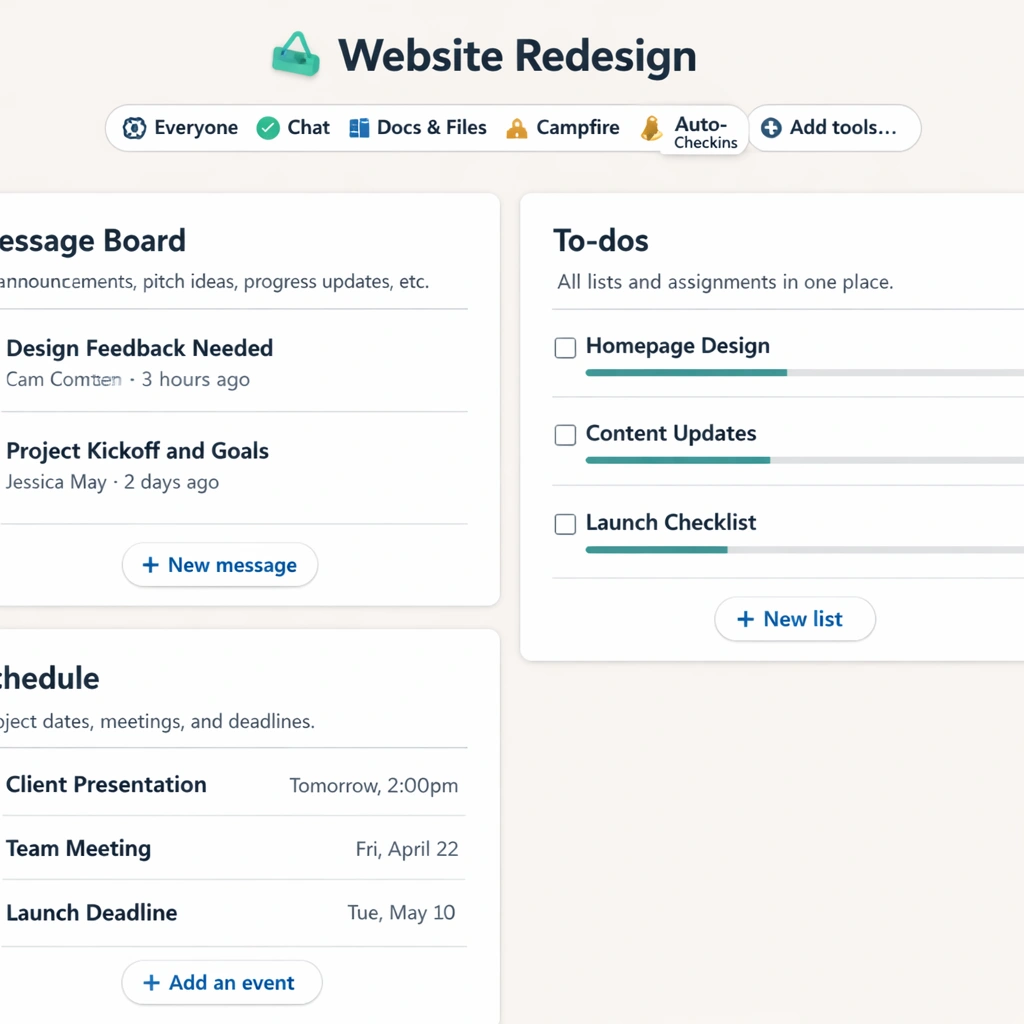
Basecamp takes a deliberately minimal approach to project management. It organizes work around projects, and each project contains a fixed set of tools: a message board, a to-do list, a document storage area, a schedule, and a group chat. That structure is intentional Basecamp believes that most teams add complexity to their workflow by using tools that offer too many options.
For remote teams that struggle with over-engineering their project management setup, that constraint is actually a feature. Everyone on the team uses the same structure for every project. There is no configuration paralysis and no inconsistency between how different team members organize their work.
Basecamp’s flat pricing model per month for unlimited users makes it unusually cost-effective for growing remote teams that would otherwise pay per seat on competing platforms.
The features that matter most for distributed teams
Beyond platform selection, there are specific capabilities that separate adequate remote project management tools from genuinely strong ones.
Guest access controls. Remote teams frequently work with contractors, freelancers, and clients who need limited visibility into projects. The platform needs to support guest access with granular permission settings so external collaborators can see what they need without accessing sensitive internal information.
Mobile experience. Remote team members are not always at a desk. A strong mobile app is not a nice-to-have for distributed teams it is a requirement. Asana and ClickUp both have capable mobile apps. Basecamp’s mobile experience is clean but limited in functionality relative to the desktop version.
Integration depth. Remote teams rely on a stack of tools to stay connected — Slack or Teams for communication, Google Workspace or Notion for documentation, Zoom for synchronous meetings. The project management platform needs to integrate cleanly with that stack so information flows between tools without manual duplication.
Activity feeds and audit trails. When decisions happen asynchronously across time zones, having a clear record of what changed, who changed it, and when is more important than it is in an office environment. Platforms that provide detailed activity logs reduce the confusion that comes from waking up to a project that looks different than it did when you logged off.
For remote teams that are also thinking about reducing manual coordination work through automation, project management tools with automation covers the specific automation features that deliver the highest efficiency gains for distributed operations.

Building a remote workflow that actually holds
Choosing the right platform is only half the work. The other half is building a workflow structure that your remote team follows consistently without requiring constant reinforcement best project management software for remote teams.
The teams that make remote project management work share a few common practices. They document decisions where the work lives not in a separate Slack thread or email chain. They define a clear weekly rhythm: when projects get updated, when status changes, when blockers get escalated. And they treat the project management tool as the single source of truth, not one of several places work might live.
The setup process matters as much as the platform choice. A well-configured ClickUp workspace built around your team’s actual workflow will outperform a poorly configured Asana workspace every time, regardless of which platform has the better feature set on paper.
For a step-by-step approach to building that structure from scratch, how to set up a project management system walks through the full implementation process from first project to full team adoption.
The bottom line
The best project management software for remote teams is the one that makes async coordination feel as natural as in-person collaboration. That means clear ownership, visible progress, centralized context, and a notification system that keeps people informed without creating noise.
The platforms covered on this page each serve a different remote team profile. ClickUp fits teams that want operational depth in one place. Asana fits service businesses managing multiple client workstreams. Linear fits remote engineering teams running structured development cycles. Basecamp fits teams that want simplicity and predictable pricing as they scale headcount.
Match the platform to how your team actually operates, invest in the setup, and build the habits that make the system self-sustaining.
Conclusion
Remote work does not create coordination problems. Poor systems do. The teams that operate smoothly across time zones and locations are not doing anything extraordinary they have simply built a project management infrastructure that makes async collaboration the default, not the exception best project management software for remote teams.
The best project management software for remote teams removes the dependency on real-time communication for routine coordination. Progress is visible without a status meeting. Ownership is clear without a follow-up message. Decisions are documented where the work lives, not buried in a chat thread that disappears within a week.
The platform you choose matters, but it matters less than the habits you build around it. A remote team that commits to one system, uses it consistently, and keeps it current will outperform a team using a more sophisticated tool that nobody fully trusts.
Start with the platform that fits your team’s current size and workflow. Configure it around how your team actually operates, not around how the software demo suggested you should. And treat the project management tool as the operational backbone of your business because for a remote team, that is exactly what it is.
