

Every growing team hits the same wall. The work is manageable, the team is capable, but a surprising amount of time disappears into tasks that should not require a human at all sending status update reminders, moving tasks between stages, creating recurring weekly to-dos, notifying teammates when their dependency is unblocked. None of it is complex. All of it compounds.
Project management tools with automation handle that layer of work in the background so your team operates at full capacity on the work that actually requires their judgment. The efficiency gain is not marginal. Teams that build even basic automation into their project management workflow recover hours every week that were previously lost to coordination overhead.
This page covers which platforms deliver the most useful automation, which workflows to build first, and how to avoid the setup mistakes that turn automation into a source of noise rather than a source of relief. If you are still evaluating platforms before thinking about automation depth, the best project management tools guide for 2026 covers the full selection framework first.
Why automation in project management is different from general workflow automation
There is an important distinction between general workflow automation tools Zapier, Make, n8n and the native automation built into project management platforms. Both have value, but they serve different purposes.
General workflow automation connects separate applications. It moves data between tools that were not designed to talk to each other. It is powerful but requires technical configuration and ongoing maintenance when the connected tools update their APIs.
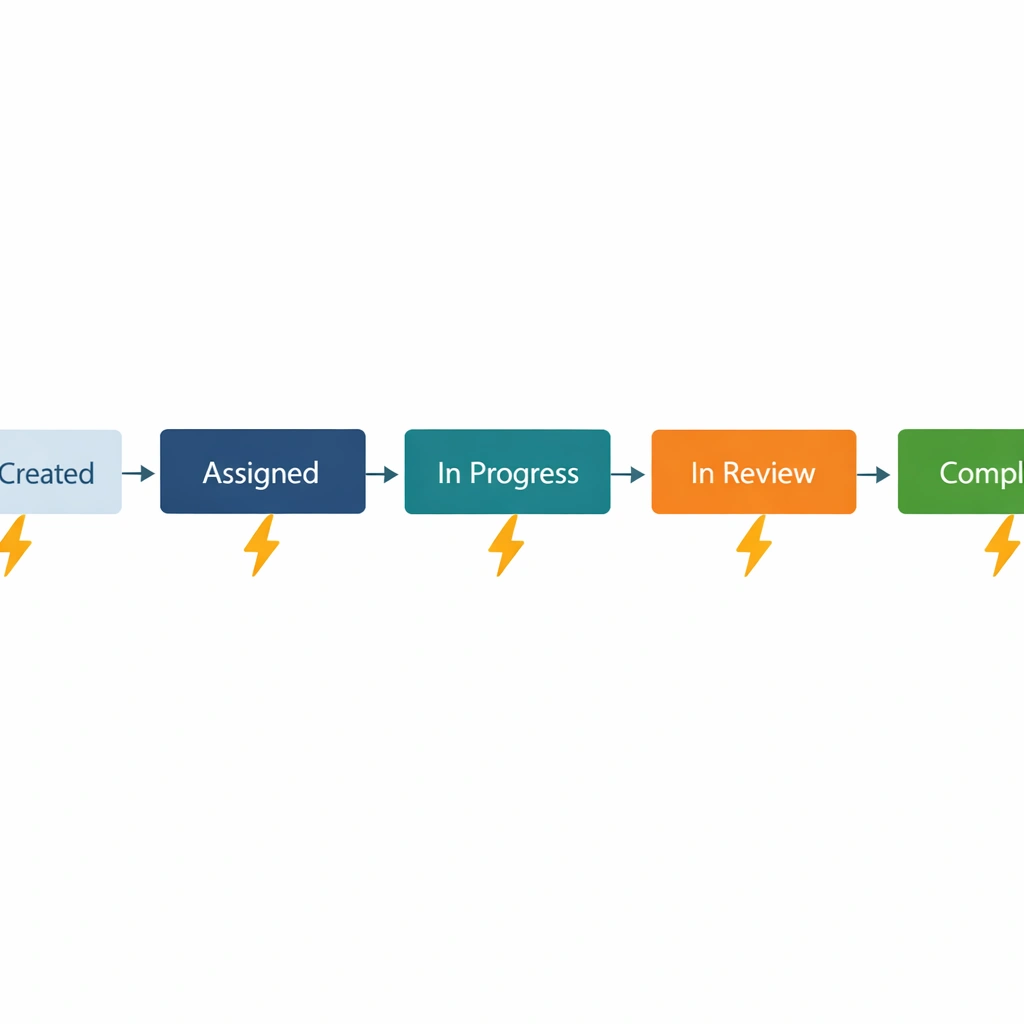
Native project management automation operates within the platform itself. It responds to events that happen inside your workspace a task status changes, a due date passes, a new item is created and triggers actions within the same environment. It requires no external configuration, no API keys, and no maintenance when the platform updates.
For most small teams, native automation delivers 80 percent of the efficiency gain with 20 percent of the setup complexity. Start there before connecting external automation tools.
The platforms with the strongest native automation
the deepest automation engine for small teams
ClickUp’s automation system is the most comprehensive native automation available outside of enterprise platforms. You can build multi-step automations that trigger on task creation, status changes, due date approaches, priority updates, assignee changes, and custom field modifications. Each trigger can fire multiple actions simultaneously — changing a status, sending a notification, assigning a teammate, and posting a comment in a single automated sequence.
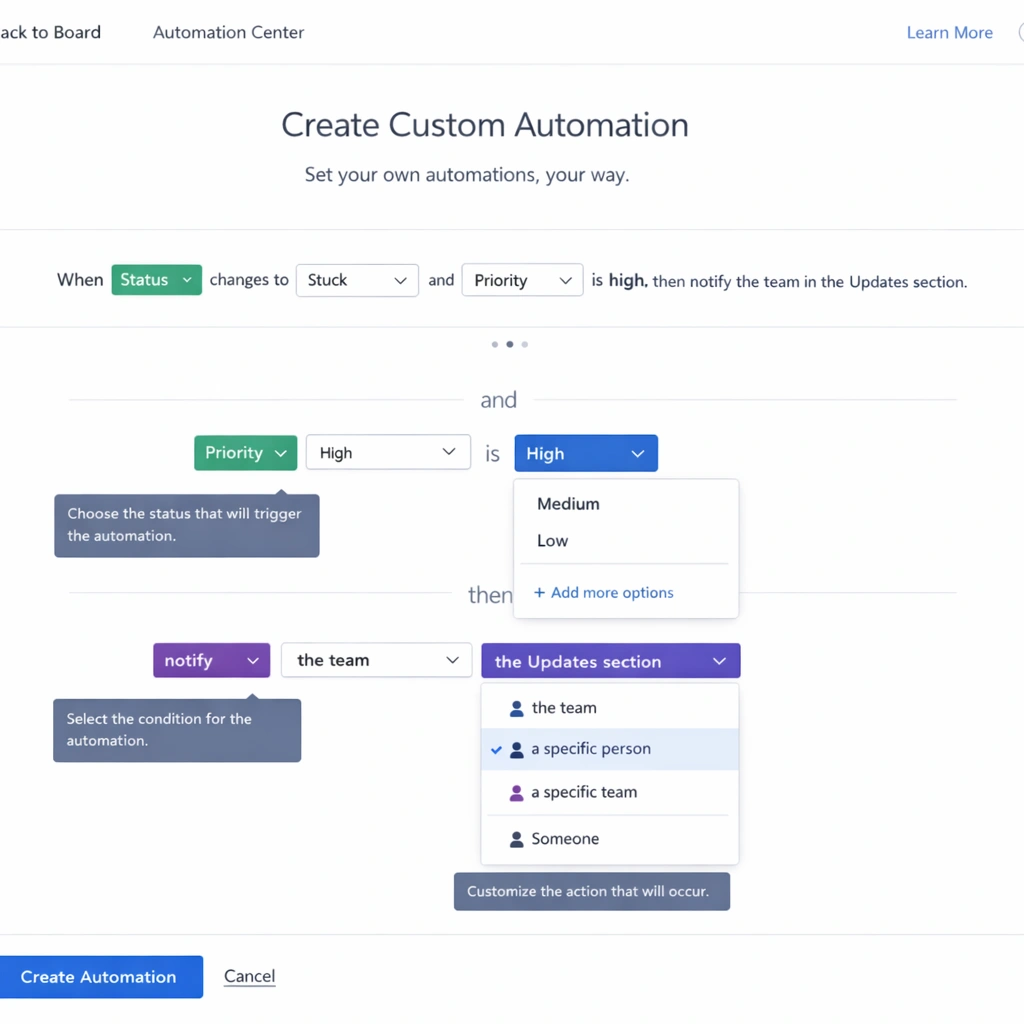
The conditional logic capability is where ClickUp separates itself from competitors. You can set automations to fire only when specific conditions are met — for example, notify the project lead only when a high-priority task moves to blocked, not every task. That granularity prevents the notification fatigue that makes teams turn automation off entirely.
The free plan includes 100 automation runs per month. The unlimited plan at $7 per user per month removes that limit and unlocks the full automation library including integrations with Slack, HubSpot, GitHub, and over 50 other tools.
For teams comparing ClickUp’s automation depth against its closest competitors, the Asana vs Monday vs ClickUp comparison covers how each platform handles automation across pricing tiers.
Monday the most user-friendly automation interface
Monday’s automation builder uses plain language triggers and actions that non-technical team members can configure without assistance. The interface presents automation recipes in sentence form: “When status changes to Done, notify someone and move item to another board.” That simplicity makes Monday the fastest platform to get basic automation running without a learning curve.
The cross-board automation capability is particularly strong. You can trigger actions on one board based on events that happen on another useful for teams managing client projects where a status change in the delivery board needs to trigger an update in the billing board.
The limitation is the monthly action cap. The Basic plan includes 250 automation actions per month, the Standard plan includes 25,000, and the Pro plan includes 250,000. For teams with active workflows running multiple automations simultaneously, the Basic cap becomes a genuine constraint within the first few weeks.
Asana clean automation for task-focused workflows
Asana’s automation system, called Rules, is available on paid plans starting at the Premium tier. The interface is clean and the logic is straightforward trigger, condition, action — which makes it accessible for teams that want automation without configuration complexity.
Where Asana’s automation shines is in task lifecycle management. You can build rules that automatically assign tasks when they enter a specific project, set due dates based on project start dates, move tasks between sections when status changes, and escalate overdue tasks to a project lead. For teams running repeatable project templates, those rules eliminate the manual setup work that slows down every new project kickoff.
The automation depth is shallower than ClickUp, and the cross-project automation capabilities are more limited than Monday. But for teams whose primary automation need is task lifecycle management rather than complex multi-step workflows, Asana’s Rules system handles the job cleanly.
The automation workflows worth building first
Not all automation delivers equal value. The highest-return automations for small teams fall into four categories.
Due date reminders. Set an automation to notify the task assignee 48 hours before a deadline and again on the day it is due. This single automation eliminates the need for manual follow-up on most tasks and reduces the cognitive load of remembering to check what is coming due.
Status-based assignments. When a task moves to a specific stage In Review, for example automatically assign it to the person responsible for that stage. This removes the handoff conversation that typically happens in Slack and keeps the work moving without a manual intervention.
Recurring task creation. Any task your team does on a fixed schedule weekly reporting, monthly invoicing, quarterly planning should be created automatically rather than manually. Set the recurrence once and remove it from your mental checklist permanently.
Blocked task escalation. When a task status changes to Blocked, automatically notify the project lead and add a comment requesting context. This creates a reliable escalation path without requiring the blocked team member to know who to contact or how urgently to flag it.
For remote teams, a fifth automation worth building early is timezone-aware notifications — configuring alerts to deliver during the recipient’s working hours rather than at the moment the trigger fires. Best project management software for remote teams covers how to configure that layer for distributed operations specifically.

The mistakes that make automation counterproductive
Automation built carelessly creates more problems than it solves. These are the failure patterns worth avoiding.
Automating before the workflow is stable. Automation amplifies whatever structure it is built on. If your task naming conventions are inconsistent, automating task creation produces a backlog of inconsistently named tasks. If your status definitions are unclear, status-based triggers fire at the wrong moments. Build the manual workflow first, run it for three to four weeks, then automate the parts that are working consistently. The setup guide for project management systems covers exactly when in the implementation process to introduce automation.
Over-notifying the team. The fastest way to get your team to ignore notifications is to send too many of them. Every automation that generates a notification should be evaluated against one question: does the recipient need to act on this immediately, or can it wait? If it can wait, consider a daily digest over an individual notification.
Building automations nobody understands. If only one person on the team knows how the automation layer works, the system becomes fragile. Document every automation you build — what it does, why it exists, and what to do if it fires incorrectly. Keep that documentation inside the project management tool itself so it is accessible to everyone.
Ignoring the maintenance requirement. Automations break when workflow structures change. A status rename, a project restructure, or a team member change can silently disable an automation that the team has come to rely on. Schedule a monthly automation audit — 20 minutes to verify that every active automation is still firing correctly and still serving its original purpose.
Building toward a self-running operation
The goal of automation in project management is not to replace human judgment. It is to remove the coordination overhead that consumes human judgment without producing anything of value.
A team that has automated its recurring tasks, its handoff notifications, its due date reminders, and its escalation paths is a team that spends less time managing the system and more time doing the work the system is designed to support. That shift compounds over time. The hours recovered in month one become the capacity for a new initiative in month three.
Start with the four automations covered in this page. Run them for 30 days. Measure how much manual coordination they replace. Then build the next layer based on what you observe rather than what seems theoretically useful.
The bottom line
Project management tools with automation are not a luxury feature for large teams with dedicated operations staff. They are a practical efficiency tool for any small team that runs repeatable processes and cannot afford to spend skilled hours on administrative coordination.
The platforms that deliver the most automation value for small teams are ClickUp for depth and customization, Monday for ease of configuration, and Asana for clean task lifecycle management. Each serves a different team profile, and the right choice depends on how complex your workflows are and how much configuration time you can invest upfront.
Build the foundation first. Automate what is working. Audit regularly. And treat every hour recovered from busywork as a direct investment in the work that actually moves your business forward.
Conclusion
Busywork does not disappear on its own. It accumulates quietly until it becomes the default mode of operation — and by that point, the team has normalized spending real hours on work that should never have required a human in the first place.
Project management tools with automation break that pattern. Not by removing accountability or reducing visibility, but by handling the mechanical coordination layer so your team’s attention stays on work that actually requires judgment, creativity, and decision-making.
The teams that benefit most from automation are not the ones that build the most complex workflows on day one. They are the ones that start with the highest-friction manual processes, automate those first, and expand the automation layer incrementally as the system matures.
Four automations due date reminders, status-based assignments, recurring task creation, and blocked task escalation will recover more time in the first 30 days than any other investment you make in your project management setup. Build those first, measure the impact, and let the results guide what you automate next.
The ceiling on what automation can do for a small team is higher than most founders realize. But it is only reachable if the foundation underneath it is solid. Get the structure right, build the habits first, and then let the automation layer do what it was designed to do: run the repeatable work so you never have to think about it again.
