

The best backend as a service (BaaS) platform can make or break your startup in 2026. Building a startup today means making infrastructure decisions faster than ever before. Your users expect a polished, reliable product from day one. Your investors expect speed. Your small team — often just two or three people — can’t afford weeks configuring servers before shipping a single feature.
Backend-as-a-service replaces custom backend infrastructure with managed, API-driven platforms. It lets lean teams ship production-ready products quickly, without hiring backend engineers or managing cloud ops from scratch.
But not all BaaS platforms are equal. The one you choose defines your database, pricing trajectory, dev experience, and scaling path. Picking the wrong one creates friction when momentum matters most.
This guide covers everything a startup founder needs: what BaaS really is, top platforms worth considering in 2026 (Supabase, Firebase, Xano, Appwrite, Convex & more), feature/pricing comparisons, frontend integration steps, and when to outgrow the model.
What is backend-as-a-service and why it matters for startups
Backend-as-a-service is a cloud model that provides pre-built backend infrastructure through managed APIs and SDKs. Instead of building and maintaining your own server, writing your own authentication logic, and managing your own database, you connect your frontend directly to a platform that handles all of that out of the box.
The components a standard BaaS platform provides include user authentication, a hosted database, file storage, serverless functions for custom logic, and in many cases real-time data synchronization. These are the building blocks that almost every web and mobile product needs, and they represent weeks of engineering work if built from scratch.
For a startup founder, the practical implication is significant. You go from spending the first month of development on infrastructure to spending it on the product features your users will actually interact with. The backend is configured, not built.
The tradeoff is flexibility. A custom backend gives you total control over architecture, performance tuning, and cost optimization at scale. A BaaS platform gives you speed and simplicity at the cost of some customization headroom. For most startups at the pre-product-market-fit stage, that tradeoff is not a difficult one.
Understanding the full scope of what BaaS replaces — and what it does not — is worth your time before selecting a platform. The startup founder’s guide to what backend-as-a-service actually is covers the complete picture of what you are getting, what you are giving up, and which team profiles benefit most from the model.
The question most founders are actually trying to answer is not what BaaS is. It is which platform to use. That answer depends on three variables: your product’s data structure, your team’s technical background, and your expected growth trajectory over the next 18 months.
Firebase vs Supabase vs AWS Amplify: which platform fits your startup
Three platforms dominate the BaaS conversation for startups in 2025. Firebase has been the default choice for nearly a decade. Supabase has emerged as the open-source challenger with serious momentum. AWS Amplify sits in a different category, leaning toward teams already embedded in the Amazon ecosystem.
Each platform solves the same core problem — giving you a managed backend without building one from scratch — but the way they solve it differs in ways that matter at scale.
Firebase is built around a NoSQL document database called Firestore. Data is organized into collections of documents rather than relational tables. This model is fast to start with and extremely well suited to consumer apps with real-time features — chats, collaborative tools, social feeds. Firebase’s authentication is the easiest to implement of any platform on this list, and its free Spark plan is generous enough to carry a typical MVP through early validation without touching a credit card.
The limitation appears as your product grows. Firestore does not support SQL joins. Complex data relationships require either multiple sequential queries or deliberate data duplication across documents. Founders who come from a relational database background often find themselves working against the data model rather than with it. Firebase’s per-operation pricing — charges per database read, write, and delete — also creates a cost curve that is harder to predict than a flat monthly subscription as usage scales.
Supabase is built on Postgres, one of the most trusted relational databases available. This single architectural decision changes the development experience significantly. You get full SQL support, proper foreign keys, joins, and a data model that scales gracefully as your product’s complexity grows. The auto-generated REST and real-time API, created directly from your database schema, removes the need to write backend routes manually. You define the tables and the API appears.
Supabase’s open-source foundation also gives you an exit option that Firebase does not. If you ever need to migrate off the managed platform, the underlying technology — Postgres, GoTrue for auth, the Storage API — can be self-hosted. That portability matters to founders thinking about long-term infrastructure ownership.
AWS Amplify is Amazon’s BaaS offering, built on top of the broader AWS infrastructure stack. DynamoDB handles the database layer, Cognito manages authentication, S3 handles storage, and Lambda runs serverless functions. Amplify acts as a configuration and deployment layer on top of these services, giving teams already running AWS workloads a familiar integration path.
For a solo founder or a small team building an MVP, Amplify introduces more complexity than it removes. The configuration process is more involved than either Firebase or Supabase. The documentation is dense. The billing model, inherited from AWS itself, is harder to predict than either competitor. Amplify rewards teams with backend engineering experience and existing AWS infrastructure — not teams looking to minimize infrastructure decisions.
The decision between these three platforms comes down to a clear framework. If your product has consumer-facing real-time features and your data is document-shaped, Firebase is still a strong choice. If you are building a SaaS product with structured data, user roles, and complex relationships between entities, Supabase is the stronger long-term foundation. If your team already runs AWS infrastructure and has the engineering depth to configure it, Amplify deserves serious evaluation.
For a detailed head-to-head breakdown including a decision matrix across database type, pricing predictability, real-time support, and setup speed, the Firebase vs Supabase vs AWS Amplify comparison covers every dimension that matters for a startup making this decision in 2025.
Best BaaS platforms for building an MVP fast
The MVP stage has one governing constraint: time. Every week between your idea and your first real user is a week of unvalidated assumptions, unspent runway, and delayed learning. The infrastructure underneath your MVP should not be the thing that introduces that delay.
BaaS platforms were built for exactly this situation. But not every platform is optimized for speed at the early stage. Some are powerful but carry configuration overhead that slows down a small team. Others are simple but too limited to support a product that gains real traction. The platforms worth considering at the MVP stage hit a specific balance — fast to set up, stable enough to put in front of paying users, and scalable enough that early success does not force an immediate migration.
Firebase remains one of the fastest paths from zero to a working product. The combination of Firestore’s real-time database, built-in authentication, and Firebase Hosting means a technically capable founder can have a fully functional, deployed product running within a single day. The free Spark plan covers enough reads, writes, and storage to carry a typical MVP through early user testing without cost. The SDK is mature, the documentation is extensive, and the community is large enough that almost any implementation question has a documented answer somewhere.
For consumer-facing MVPs — apps with social features, real-time interactions, or user-generated content — Firebase’s real-time sync provides a capability that would take weeks to build from scratch. You configure a listener on your frontend and the database pushes updates to every connected client automatically. That feature alone justifies Firebase for a specific category of product.
Supabase has become the default recommendation for SaaS MVPs in 2025, and the reason is straightforward. The Postgres foundation means your data model is relational from day one. If your product has users who belong to organizations, who create projects, who have different permission levels across different resources, Supabase handles that data structure cleanly without workarounds. The table editor lets non-backend engineers manage the database visually. The auto-generated API removes the need to write backend routes manually.
The free tier is genuinely useful at the MVP stage. It includes 500MB of database storage, 1GB of file storage, and 50,000 monthly active users — enough headroom to run a real product with actual paying customers before needing to upgrade. And the data model you build at the MVP stage is the same one you will be working with at a thousand users, which means less refactoring as you scale.
Pocketbase deserves mention for a specific founder profile: the solo builder who wants maximum simplicity and zero monthly cost at the prototype stage. Pocketbase is an open-source BaaS that ships as a single executable file. You run it locally during development and deploy it to any VPS for production. It includes authentication, a SQLite database, file storage, and a real-time API. Setup takes under 30 minutes. The limitation is that SQLite is not designed for high-concurrency production workloads, so a migration becomes necessary if the MVP gains serious traction. For pure validation purposes, it is a legitimate tool.
Appwrite covers the middle ground between Firebase and a fully custom backend. It is open-source, supports multiple database adapters, and can be self-hosted or used through Appwrite Cloud. For MVPs in regulated industries — healthcare, finance, legal — where data ownership and compliance matter from day one, Appwrite’s self-hosting option provides a level of control that Firebase and Supabase’s managed offerings do not match.
The practical decision at the MVP stage comes down to product type. Consumer app with real-time features — Firebase. SaaS product with structured data and user roles — Supabase. Lightweight prototype with zero budget — Pocketbase. Regulated industry requiring data ownership — Appwrite.
One variable worth factoring into that decision before you commit is how each platform’s cost behaves once the MVP starts gaining users. Infrastructure that is free at 100 users can become expensive at 10,000, and the rate at which costs scale differs significantly across platforms. The best BaaS platforms for building an MVP fast covers the specific platform recommendations for each startup archetype in detail, including how each option handles the transition from validation to early growth est backend as a service.

BaaS pricing: what you actually pay as your startup scales
Free tiers are designed to get you started, not to keep you there. Every major BaaS platform offers a generous entry point that works well for MVPs and early-stage products. The differences that matter for a startup founder appear at the inflection points — when your user base grows, when your data operations multiply, and when the monthly bill starts showing up as a real line item in your budget.
Understanding BaaS pricing before you build is not about finding the cheapest option. It is about modeling your cost curve accurately so infrastructure decisions are never made under financial pressure.
The two pricing models you need to understand
BaaS platforms charge in one of two fundamental ways, and the difference has meaningful implications for how predictable your infrastructure costs are as you scale.
Usage-based pricing charges you for what you consume — database reads, writes, function invocations, storage bandwidth. Firebase is the most prominent example of this model. The free Spark plan is capped by daily operation counts, and once you exceed those caps on the Blaze plan, you pay per operation. This model is cost-efficient at low usage and difficult to forecast at high usage.
Resource-based pricing charges you for the infrastructure you provision — a database instance of a certain size, a storage allocation, a compute tier — regardless of how many individual operations occur within that infrastructure. Supabase follows this model more closely. You pay a flat monthly fee for a given tier, and within that tier you can run as many queries as your workload demands without per-query charges.
The practical difference for a founder is forecasting confidence. Usage-based pricing is hard to predict because your cost depends on how users interact with your product at a granular level. Resource-based pricing is easier to budget because you know what a given tier costs before the month starts.
Firebase pricing in practice
Firebase operates on two tiers. The Spark plan is free and covers meaningful usage for early-stage products. The Blaze plan is pay-as-you-go with no monthly base cost — you pay only for usage beyond the free tier thresholds.
The founders who get surprised by Firebase bills are almost never caught off guard by user growth alone. They are caught off guard by inefficient queries written during the MVP phase and never optimized. A query that reads an entire Firestore collection instead of a filtered subset can multiply costs by ten or more without any change in user count. Firebase rewards careful query design in a way that Supabase, with its SQL foundation, does not penalize as severely.
Cloud Functions on the Blaze plan add another variable. Each function invocation is billed separately, and functions that trigger on database writes can create cascading cost events that are difficult to predict without deliberate architecture planning.
Supabase pricing in practice
Supabase uses a tiered subscription model that is significantly easier to forecast than Firebase’s usage-based approach. The free tier covers 500MB of database storage and 50,000 monthly active users — sufficient for most MVPs. The Pro tier at $25 per month per project includes 8GB of database storage, 100GB of file storage, unlimited monthly active users, and daily backups.
For most startups, the jump from free to Pro is the only pricing event that matters for a meaningful period. The flat monthly cost means your infrastructure bill does not spike unexpectedly when a feature goes viral or a marketing campaign drives sudden traffic.
The per-project billing model is worth understanding if you run separate staging and production environments. Each project is billed independently, so a standard two-project setup costs $50 per month on the Pro tier — still a predictable and manageable number for a product generating any meaningful revenue.
AWS Amplify pricing in practice
AWS Amplify inherits Amazon’s billing model, which means granular per-service pricing across every component your application uses. Authentication through Cognito, database operations through DynamoDB, storage through S3, functions through Lambda, and API calls through API Gateway are all billed separately and combined into a single monthly statement.
For startups, Amplify’s pricing is both its strength and its barrier. At scale, AWS infrastructure can be cost-optimized aggressively by engineers who know the platform. At the early stage, the billing complexity creates cognitive overhead that most founders do not want to manage alongside everything else a startup demands.
Modeling your costs at three growth stages
Abstract pricing discussions are less useful than concrete scenarios. Across the three main platforms, here is how costs typically compare at different stages of startup growth.
At the MVP stage with under 1,000 monthly active users, all three platforms are effectively free. Firebase and Supabase both offer free tiers capable of supporting a real product at this scale. AWS Amplify’s component-level free tiers cover most standard usage patterns.
At early traction with 1,000 to 10,000 monthly active users, Firebase costs range from zero to roughly $15 per month depending on query efficiency and function usage. Supabase typically requires the $25 per month Pro tier upgrade at this stage if storage or project limits are reached. AWS Amplify ranges from $10 to $40 depending on function and data transfer usage.
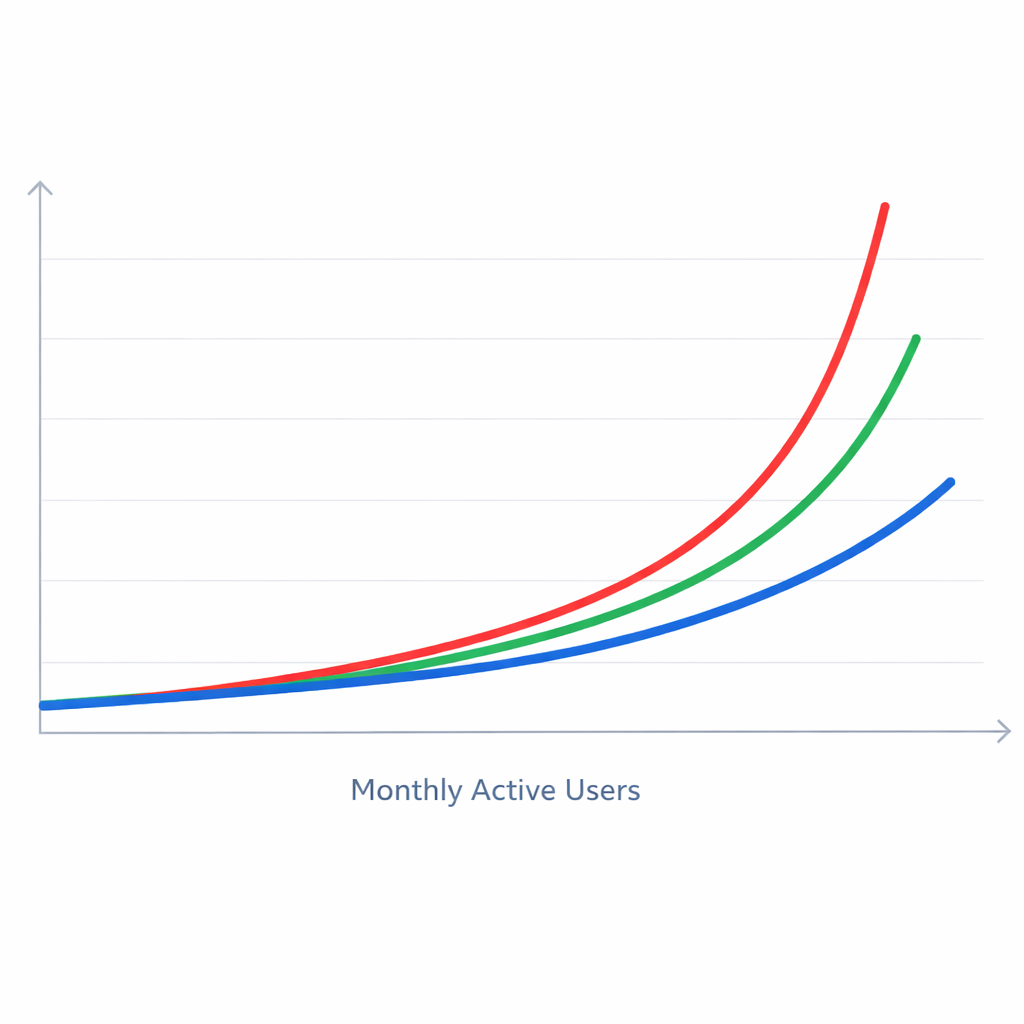
At the growth stage with 10,000 to 100,000 monthly active users, the platforms diverge meaningfully. Firebase costs range from $50 to $300 or more depending heavily on query design. Supabase typically stays between $25 and $75 with storage add-ons as needed. AWS Amplify ranges from $50 to $200 or more depending on infrastructure configuration.est backend as a service
The pattern that emerges consistently across all three stages: Supabase is the most predictable option as usage grows. Firebase can stay cheaper than Supabase if query design is disciplined. AWS Amplify offers the most optimization headroom for teams with the engineering capacity to use it.
Beyond platform subscription costs, three additional cost categories are worth building into your model early: egress fees for data moving out of platform infrastructure, function compute time that compounds at high invocation volumes, and third-party integrations for email, payments, and monitoring that sit outside your BaaS bill but are enabled by your BaaS architecture.
est backend as a service For a complete breakdown of how each platform bills across every component — including the specific query patterns that cause Firebase costs to accelerate unexpectedly — the BaaS pricing breakdown models what you will actually pay at each growth stage, so the bill is never a surprise.
How to connect a BaaS platform to your frontend in under a day
The setup process for a BaaS backend is faster than most founders expect. Authentication, database access, and file storage can realistically be connected to a working frontend in a single focused workday — even without a dedicated backend engineer on the team. The platforms are designed for exactly this: fast onboarding, clear SDKs, and sensible defaults that work without extensive configuration.
The workflow follows five steps regardless of which platform you choose. Create your project and collect your credentials. Install the SDK and initialize the connection. Implement user authentication. Connect your database for read and write operations. Set up file storage. Each step builds on the previous one, and by the end you have a production-ready backend foundation — not a prototype, but a real backend capable of handling actual users.
Project setup and credentials
On Firebase, you create a project in the Firebase console, register your web app, and receive a configuration object containing your API key, project ID, and related identifiers. On Supabase, you create a project, wait approximately two minutes for provisioning, and retrieve your project URL and anon public key from the API settings panel.
Both sets of credentials should be stored in your project’s environment variables immediately. Hard-coding API keys in source files is a security vulnerability that is easy to avoid and costly to fix after the factest backend as a service.
SDK installation and initialization
Both platforms distribute their SDKs through npm. A single install command adds the SDK to your frontend project as a dependency. You then create one initialization file — typically named firebase.js or supabase.js — that imports the SDK, reads your credentials from environment variables, and exports initialized service instances for authentication, database, and storage. Every component in your project imports from this single file. The pattern is clean, consistent, and immediately familiar to any JavaScript developerest backend as a service.
Authentication
User authentication is almost always the first feature a product needs. Both Firebase and Supabase handle email and password sign-up and sign-in through straightforward SDK calls. You pass an email and password to the platform’s auth function, and the platform handles the network request, session management, token storage, and refresh logic automatically.
Google OAuth and other social login providers require enabling the provider in the platform dashboard — Firebase under Authentication then Sign-in method, Supabase under Authentication then Providers — and adding one additional SDK call in your code. The platform manages the OAuth redirect flow entirely. You do not write any OAuth logic yourself.
Database operations
Reading and writing data follows a similarly clean pattern on both platforms, with one meaningful structural difference. Firebase’s Firestore SDK works with collections and documents. You reference a collection, add a document with your data object, and retrieve documents using query snapshots. Supabase’s SDK works with tables and rows, using a query builder syntax that mirrors SQL closely enough that anyone with database experience will feel at home immediately.
The structural difference matters beyond syntax. A Supabase query that retrieves users and their associated organizations in a single request is straightforward with a SQL join. The equivalent Firebase operation requires either two separate queries or a data model that duplicates organization information inside each user document. For products with complex data relationships, this distinction shapes development velocity at every stage after the MVP.
File storage
Both platforms handle file uploads through a similar three-step pattern: reference a storage location, upload the file, retrieve a public URL. That URL is what you store in your database and serve to your users. Access control — which users can read or write which files — is configured in the platform dashboard through security rules on Firebase and Row Level Security policies on Supabase. Neither approach requires custom server-side code for standard access control patterns.
By the end of this setup sequence, a founder has a frontend connected to a working backend with user authentication, database operations, and file storage all functional. The entire process, done without interruption and with the documentation open, fits comfortably within a single workday for a technically capable founder — and within a few hours for a developer who has worked with either platform before.
For a complete step-by-step walkthrough including the exact SDK calls for both Firebase and Supabase, with annotated code examples for each stage of the setup, the backend-as-a-service tutorial on connecting your stack in under a day takes you through the entire process from blank project to working backend.
When BaaS is not the right choice for your startup
Backend-as-a-service is a starting point, not a permanent architecture. The same abstractions that let a solo founder ship a working product in a day are the same abstractions that can limit a scaling product’s performance, flexibility, and cost efficiency. Knowing when to move on is as important as knowing when to adopt the model in the first place.
The signals that suggest a BaaS platform is becoming a constraint rather than an enabler tend to appear gradually. No single event triggers the decision. Instead, a pattern of friction accumulates across database queries, infrastructure costs, backend logic, and architectural flexibility until the cumulative weight of that friction makes a transition worth the engineering investment.
Database queries hitting structural limits
The most common reason startups outgrow a BaaS platform is database architecture. On Firebase, the NoSQL document model becomes limiting when data relationships grow complex. Firestore does not support joins. Fetching related data across multiple collections requires either sequential queries or deliberate data duplication — a pattern that is manageable at small scale and increasingly painful as the product grows. Founders who built their data model quickly during the MVP phase often find themselves refactoring it entirely at the growth stage, which is expensive work that a relational foundation would have avoided.
On Supabase, the Postgres foundation handles relational complexity well, but the managed instance has resource limits tied to your pricing tier. High-throughput products with complex analytical queries may find that connection pooling, query optimization, and index configuration are constrained by the platform’s managed environment in ways that a dedicated database server would not be.
When you find yourself working around your database model rather than with it, that is a meaningful signal. It does not always mean leaving BaaS entirely. Sometimes it means migrating your database to a dedicated managed service — PlanetScale, Neon, or Amazon RDS — while keeping other BaaS services like authentication and storage in place.
Infrastructure costs scaling faster than revenue
A healthy SaaS product targets infrastructure costs between 5% and 20% of revenue at early stages. When your BaaS bill trends above that range — or when you model future costs and see a trajectory that makes the platform economically unviable at your target scale — that is worth addressing before it becomes urgent.
The most common culprit on Firebase is read-heavy workloads with unoptimized queries. Per-operation billing amplifies the cost of inefficient database access in ways that a flat-tier pricing model like Supabase does not. On Supabase, the signal is usually a resource constraint rather than a pricing model problem — outgrowing the included storage or compute of the Pro tier points toward a larger instance or a dedicated Postgres host, not necessarily a full platform departure.
Custom backend logic outgrowing serverless functions
Serverless functions handle short, stateless operations well. They become limiting when your backend logic is stateful, long-running, or requires persistent connections. Real-time data processing pipelines, machine learning inference on every user request, multi-step background jobs that run for minutes rather than seconds, and persistent WebSocket connections with custom logic all represent workloads that serverless architecture handles awkwardly compared to a dedicated backend service.
None of these requirements are common at the MVP stage. They become relevant when a product has scaled and its feature set has grown specific enough to push against the edges of what serverless functions can handle cleanly. The solution is usually not a complete platform migration but a progressive decoupling — introducing a lightweight backend service on Railway, Render, or Fly.io for the logic that has outgrown serverless, while retaining BaaS services that still provide clear value.
Vendor dependency becoming a strategic risk
BaaS platforms are managed services. You do not own the infrastructure, and migrating away from it later requires meaningful engineering effort. For most startups at the early stage, this tradeoff is acceptable. The calculus changes when your product reaches a scale where infrastructure decisions carry strategic implications for enterprise customers, compliance requirements, or board-level risk assessment.
Supabase partially mitigates this risk through its open-source architecture. Firebase and AWS Amplify offer no equivalent exit option. If vendor dependency has become a concern, the path forward is usually a progressive decoupling rather than an immediate wholesale migration — moving the most critical data layer to infrastructure you own while retaining BaaS services that still provide net value.
Planning that transition thoughtfully — auditing before acting, migrating in parallel, starting with the lowest-risk component, and establishing a rollback plan — is the difference between a recoverable infrastructure evolution and a production incident. For the complete framework on recognizing these signals and executing a migration without breaking your product, the guide to backend-as-a-service limitations and when to move on covers every scenario in detail.
Conclusion: choosing the right backend-as-a-service for your startup
The best backend-as-a-service platform for your startup is not the most popular one or the one with the most features. It is the one that matches your product’s data structure, your team’s technical background, and your growth trajectory over the next 18 months.
Firebase remains the fastest path to a working product for consumer apps with real-time features. Its ecosystem is mature, its community is large, and its free tier is generous enough to carry an MVP through early validation without cost. The per-operation pricing model and NoSQL data structure require discipline and planning, but for the right product type, no platform ships faster.
Supabase has become the default recommendation for SaaS products in 2025 for a clear reason: the Postgres foundation scales with product complexity in a way that Firebase’s document model does not. The flat pricing tiers are predictable. The open-source architecture provides an exit option. And the development experience — SQL queries, a clean dashboard, auto-generated APIs — is one that most technical founders find immediately productive.
AWS Amplify serves a specific audience well: teams already embedded in the AWS ecosystem with the backend engineering depth to configure and optimize the infrastructure. For everyone else, it introduces more complexity than it removes at the early stage.
Pocketbase and Appwrite fill legitimate niches — the former for ultra-lean prototyping with zero infrastructure cost, the latter for regulated industries requiring data ownership from day one.
Whatever platform you choose, the infrastructure decision should be made once, documented clearly, and revisited only when the signals described throughout this guide suggest the platform is creating more friction than it removes. The goal is not to build the perfect backend. The goal is to build the right product, validate it with real users, and let the infrastructure conversation scale with your success.
Start with the platform that removes the most friction between your idea and your first user. Build the product. Then optimize everything elsebest backend as a service.
