
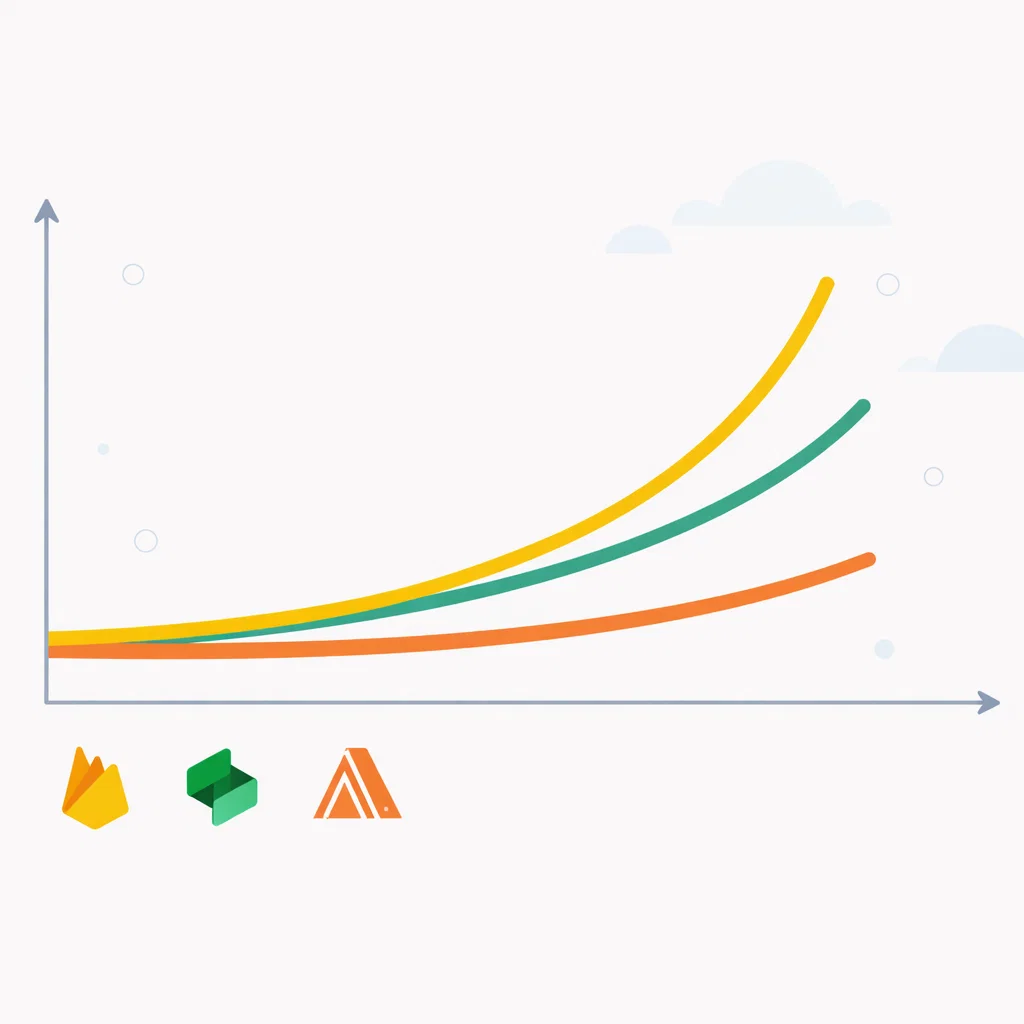
Backend as a service pricing is the conversation most founders skip until the bill arrives. Backend-as-a-service platforms offer generous free tiers and low entry costs for easy onboarding, but the real backend as a service pricing curve shifts dramatically once your product gains traction. If you’re still evaluating which platform to build on in 2026, our complete guide to the best backend-as-a-service for startups covers the full backend as a service pricing landscape before you commit. If you’ve already picked a platform and want transparency on backend as a serhttps://saasglance.com/wp-admin/post.php?post=1515&action=editvice pricing—what free tiers hide, predictable vs usage-based models, and real production costs—this breakdown delivers the numbers you need to avoid surprises.
Backend-as-a-service pricing: what you actually pay as you scale
Free tiers are designed to get you started, not to keep you there. Every major BaaS platform offers a generous entry point that works well for MVPs and early-stage products. The differences that matter for a startup founder appear at the inflection points — when your user base grows, when your data operations multiply, and when the monthly bill starts showing up as a real line item in your budget.backend as a service pricing
Understanding BaaS pricing is not about finding the cheapest option. It is about modeling your cost curve accurately so you are not making infrastructure decisions in a crisis.backend as a service pricing
How BaaS platforms charge: the two pricing models you need to understand
Before comparing specific platforms, it helps to understand the two fundamental pricing approaches in the BaaS space.Backend as a Service Pricing
Usage-based pricing charges you for what you consume — database reads, writes, function invocations, storage bandwidth. Firebase is the most prominent example of this model. The free tier is capped by operation counts, and once you exceed those caps, you pay per operation. This model is cost-efficient at low usage and unpredictable at high usage.Backend as a Service Pricing
Resource-based pricing charges you for the infrastructure you provision — compute, storage, bandwidth — regardless of how many individual operations occur within that infrastructure. Supabase follows this model more closely. You pay for a database instance of a certain size, and within that instance, you can run as many queries as your workload demands without per-query charges.
The practical difference for a founder: usage-based pricing is hard to forecast because your cost depends on how users interact with your product. Resource-based pricing is easier to budget because you know what a given tier costs before the month starts.
Firebase pricing: generous until it is not
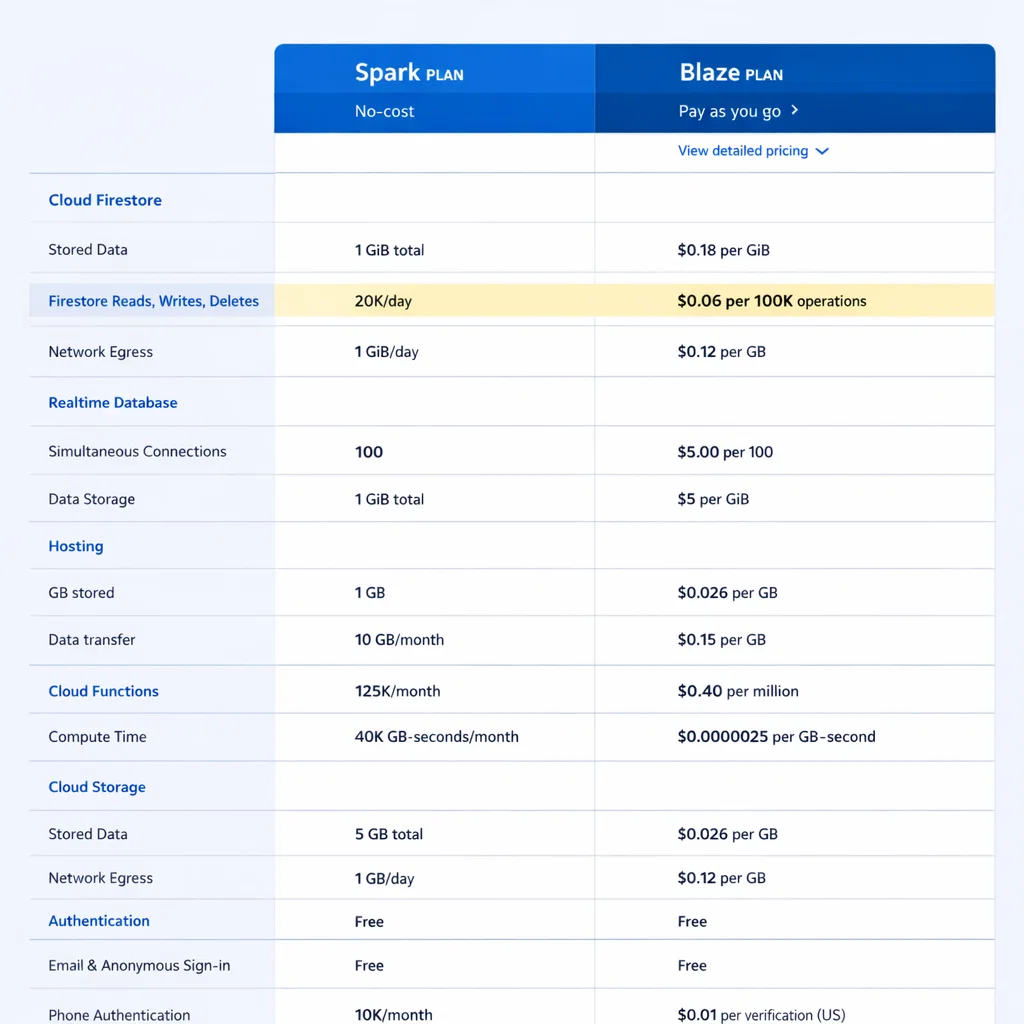
Firebase operates on two tiers. The Spark plan is free and covers a meaningful amount of usage for early-stage products. The Blaze plan is pay-as-you-go with no monthly base cost — you pay only for what you use beyond the free tier thresholds.
Spark plan limits:
- Firestore: 1GB storage, 50,000 reads per day, 20,000 writes per day, 20,000 deletes per day
- Authentication: unlimited users
- Hosting: 10GB storage, 360MB per day transfer
- Cloud Functions: not available on free tier
Where the Blaze plan gets expensive
The Blaze plan’s per-operation pricing looks small in isolation. Firestore charges fractions of a cent per read and write. But those fractions compound fast when you have thousands of users triggering multiple database operations per session.backend as a service pricing
A product with 10,000 monthly active users, each triggering an average of 50 reads per session across three sessions per month, generates 1.5 million reads per month. At Firestore’s standard pricing, that translates to roughly $0.54 in read costs alone — still manageable. But a poorly optimized query that reads an entire collection instead of a filtered subset can multiply that number by ten or more without any change in user count.
The founders who get surprised by Firebase bills are almost never caught off guard by user growth alone. They are caught off guard by inefficient queries they wrote during the MVP phase and never optimized. Firebase rewards careful query design in a way that Supabase, with its SQL foundation, does not punish as severely.
Cloud Functions on the Blaze plan add another variable. Each function invocation is billed separately, and functions that trigger on database writes can create cascading cost events that are difficult to predict without careful architecture.
Supabase pricing: predictable tiers with a meaningful free tier
Supabase uses a tiered subscription model that is significantly easier to forecast than Firebase’s usage-based approach.
Free tier:
- 500MB database storage
- 1GB file storage
- 50,000 monthly active users
- 2 free projects maximum
- Projects pause after 1 week of inactivity
Pro tier: $25 per month per project
- 8GB database storage included
- 100GB file storage included
- Unlimited monthly active users
- No project pausing
- Daily backups included
- Additional storage at $0.125 per GB
Team tier: $599 per month
- Designed for organizations with multiple projects and compliance requirements
- SOC 2 compliance, priority support, advanced security controls
For most startups, the jump from free to Pro at $25 per month is the only pricing event that matters for a long time. The Pro tier’s included storage covers the vast majority of early-stage SaaS products, and the flat monthly cost means your infrastructure bill does not spike unexpectedly when a feature goes viral.
The per-project pricing model is worth understanding if you are building multiple products or running separate staging and production environments. Each project is billed independently, so a standard setup of one production project and one staging project costs $50 per month on the Pro tier.
AWS Amplify pricing: complexity that reflects its enterprise positioning
AWS Amplify inherits Amazon’s billing model, which means granular per-service pricing across every component your application uses. There is no simple monthly tier. Your bill is a sum of charges from Cognito for authentication, DynamoDB for database operations, S3 for storage, Lambda for functions, and API Gateway for API calls.backend as a service pricing
Authentication (Cognito):
- Free for the first 50,000 monthly active users
- $0.0055 per monthly active user beyond that threshold
Database (DynamoDB):
- Free tier: 25GB storage, 25 read capacity units, 25 write capacity units
- On-demand pricing: $1.25 per million write request units, $0.25 per million read request units
Functions (Lambda):
- Free tier: 1 million requests per month, 400,000 GB-seconds of compute
- Beyond free tier: $0.20 per million requests
The Amplify Hosting component adds a separate line item for build minutes and bandwidth. A typical deployment pipeline runs around $0.01 per build minute, which adds up if your team deploys frequently.
For startups, AWS Amplify’s pricing is both its strength and its barrier. At scale, AWS infrastructure can be cost-optimized aggressively by engineers who know the platform. At the early stage, the billing complexity creates cognitive overhead that most founders do not want to manage. This is one of the primary reasons the Firebase vs Supabase vs AWS Amplify comparison recommends Amplify primarily for teams already embedded in the AWS ecosystem.
Modeling your BaaS cost at three growth stages
Abstract pricing tables are less useful than concrete scenarios. Here is how costs compare across the three main platforms at different stages of startup growth.
Stage 1: MVP with under 1,000 monthly active users
- Firebase: $0 (comfortably within Spark plan limits for most MVPs)
- Supabase: $0 (free tier handles this range unless you have large file storage needs)
- AWS Amplify: $0–$5 (most usage falls within free tier thresholds)
Stage 2: Early traction with 1,000–10,000 monthly active users
- Firebase: $0–$15 depending on operation frequency and query efficiency
- Supabase: $25/month flat (Pro tier required if you need more than 2 active projects or hit storage limits)
- AWS Amplify: $10–$40 depending on function usage and data transfer
Stage 3: Growth stage with 10,000–100,000 monthly active users
- Firebase: $50–$300+ depending heavily on query design and function architecture
- Supabase: $25–$75 (typically within Pro tier with storage add-ons as needed)
- AWS Amplify: $50–$200+ depending on infrastructure configuration
These ranges are estimates, not guarantees. Your actual cost depends on how your product is built, how users interact with it, and how efficiently your queries are structured. The pattern that emerges across all three stages is consistent: Supabase becomes the most predictable option as usage grows, Firebase can stay cheaper than Supabase if query design is disciplined, and AWS Amplify rewards teams with the engineering capacity to optimize their infrastructure configuration.
The hidden costs most founders do not factor in
Platform subscription costs are only part of the picture. There are three additional cost categories worth building into your model.
Egress fees — Moving data out of a platform’s infrastructure to your users or to external services generates bandwidth charges on most platforms. Firebase and AWS Amplify both charge for outbound data transfer beyond their free tier thresholds. Supabase includes 5GB of egress on the Pro tier before additional charges apply.
Function compute time — Serverless functions are billed by execution time and memory allocation. A function that runs for 500 milliseconds costs five times more than one optimized to run in 100 milliseconds. At low call volumes this is negligible. At high call volumes it compounds.
Third-party integrations — Email services, payment processors, monitoring tools, and analytics platforms add costs that sit outside your BaaS bill but are enabled by your BaaS architecture. Factor these in when modeling total infrastructure cost.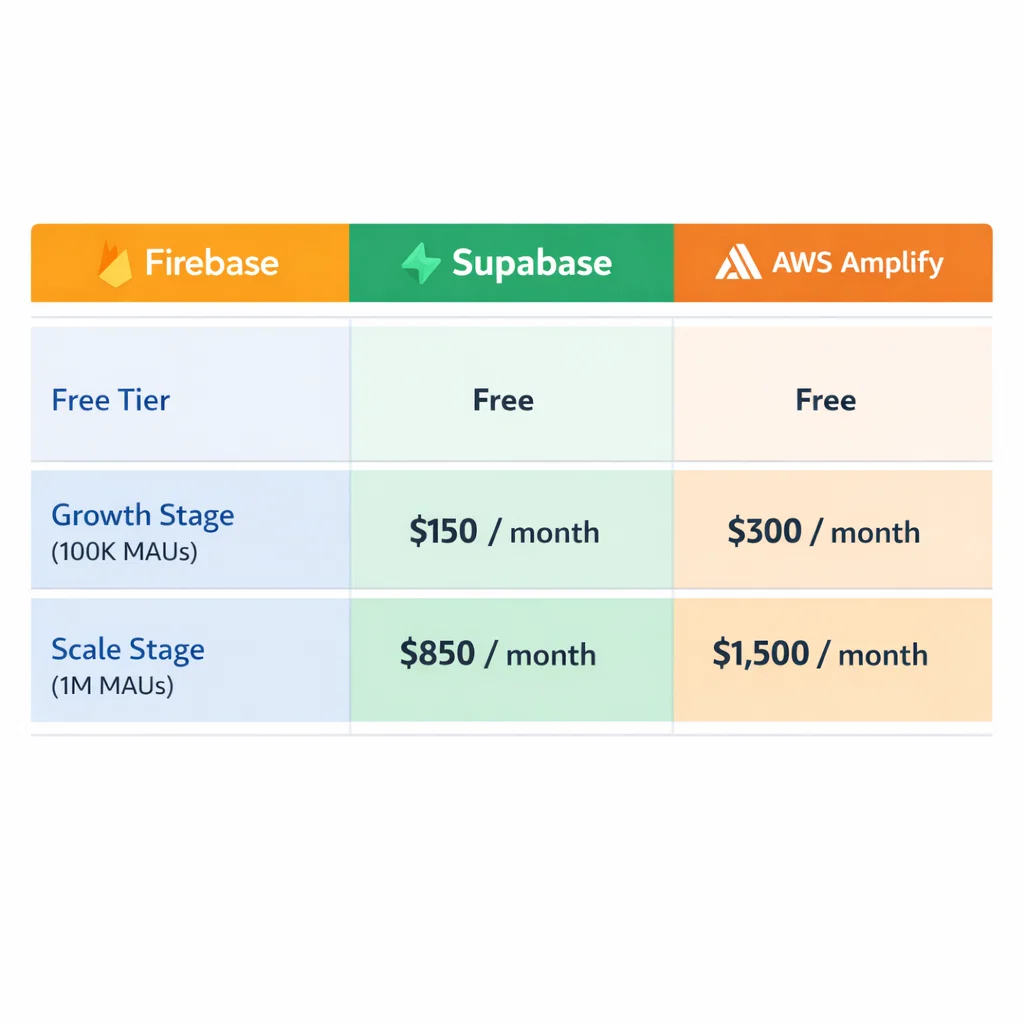
What to optimize for at each stage
Pre-launch: Stay on free tiers. Do not pay for infrastructure you are not using. Both Firebase and Supabase offer free tiers capable of supporting a real MVP.
Post-launch, pre-revenue: Accept the $25/month Supabase Pro upgrade if you need it, or monitor your Firebase Blaze usage carefully. Keep function architecture simple to avoid surprise compute costs.
Post-revenue: Model your infrastructure cost as a percentage of revenue. A healthy SaaS product should spend between 5% and 15% of revenue on infrastructure at early stages. If your BaaS costs are trending above that range, it is time to audit your query efficiency and evaluate whether your current platform still fits your architecture. The guide to when BaaS is not the right choice covers the specific signals that suggest a platform migration is worth the investment.
The bottom line
BaaS pricing is not a reason to avoid the category. It is a reason to understand it before you build. Firebase is cost-effective when queries are disciplined and usage is moderate. Supabase is the most predictable option for founders who want a known monthly cost. AWS Amplify offers the most optimization headroom for teams with the engineering depth to use it.
Model your costs early, design your queries carefully, and revisit your infrastructure spend at every meaningful growth milestone.
