
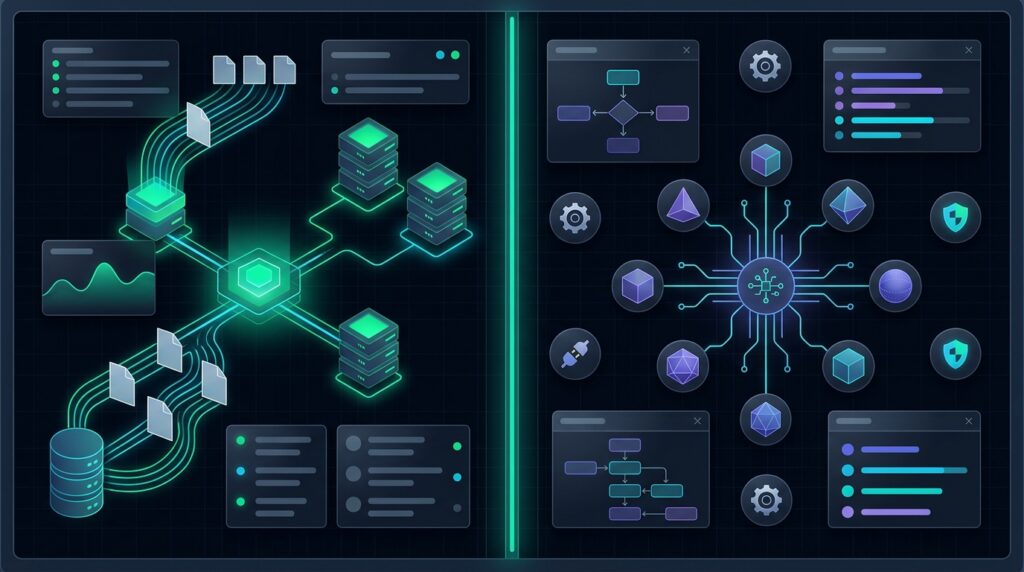
Running open-weights models like Llama 3.3, DeepSeek-R1, and Qwen 2.5 on private infrastructure solves data sovereignty, but without an intuitive frontend, your team remains stranded in command-line daemons and raw REST endpoints. In 2026, the battle for the definitive self-hosted AI interface has consolidated into two heavyweight open-source champions: Open-WebUI and LibreChat. While both deliver polished, ChatGPT-grade browser interfaces, their underlying architectures, extensibility philosophies, and deployment models diverge fundamentally. Choosing between them determines whether your AI stack feels like a lightweight local homelab utility or an enterprise-grade multi-model gateway.
Executive Summary: Core Philosophy & Architecture at a Glance
Before examining container manifests and benchmark metrics, understanding the design ethos behind each project clarifies why they behave so differently in production:
- Open-WebUI: Originally created as Ollama WebUI, this platform is deeply optimized for local-first execution. Built with a Python (FastAPI) backend and a reactive SvelteKit frontend, Open-WebUI acts as a seamless extension of Ollama and local inference engines. It features built-in vector databases (ChromaDB), automated document parsing, zero-config local RAG, and native Python “Pipelines” that allow developers to intercept and modify LLM requests using standard Python scripts.
- LibreChat: Conceived from day one as an all-in-one, multi-provider AI workstation, LibreChat aims to replicate and exceed ChatGPT Plus and Claude Team environments. Built on Node.js/Express, React, and a microservices architecture backed by MongoDB and Meilisearch, LibreChat treats local inference (vLLM, Ollama) and cloud APIs (Anthropic Claude 3.7, OpenAI o3-mini, Google Gemini 2.0 Flash, AWS Bedrock) as equal peers. It leads the ecosystem in native Model Context Protocol (MCP) tool execution, Claude-style Artifacts rendering, and granular enterprise token balance tracking.
| Feature / Dimension | Open-WebUI | LibreChat |
|---|---|---|
| Backend Runtime | Python 3.11 / FastAPI (Uvicorn) | Node.js / Express (TypeScript) |
| Frontend Stack | SvelteKit + Tailwind CSS | React + Tailwind CSS + Radix UI |
| Database & Storage | SQLite (default) or PostgreSQL; ChromaDB/pgvector | MongoDB + Meilisearch (full-text index) |
| Primary Model Target | Ollama & OpenAI-compatible local daemons | Universal Multi-Provider (Cloud APIs + Local Endpoints) |
| Extensibility Framework | Python Pipelines & Inline Functions | Native Model Context Protocol (MCP) + Plugins |
| Artifacts & Canvas | Basic markdown preview / HTML render | Interactive Live Artifacts (React, SVG, HTML canvas) |
| RAG Engine | Built-in ChromaDB / BM25 Hybrid Search | Dedicated RAG API microservice (pgvector / vector stores) |
| Container Footprint | Single container (~450MB RAM idle) | Multi-container Docker Compose (~1.2GB RAM idle) |
| Enterprise RBAC & SSO | OAuth2, OIDC, Webhook Auth, Basic RBAC | OAuth2, OpenID Connect, LDAP, Granular Token Balances |
1. Runtime Architecture & Deployment Overhead
The operational complexity of deploying either interface in Docker or Kubernetes is the first major friction point engineering teams encounter.
Open-WebUI is engineered around a monolithic convenience paradigm. You can spin up an entire instance connected to your host machine’s Ollama daemon with a single, standalone Docker command:
# Single-container Open-WebUI deployment with host network bridge
docker run -d -p 3000:8080 \
  --add-host=host.docker.internal:host-gateway \
  -v open-webui:/app/backend/data \
  --name open-webui \
  --restart always \
  ghcr.io/open-webui/open-webui:main
The entire backend runtime, authentication layer, default SQLite database, embedding models (via sentence-transformers or fastembed), and ChromaDB vector store live inside that single container. If you run out of memory or need GPU-accelerated embeddings, specialized tags like open-webui:cuda provide pre-configured PyTorch drivers. For teams running small home clusters or dedicated AI dev boxes, this operational simplicity is unbeatable.
LibreChat embraces a distributed microservices pattern. Because it uses MongoDB for transactional chat storage and Meilisearch for high-speed sub-millisecond full-text message indexing, a functional deployment requires a coordinated docker-compose.yml file:
# LibreChat Production Compose Stack
version: '3.8'

services:
  api:
    image: ghcr.io/danny-avila/librechat-dev:latest
    container_name: LibreChat
    ports:
      - "3080:3080"
    depends_on:
      - mongodb
      - meilisearch
    environment:
      - HOST=0.0.0.0
      - MONGO_URI=mongodb://mongodb:27017/LibreChat
      - MEILI_HOST=http://meilisearch:7700
      - MEILI_MASTER_KEY=your_secure_master_key
    volumes:
      - ./librechat.yaml:/app/librechat.yaml
      - ./uploads:/app/uploads
      - ./images:/app/client/public/images

  mongodb:
    image: mongo:6.0
    container_name: chat-mongodb
    volumes:
      - ./data-node:/data/db

  meilisearch:
    image: getmeili/meilisearch:v1.7
    container_name: chat-meilisearch
    environment:
      - MEILI_MASTER_KEY=your_secure_master_key
    volumes:
      - ./meili_data:/meili_data
While LibreChat requires managing three distinct services, this separation yields massive production benefits. Horizontal scaling of the web tier across multiple replicas behind an NGINX reverse proxy is trivial because sessions and messages are persisted in dedicated MongoDB and Meilisearch databases. If your team generates tens of thousands of conversations, Meilisearch’s instant typing search leaves Open-WebUI’s SQLite query engine far behind.
2. Local LLM Integration: Ollama Native vs. Universal Gateway
How each platform communicates with local inference engines reveals their target audience.
Open-WebUI was born out of the Ollama ecosystem. It communicates directly with the Ollama daemon socket and REST endpoints. The interface automatically auto-detects newly pulled GGUF models, displays precise parameter counts, quantization levels (e.g., Q4_K_M vs Q8_0), and context lengths. Furthermore, Open-WebUI lets administrators pull, delete, and create Modelfiles with custom system prompts directly from the web settings without ever opening a terminal. If your workflow involves swapping between specialized models and diagnosing Ollama Out of Memory (OOM) errors, Open-WebUI offers native hardware telemetry.
LibreChat, on the other hand, abstracts all models through its unified librechat.yaml configuration file. Rather than coupling to a single daemon, LibreChat treats Ollama, vLLM, LM Studio, Mistral, Anthropic, and Azure OpenAI as configurable endpoints. Below is a sample configuration that seamlessly merges local high-throughput vLLM serving with cloud fallback:
# librechat.yaml endpoint mapping
version: 1.1.5

endpoints:
  custom:
    - name: "Local-vLLM-Cluster"
      apiKey: "sk-local-vllm-token"
      baseURL: "http://192.168.1.100:8000/v1"
      models:
        default: ["deepseek-ai/DeepSeek-R1-Distill-Qwen-32B", "meta-llama/Llama-3.3-70B-Instruct"]
      titleConvo: true
      titleModel: "deepseek-ai/DeepSeek-R1-Distill-Qwen-32B"
      modelDisplayLabel: "Local vLLM (H100 Node)"

  ollama:
    baseURL: "http://host.docker.internal:11434"
    models:
      default: ["qwen2.5-coder:32b", "deepseek-r1:14b"]
      fetch: true
In LibreChat, a user can start a prompt with a local Qwen coder model, toggle the dropdown mid-thread, and continue the conversation with Anthropic Claude 3.7 Sonnet or OpenAI o3-mini without losing conversation context or branching history.
3. RAG, Document Analysis & Vector Ingestion
Retrieval-Augmented Generation (RAG) is essential for querying internal architecture specs, legal contracts, and proprietary API docs. Both tools implement document ingestion, but through radically different technical pipelines.
Open-WebUI: Zero-Config In-Memory RAG
Open-WebUI features one of the most frictionless RAG implementations in modern software. Users can drag-and-drop PDFs, Markdown, TXT, DOCX, or CSV files directly into the prompt bar or upload them to a centralized “Knowledge” library. Under the hood:
- Text is automatically extracted using PyPDF or Tika.
- Chunks are generated according to customizable token windows (e.g., 500 tokens with 100-token overlap).
- Embeddings are calculated locally inside the container using
sentence-transformers/all-MiniLM-L6-v2(or routed to an external embedding endpoint). - Vectors are stored in an embedded ChromaDB instance.
- Queries run hybrid BM25 lexical search combined with dense cosine similarity vectors to retrieve the most relevant chunks before prompting the LLM.
LibreChat: Multi-Mode Files & Dedicated RAG API
LibreChat handles files through two distinct modalities: native model vision/document parsing (such as passing PDFs directly to Claude or GPT-4o via multimodality) and a standalone Python-based rag_api service. For large enterprise deployments, LibreChat separates vector processing from the chat web server, storing vector representations in pgvector or Pinecone. While this architecture scales significantly better across terabytes of enterprise documentation, it requires setting up an additional vector backend rather than working immediately out-of-the-box.
4. Tool Extensibility: Open-WebUI Pipelines vs. LibreChat MCP
Extending an AI interface to execute SQL queries, browse the live web, or trigger CI/CD pipelines is where the 2026 technical divide becomes starkest.
Open-WebUI: Python Functions & Pipe Architecture
Open-WebUI includes a native “Functions” engine and an external “Pipelines” framework. Functions are pure Python scripts written directly in the Open-WebUI web editor that conform to standard Pydantic signatures:
# Example Open-WebUI Custom Tool Function
from pydantic import BaseModel, Field
import requests

class Tools:
    class Valves(BaseModel):
        API_KEY: str = Field(default="", description="Service access key")

    def __init__(self):
        self.valves = self.Valves()

    def get_server_load(self, cluster_id: str) -> str:
        """
        Query current GPU cluster utilization and temperature.
        :param cluster_id: The identifier of the compute cluster
        """
        resp = requests.get(f"https://infra.internal.net/api/{cluster_id}/status")
        return resp.text
For advanced pipelines (such as running multi-agent debate systems, filtering prompts with NeMo Guardrails, or executing LangChain/LlamaIndex agents), Open-WebUI connects to a dedicated Pipelines Docker container that runs arbitrary Python code. This makes it an absolute playground for Python engineers.
LibreChat: Native Model Context Protocol (MCP) Standard
LibreChat made a decisive bet on Anthropic’s open-source Model Context Protocol (MCP) standard, and that bet has paid massive dividends in 2026. Rather than requiring developers to write proprietary tool integrations, LibreChat can act as an MCP Client out-of-the-box. By defining MCP servers in librechat.yaml, any model that supports tool calling can instantly access MCP servers running SQLite, GitHub, Brave Search, Postgres, or filesystem tools:
# LibreChat Model Context Protocol (MCP) Server Configuration
mcpServers:
  github:
    command: "npx"
    args: ["-y", "@modelcontextprotocol/server-github"]
    env:
      GITHUB_PERSONAL_ACCESS_TOKEN: "ghp_your_token_here"

  postgres:
    command: "docker"
    args: ["run", "-i", "--rm", "mcp/postgres", "postgresql://user:pass@db:5432/analytics"]
Because LibreChat leverages the standardized MCP specification, any tool created for tools like Claude Desktop or developer IDEs like Cursor and Aider immediately works inside LibreChat without rewriting a single line of integration code.
5. Artifacts, UI Polish & Interactive Canvas
One of the biggest productivity leaps in modern AI interfaces is Artifacts: the ability to generate code, SVGs, HTML prototypes, or React components and interact with them in a split-screen live preview window alongside the conversation.
LibreChat offers a best-in-class implementation of Artifacts that mirrors the Claude.ai experience. When an LLM generates HTML/CSS, Tailwind layouts, React components, or SVG graphics, LibreChat renders them in an isolated iframe sandboxed right next to the chat. Users can test web layouts, interact with buttons, view charts generated with Recharts, and copy or download the bundled code instantly. Furthermore, LibreChat includes a Code Interpreter plugin that can execute Python code inside a sandboxed environment.
Open-WebUI provides code syntax highlighting, copy-to-clipboard buttons, and experimental HTML/JS code execution in iframes, but it lacks the dedicated split-screen Artifacts drawer and reactive component renderer found in LibreChat. For frontend engineers and UX designers prototyping applications with AI, LibreChat’s visual workflow is substantially superior.
6. Enterprise Access Control, Multi-Tenancy & Token Budgeting
If you are deploying an AI interface for a team of 15 to 500 employees, preventing runaway API bills and securing data access is critical.
Open-WebUI’s Access Model
Open-WebUI offers a clean, straightforward administrative dashboard:
- Supports OAuth2 and OpenID Connect (OIDC) for SSO with Google, GitHub, Authentik, and Keycloak.
- Admins can toggle global access to specific models (e.g., allow team members to access local Ollama models, but restrict expensive cloud API endpoints to managers).
- Global rate limits can be set per user role.
- Lacks granular per-user dollar or token balance ledgers.
LibreChat’s Enterprise Multi-Tenant Engine
LibreChat was architected with enterprise governance at its foundation:
- Full LDAP, SAML, and OAuth2/OIDC integration.
- Token Credit & Balance System: Administrators can allocate dollar balances (e.g., $25/month) to specific users or teams. LibreChat counts input and output tokens against real provider pricing (OpenAI, Anthropic, Gemini) and cuts off access or falls back to free local models when budgets are exhausted.
- Granular Model Access per Group: Permissions can dictate that Marketing only sees Claude 3.5 Haiku and GPT-4o-mini, while Engineering has access to DeepSeek-R1, Qwen-Coder, and Claude 3.7 Sonnet.
- Meilisearch ensures compliance teams can audit, search, and review historical chat transcripts across the entire organization.
7. Head-to-Head Feature Comparison Matrix
| Evaluation Metric | Open-WebUI (v0.5+) | LibreChat (v0.7+) | Winner |
|---|---|---|---|
| Ease of Setup | Single container, zero config required | Docker Compose with Mongo & Meilisearch | Open-WebUI |
| Local Ollama Integration | Deep socket hooks, model pulling, modelfiles | Treated as generic OpenAI/Ollama endpoint | Open-WebUI |
| Multi-Provider Routing | Possible via OpenAI-compatible proxies | Native first-class support for 15+ providers | LibreChat |
| Tool Ecosystem | Custom Python Functions & Pipelines | Model Context Protocol (MCP) Standard | LibreChat |
| Artifacts & Canvas | Basic iframe rendering | Full split-screen React/HTML/SVG canvas | LibreChat |
| Chat Search Speed | Standard SQL LIKE queries | Meilisearch sub-millisecond instant search | LibreChat |
| Out-of-the-Box RAG | Built-in ChromaDB + BM25 hybrid search | Requires RAG API container configuration | Open-WebUI |
| Resource Consumption | Lightweight (~350MB – 600MB RAM) | Moderate (~1.0GB – 1.8GB RAM for stack) | Open-WebUI |
| Enterprise Token Budgets | Basic role rate limiting | Exact dollar/token balances & quotas | LibreChat |
The 2026 Verdict: Which AI Interface Should You Deploy?
Both Open-WebUI and LibreChat represent peak open-source engineering, but they serve two distinctly different operational realities:
Deploy Open-WebUI if:
- Your infrastructure is primarily built around local-first inference running via Ollama or single-node vLLM servers.
- You want a frictionless, zero-maintenance single Docker container that you can spin up on a homelab, Mac Studio, or workstation in under two minutes.
- You require instant, zero-configuration document RAG without configuring secondary vector databases or embedding APIs.
- Your team consists of Python developers who want to write custom logic, guards, and pipelines in native Python.
Deploy LibreChat if:
- You need a true all-in-one AI gateway that seamlessly blends on-premise open-weights models (DeepSeek-R1, Llama 3.3) with frontier proprietary APIs (Claude 3.7, OpenAI o3, Gemini 2.0).
- Your developers require Model Context Protocol (MCP) tooling to connect models to databases, GitHub repositories, and internal microservices.
- You rely heavily on interactive Artifacts for frontend web development, data visualization, and rapid UI prototyping.
- You are deploying for an organization or agency that requires enterprise-grade multi-tenancy, token credit budgets, LDAP/SAML authentication, and audit-ready conversation search.
Frequently Asked Questions
Can Open-WebUI connect to cloud APIs like OpenAI and Anthropic?
Yes. While Open-WebUI defaults to Ollama, you can configure external OpenAI-compatible API base URLs and keys in the Admin Settings. For Anthropic Claude or Gemini, you can route requests through an OpenAI-compatible proxy such as LiteLLM or use Open-WebUI’s custom Pipe functions.
Does LibreChat work completely offline with Ollama?
Yes. LibreChat can run in an air-gapped, fully offline environment. By pointing LibreChat’s endpoint configuration to your local Ollama or vLLM container and disabling external cloud endpoints in librechat.yaml, zero prompt data ever leaves your local network.
Which platform has better mobile and responsive browser support?
Both platforms feature responsive web designs that can be installed as Progressive Web Apps (PWAs) on iOS and Android. Open-WebUI provides a slightly more streamlined mobile chat layout, while LibreChat provides a closer replica of the official ChatGPT mobile interface with voice interaction options.
Can I migrate my conversations from Open-WebUI to LibreChat?
Both platforms support exporting and importing chat history in standard JSON formats. Furthermore, community Python scripts exist to convert Open-WebUI SQLite message dumps directly into MongoDB collections formatted for LibreChat.