

Agile has a reputation problem outside of engineering. Most founders who did not come up through software development hear the word and picture a room full of developers arguing about sprint velocity and story points. The methodology feels like someone else’s system designed for technical teams, maintained by scrum masters, and irrelevant to a founder running a marketing agency or a consulting business.
That reputation is wrong, and it is costing non-technical founders real operational efficiency.
Agile, stripped of its engineering-specific terminology, is simply a structured way to break work into short cycles, review progress regularly, and adjust direction based on what you learn. That is not a technical practice. That is good business management. And the agile project management tools built around that methodology have matured to the point where a non-technical founder can run a full agile workflow without writing a single line of code or hiring a project manager.
This page breaks down what agile actually means for non-technical teams, which tools make it accessible, and how to implement a lightweight agile system that your team will actually follow. If you are still evaluating which type of project management approach fits your operation before going deeper on methodology, the best project management tools guide for 2026 covers the full landscape first.
What agile actually means for non-technical founders
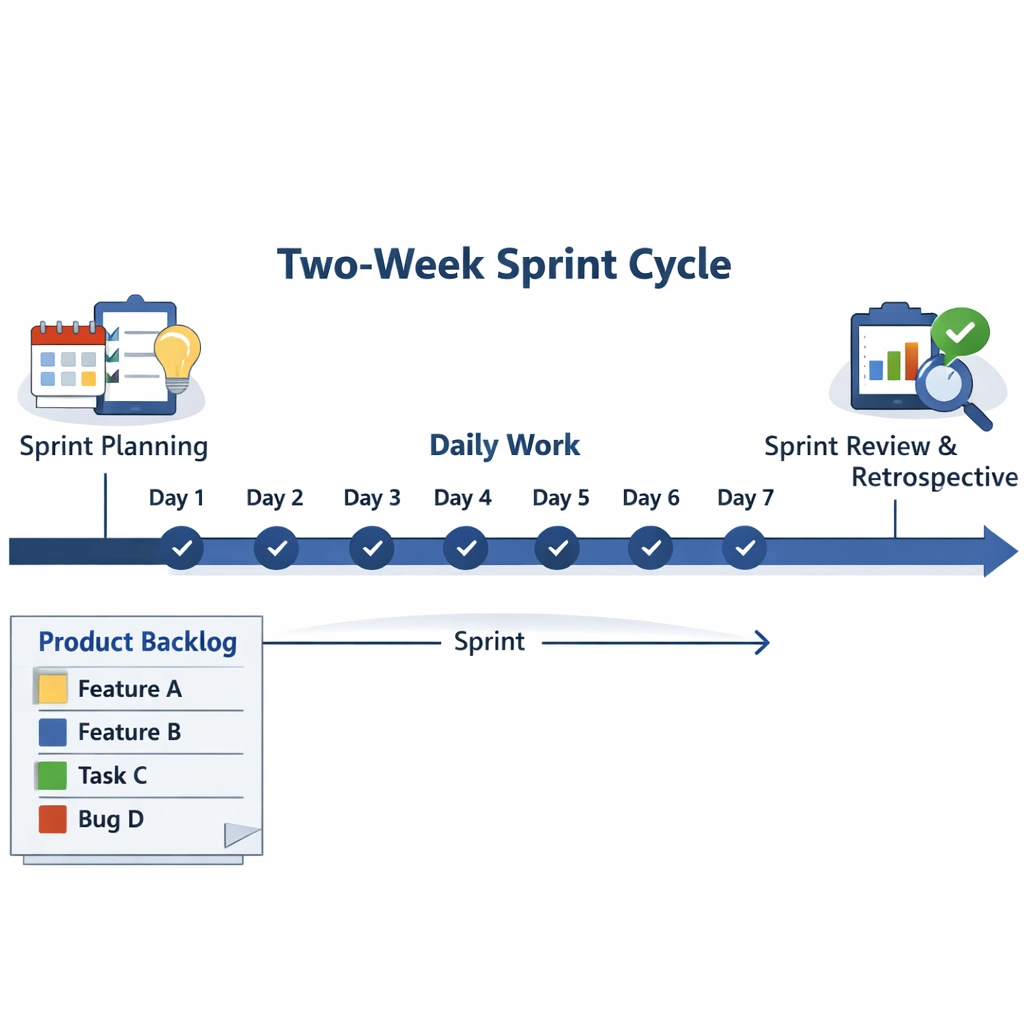
The core of agile is a two-week work cycle called a sprint. At the start of the sprint, the team selects a fixed set of tasks from a prioritized backlog a running list of everything the business needs to do. During the sprint, the team focuses exclusively on those tasks. At the end of the sprint, the team reviews what was completed, what was not, and why, then plans the next cycle.
That structure does three things that matter enormously for small business operations.
It forces prioritization. A backlog is a prioritized list. Everything on it has been evaluated against everything else. When a new request comes in, it goes into the backlog and gets prioritized relative to existing items rather than jumping the queue because it feels urgent in the moment. That discipline alone eliminates a significant amount of reactive, low-value work.
It creates natural accountability checkpoints. The end-of-sprint review is not a performance evaluation. It is an honest look at what the team committed to and what actually happened. Over time, those reviews build a realistic picture of team capacity that makes future planning more accurate and less optimistic.
It limits work in progress. One of the most common productivity killers in small teams is too many active projects running simultaneously. The sprint model puts a hard boundary on how much work the team takes on in a given period. That boundary protects focus and reduces the context-switching that fragments attention across the week.
Agile project management tools worth using as a non-technical founder
Trello — the most accessible agile starting point
Trello’s kanban board is the simplest visual representation of an agile workflow available. Columns represent stages — Backlog, This Sprint, In Progress, In Review, Done — and cards move across the board as work progresses. For a non-technical founder running a small team, that visual clarity is immediately useful without any configuration complexity.
The limitation is that Trello does not have a native sprint management system. You can simulate sprints by creating a “This Sprint” column and moving cards into it at the start of each two-week cycle, but there is no built-in sprint planning, velocity tracking, or burndown chart. For teams that want the visual simplicity of Trello with more structured sprint management, the Power-Up ecosystem extends the functionality meaningfully.
For a deeper look at what Trello’s free tier covers before committing, the best free project management tools page breaks down exactly what you get at zero cost across the major platforms.
agile depth without the engineering overhead
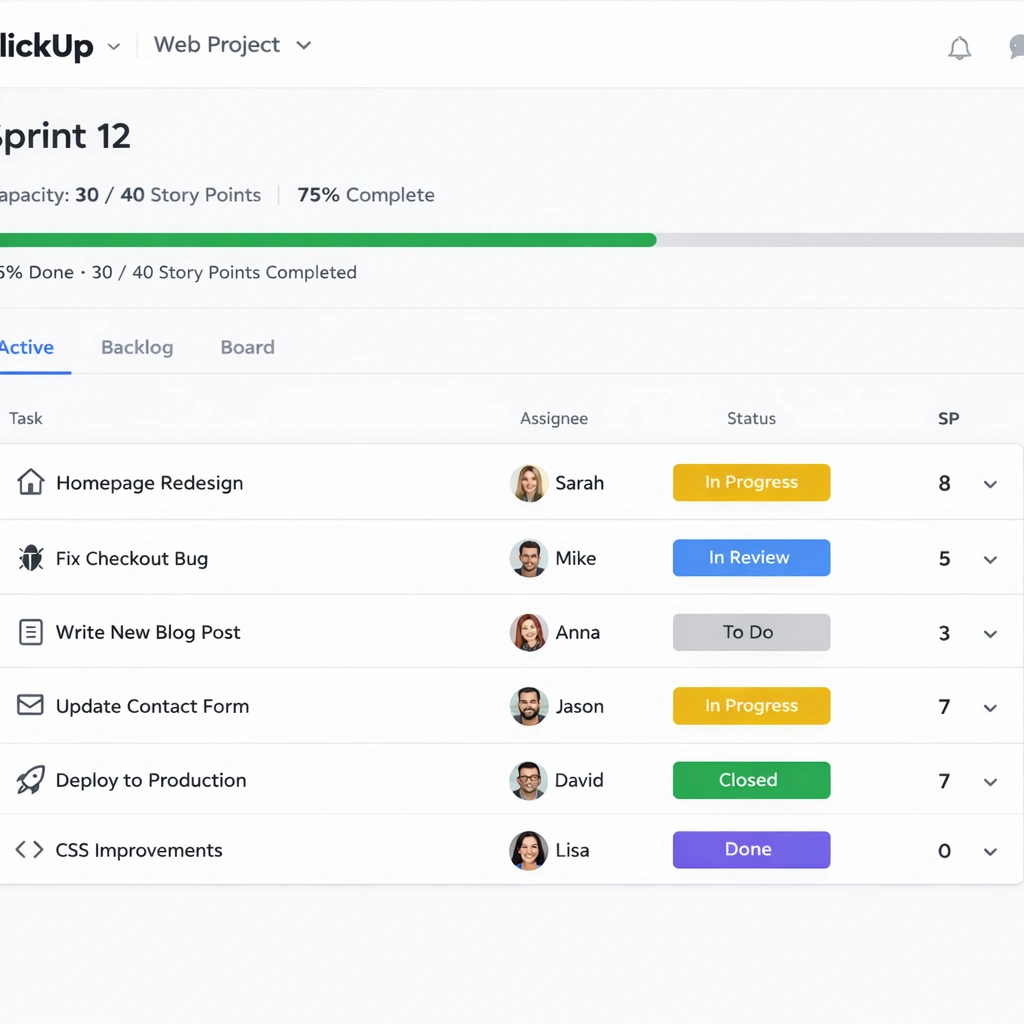
ClickUp’s sprint functionality is the most complete agile implementation available outside of dedicated engineering tools. You can create sprint folders, set sprint durations, assign story points to tasks, track velocity across sprints, and generate burndown charts — all without needing a technical background to configure any of it.
The sprint dashboard gives team leads a real-time view of sprint progress, remaining capacity, and blocked items. The backlog management system lets you prioritize items using a drag-and-drop interface and move them into active sprints with a single action.
What makes ClickUp particularly strong for non-technical founders is that the agile features sit alongside the broader task management, documentation, and automation capabilities covered throughout this cluster. You do not need a separate tool for agile ceremonies and another for day-to-day task management. It all lives in one place.
For teams that want to combine agile sprint management with workflow automation, project management tools with automation covers how to automate sprint-related workflows including task assignment, status updates, and sprint completion notifications.
Notion agile for teams that think in systems
Notion does not have native sprint management out of the box, but its database system is flexible enough to build a fully functional agile workflow from scratch. A founder comfortable with Notion’s database features can create a backlog database, a sprint tracker, and a team capacity view that rivals dedicated agile tools in functionality.
The trade-off is setup time. Building an agile system in Notion requires more upfront configuration than using ClickUp’s native sprint features. The payoff is a system that is deeply customized to your team’s specific workflow rather than constrained by a predefined agile structure.
Notion’s template library includes several agile and sprint planning templates that significantly reduce the configuration time for teams that want a starting point rather than building from zero.
Linear — agile for founders with a product or engineering component
Linear deserves mention even in a non-technical context because many non-technical founders are running businesses with a product or engineering component they need to stay close to. Linear’s cycle system — its version of sprints — is one of the cleanest implementations of agile project management available.
The interface is fast, the roadmap view is genuinely useful for strategic planning, and the cycle analytics give founders a clear picture of development velocity without requiring a technical background to interpret them. For a non-technical founder who needs to stay aligned with an engineering team without getting lost in technical tooling, Linear creates a shared operational language that bridges that gap.
Running a lightweight agile system without a scrum master
The biggest misconception non-technical founders carry about agile is that it requires a dedicated project manager or scrum master to function. It does not. A lightweight agile system for a small team can be run by any team member willing to own the process for 30 minutes at the start and end of each two-week cycle.
Here is what a minimal viable agile workflow looks like for a non-technical team:
Sprint planning — 30 minutes every two weeks. Review the backlog together. Select the tasks the team will commit to completing in the next two weeks. Assign each task to a specific person. Move selected tasks into the active sprint. That is the full ceremony.
Daily async update — 5 minutes per person. Each team member posts a brief update in the project management tool or Slack: what they completed yesterday, what they are working on today, and whether anything is blocked. No meeting required. The update lives in writing where everyone can reference it.
Sprint review — 20 minutes every two weeks. At the end of the sprint, review what was completed and what was not. Do not turn incomplete tasks into a performance conversation. Treat them as data about capacity and estimation accuracy. Move incomplete tasks back to the backlog with updated priority.
Sprint retrospective — 15 minutes every two weeks. Ask three questions: what worked well this sprint, what created friction, and what one thing will the team do differently next sprint. Document the answers and act on at least one of them before the next review.
That full cycle takes under two hours of meeting time per month for a team of four. The return — better prioritization, clearer accountability, and a realistic picture of what your team can actually deliver — is significant relative to that investment.
For teams setting up this workflow for the first time, how to set up a project management system covers the foundational structure and conventions you need in place before layering in a sprint cadence.

The agile concepts worth keeping and the ones worth skipping
Not every element of agile methodology translates cleanly to a non-technical business context. Some concepts are genuinely useful. Others add ceremony without adding value for small teams.
Keep: the backlog. A prioritized backlog is one of the most valuable operational habits a small team can build. It converts the constant stream of new requests and ideas into a managed list where priority is explicit rather than implied by whoever asked most recently.
Keep: the sprint cadence. Two-week cycles create a natural rhythm for planning, execution, and reflection. That rhythm builds team momentum and makes progress visible in a way that an open-ended task list never does.
Keep: the retrospective. The end-of-sprint retrospective is the single agile ceremony most teams skip and most teams would benefit from most. A 15-minute honest review of what worked and what did not is the fastest path to a continuously improving operation.
Skip: story points for non-product work. Story points are a relative estimation system designed for software development tasks. For a marketing team, a client services team, or a content operation, they add estimation complexity without improving planning accuracy. Use time estimates or simple T-shirt sizing small, medium, large — instead.
Skip: daily standups as meetings. The daily standup was designed for co-located engineering teams. For small distributed teams doing non-technical work, an async written update delivers the same coordination benefit without the scheduling overhead.
The bottom line
Agile project management tools are not reserved for engineering teams. The core methodology — short cycles, regular reviews, prioritized backlogs — applies to any team doing complex, iterative work under conditions of uncertainty. Which describes almost every small business operating today.
The tools covered on this page make that methodology accessible without requiring a technical background or a dedicated project manager. Trello for simplicity, ClickUp for depth, Notion for customization, and Linear for teams with a product component each offer a viable entry point into agile working for non-technical founders.
Start with the sprint cadence. Build the backlog habit. Run the retrospective consistently. The operational clarity those three practices create will compound into a meaningful competitive advantage over teams that are still managing work through intuition and group chat.
The most practical next step after choosing your agile tool is building the system correctly from the start. How to set up a project management system the right way walks through the full implementation process so your agile workflow has a solid foundation to run on.
Conclusion
Agile is not a technical methodology. It is a discipline of focus, and that discipline is available to any founder willing to commit to the cycle.
The non-technical founders who get the most out of agile project management tools are not the ones who implement every ceremony or master every framework concept. They are the ones who adopt the three habits that matter most — maintaining a prioritized backlog, working in fixed cycles, and reviewing honestly at the end of each one — and build everything else around those foundations.
The tools make that habit loop easier to sustain. A visual sprint board reduces the cognitive effort of tracking progress. A backlog database makes prioritization a weekly practice rather than a reactive scramble. An end-of-sprint review built into the calendar transforms retrospection from an intention into a reliable operational rhythm.
What changes when a non-technical team runs a genuine agile workflow is not the speed of individual tasks. It is the quality of decisions about which tasks deserve attention in the first place. That shift — from reacting to every incoming request to executing against a deliberately chosen priority list — is where the real productivity gain lives.
Pick one tool from this page. Run one two-week sprint. Hold one honest retrospective at the end. The gap between how your team operated before that cycle and how it operates after will tell you everything you need to know about whether agile belongs in your business.
