
Most ERP implementations that fail don’t fail because of the software. They fail because the business wasn’t prepared for the process. Data was messy, the team wasn’t aligned, and nobody owned the rollout with enough authority to keep it moving. This ERP implementation guide picks up where the research ends — with a practical, stage-by-stage framework built specifically for entrepreneurial teams that can’t afford to pause operations while they upgrade. If you’re still building your foundation, the complete breakdown of what an AI ERP system actually does for small businesses is the right place to start before touching any of the steps below.
Why most ERP implementations go wrong
There is a version of the ERP implementation story that plays out more often than any vendor will admit in a sales call. A business owner selects a platform, signs the contract, hands the project to someone on the team who already has a full workload, and assumes the vendor will handle the complexity. Six months later the system is technically live but barely used, the data is unreliable, and the team has quietly gone back to their old spreadsheets ERP implementation guide.
The failure almost never comes from the software itself. It comes from three predictable gaps.
The first is ownership. Someone needs to be accountable for the implementation from start to finish — not as a side project, but as a primary responsibility. On lean entrepreneurial teams, this is the hardest part of the equation because everyone is already stretched.
The second is data quality. Most small businesses have years of financial, inventory, and customer data living across disconnected tools, formatted inconsistently, with duplicates and gaps. Moving that data into a new system without cleaning it first is like pouring dirty water into a clean tank.
The third is change management. An ERP implementation is fundamentally a behavior change initiative. The platform only delivers value if your team uses it correctly and consistently. That requires communication, training, and a period of intentional adoption management that most implementation plans skip entirely.
Understanding these failure patterns before you start is the single most valuable thing you can do to avoid them.
Build your implementation foundation before touching the software
The work that happens before the platform is configured is what determines whether the implementation succeeds. Most teams want to skip this phase because it feels like delay. It is actually accelerationERP implementation guide.
Define your objectives with specificity. Vague goals like “improve operations” or “get better visibility” don’t give your implementation team anything to build toward. Replace them with concrete targets. Reduce monthly financial close from 12 days to 5. Eliminate manual inventory reconciliation entirely. Generate weekly cash flow forecasts automatically. Specific objectives create a measurable standard for success and keep scope creep from derailing the project.
Map your current workflows before changing them. Spend time documenting how your key processes actually work today — not how they’re supposed to work, but how they actually work. Where do handoffs happen. Where does data get entered manually. Where do errors typically occur. This map becomes the blueprint your configuration is built against.
Identify your implementation owner. This is the person who will own the project internally — coordinating with the vendor, managing the timeline, running team training, and making daily decisions about configuration priorities. On a team of fewer than 20 people, this is often the operations lead or the founder directly. The key requirement is authority and availability. Without both, the project will stall.
Audit your existing data. Before a single record is migrated, understand what you’re working with. How many years of transaction history do you need to bring over. Where does duplicate or inconsistent data live. Which records are essential and which can be archived rather than migrated. A pre-migration data audit is tedious work that pays significant dividends during the actual migration phase.
Data migration, the step most teams underestimate
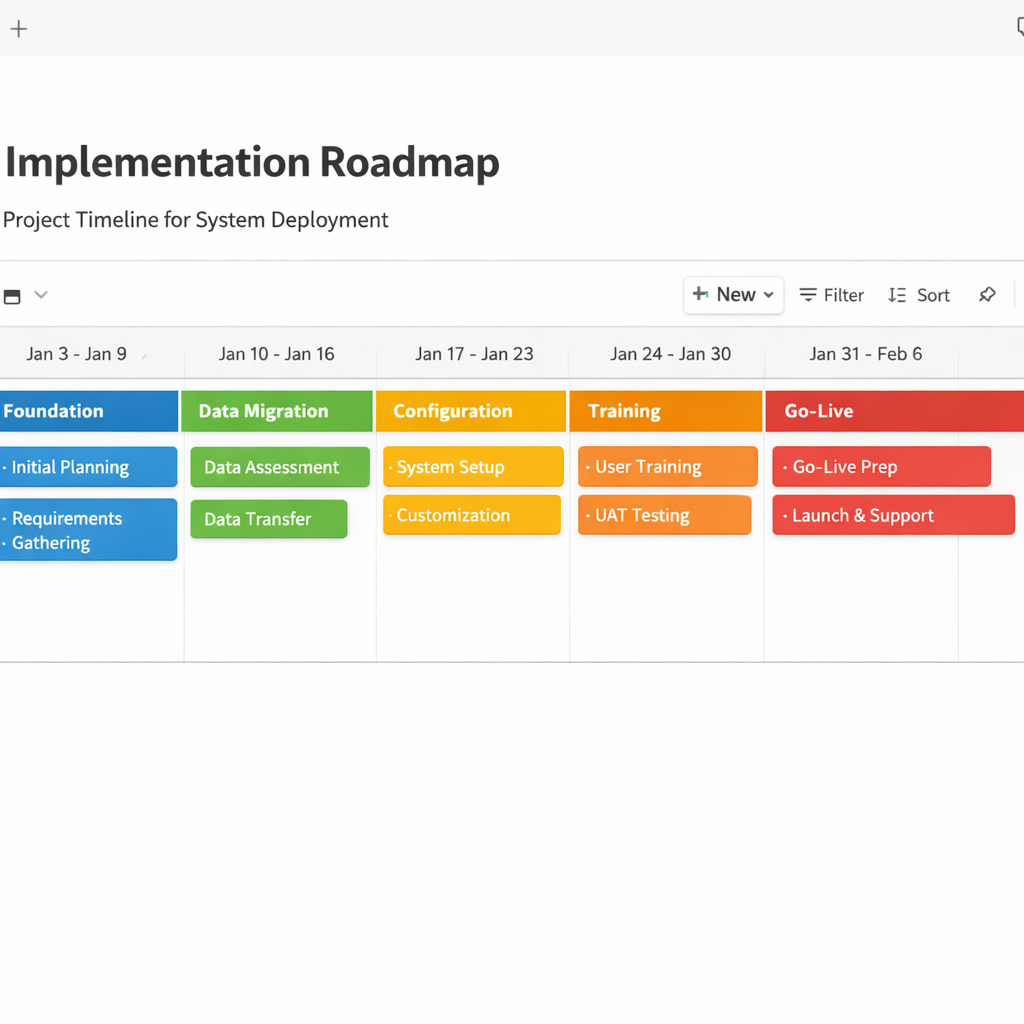
Data migration is consistently the most underestimated phase of any ERP implementation. Teams that budget two weeks for it often need six. The complexity is not technical — modern ERP platforms have solid import tools — it is organizational. Getting clean, consistently formatted data out of multiple legacy systems and into a format the new platform accepts requires patience and precision.
Start with a data inventory. List every system where business-critical data currently lives. Your accounting software, your inventory management tool, your CRM, your payroll platform, your spreadsheets. For each source, identify what data needs to be migrated, what format it’s currently in, and who owns the export process.
Clean before you migrate. Deduplicate customer records. Standardize product naming conventions. Reconcile any discrepancies between your accounting records and your inventory counts. Fix the errors that have been accumulating in your spreadsheets for years. Migrating clean data into a new system takes days. Migrating dirty data and then trying to fix it inside the new system takes months ERP implementation guide.
Migrate in stages, not all at once. Start with your chart of accounts and financial history. Then move inventory master data. Then customer and vendor records. Then historical transactions. Running parallel systems during this period — keeping your old tools operational while the new platform is being populated — reduces the risk of data loss and gives your team a safety net during the transition.
Validate before you go live. Before the new system becomes the system of record, run a formal validation process. Compare key balances between old and new. Test that inventory counts match. Confirm that customer order histories imported completely. Assign specific team members to validate the data in their domain rather than doing a single top-level check that misses detail-level errors.
Configuration and workflow mapping
Once your data is clean and staged for migration, the configuration work begins. This is where the platform is shaped to match your business — not the other way around. One of the most common implementation mistakes is over-customizing the system before you understand how the default workflows perform. Start with the standard configuration, run it against your actual processes, and customize only where the gap is genuinely painful ERP implementation guide .
Configure your chart of accounts first. Financial structure is the foundation everything else is built on. Get this right before configuring any other module. Work with your accountant or CFO if you have one — the decisions made here affect reporting, tax compliance, and financial visibility for years.
Map your operational workflows to platform features. Take the process maps you built in Phase 1 and work through them module by module. Where does the platform’s default workflow match your process. Where does it diverge. For each divergence, decide whether to adapt your process to the platform’s standard or configure the platform to match your existing workflow. Adapting your process is almost always faster and cheaper than heavy customization.
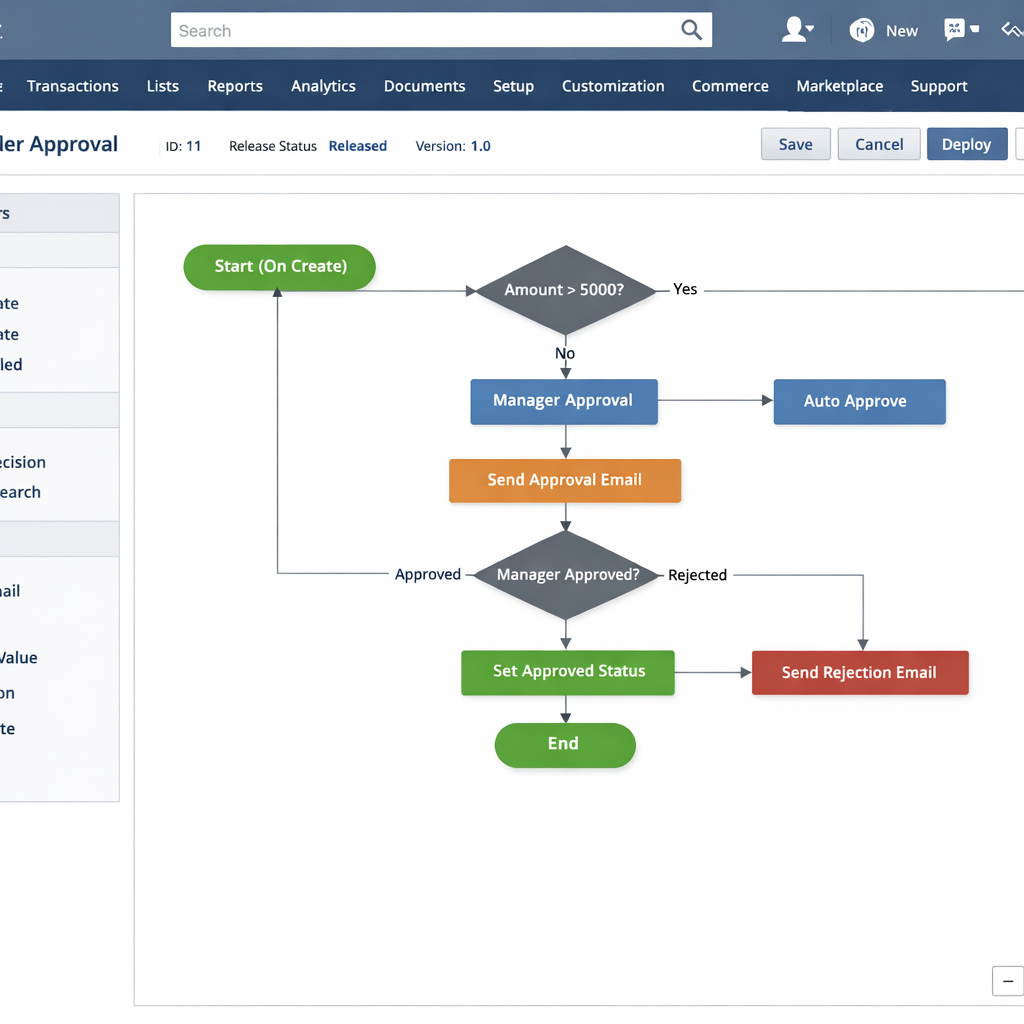
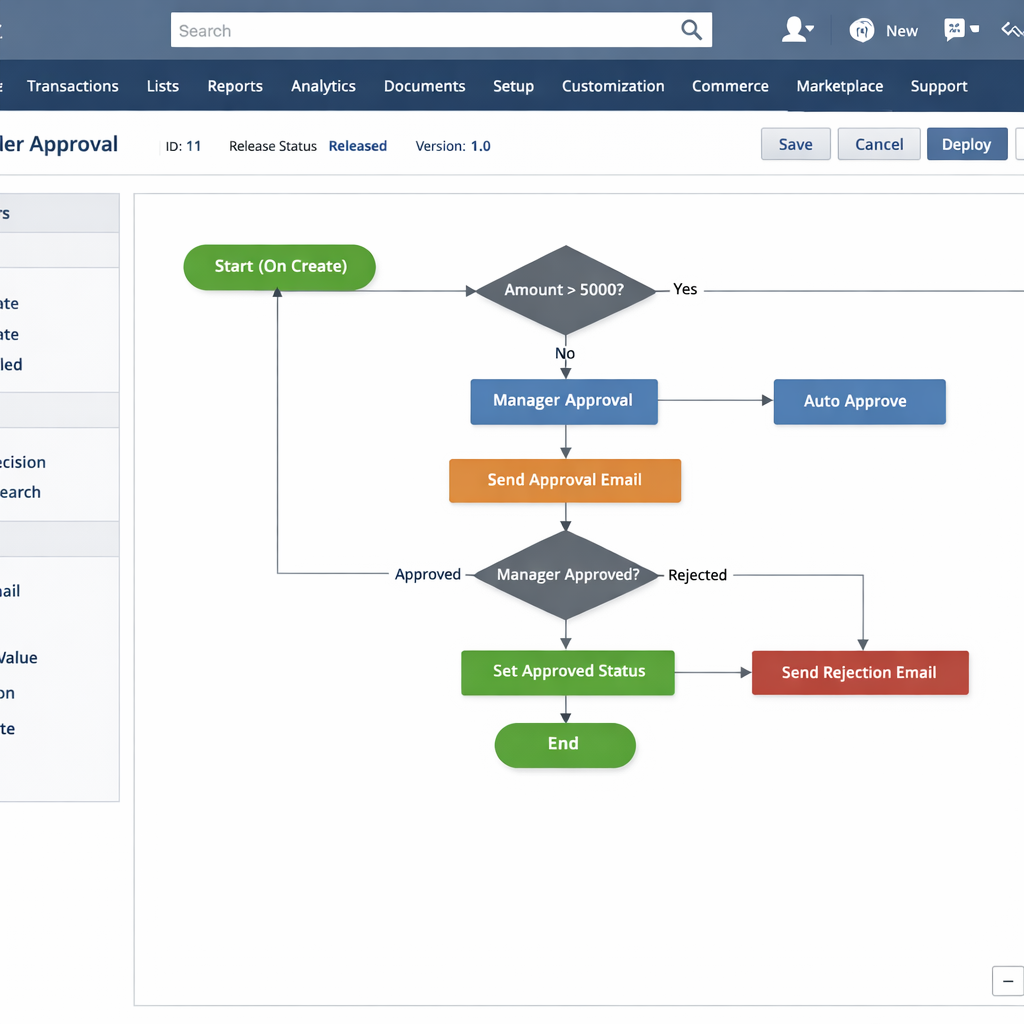
Set up your automation rules deliberately. The AI-driven features — automated reordering triggers, invoice approval workflows, anomaly alerts — need to be configured with real thresholds based on your actual business data. Don’t copy default settings from the vendor’s template. Set your low-stock thresholds based on your actual lead times and sales velocity. Set your approval workflows based on your actual authorization structure. Generic automation rules generate noise. Calibrated automation rules generate value.
Run a full test cycle before go-live. Process a complete order from entry to fulfillment to invoice inside the new system using test data. Run a mock payroll cycle. Generate a financial report and compare it against your existing system. Identify every point where something doesn’t work as expected and resolve it before your team is relying on the platform for live operations.
Team training that actually sticks
Training is the phase most implementation plans treat as a checkbox. Schedule a two-hour session, walk the team through the interface, mark it complete. That approach produces teams that know how to navigate the platform but don’t understand how to use it effectively for their specific role.
Train by role, not by feature. Your finance lead needs deep training on the accounting and reporting modules. Your warehouse manager needs to master inventory and fulfillment workflows. Your sales team needs to understand the CRM integration and order entry process. Running everyone through the same generic platform overview wastes time and leaves role-specific knowledge gaps that show up as errors after go-live ERP implementation guide .
Use real data in training sessions. Simulated training environments with fake data don’t prepare your team for the decisions they’ll make with real numbers. Where possible, use your actual migrated data during training so team members are navigating familiar information in the new interface.
Designate platform champions by department. Beyond the implementation owner, identify one person per department who goes deeper into the platform than their peers. These are the people their colleagues turn to when they have questions after go-live. Champions reduce the support burden on the implementation owner and accelerate adoption across the team.
Create a short internal reference library. A small set of documented SOPs, standard operating procedures, covering the five or six most common tasks each role performs in the system is more useful than a comprehensive user manual nobody reads. Keep them short, specific, and stored somewhere the team can find them in 30 seconds.
Go-live and the first 30 days
Go-live is not the finish line. It is the beginning of the adoption phase, and how you manage the first 30 days determines whether the implementation actually delivers its intended value ERP implementation guide.
Choose your go-live date strategically. Avoid going live during your busiest operational period. If your business has seasonal peaks, launch during a quieter window that gives your team space to troubleshoot without the pressure of peak volume.
Run parallel systems for at least two weeks. Keep your legacy tools operational alongside the new platform for a defined period after go-live. This is your safety net. If something goes wrong with the new system — a data error, a configuration gap, a workflow that doesn’t behave as expected — you have a fallback. Two weeks of parallel operation is usually sufficient for most entrepreneurial businesses. Larger operational complexity may warrant four weeks.
Hold a daily standup during the first two weeks. A 15-minute daily check-in with your implementation owner and department champions surfaces problems fast. Small issues that go unaddressed in the first two weeks after go-live tend to calcify into permanent workarounds that undermine the system long-term.
Track adoption metrics, not just technical uptime. The platform being live is not the same as the platform being used. Monitor how many team members are logging in daily, which modules are being used, and where manual workarounds are still happening. Workarounds are signals — each one points to either a training gap or a configuration issue that needs to be resolved ERP implementation guide.
To understand which specific automation features deliver the fastest return during this early adoption period, the ERP automation features breakdown gives you a prioritized view of where to focus your configuration energy first.
How to measure whether your implementation succeeded
Most implementation plans define success as go-live. That’s too low a bar. A successful ERP implementation delivers measurable operational improvement — and you need defined metrics to know whether you’ve actually achieved it.
Time savings. How many hours per week were your team members spending on manual data entry, report generation, and cross-system reconciliation before the implementation. Measure the same activities 90 days after go-live and compare. Time savings are the most immediate and tangible indicator of implementation success.
Data accuracy. Track the frequency of financial discrepancies, inventory count errors, and billing mistakes before and after implementation. A well-configured AI ERP system should reduce error rates significantly within the first quarter.
Decision speed. How long did it take to generate a cash flow forecast or an inventory status report before. How long does it take now. Faster access to accurate data is one of the core value propositions of the platform — measure it.
Team adoption rate. At 90 days post-launch, what percentage of your team is using the platform as their primary operational tool rather than falling back to old methods. Anything below 80 percent is a signal that training or configuration work is still needed.
Return on investment. Total the cost of the implementation — licensing, implementation partner fees, internal time invested, training costs — and compare it against the quantified value of time saved, errors reduced, and operational improvements achieved. Most well-executed implementations break even within 12 to 18 months and generate compounding returns beyond that point.
If you are still in the evaluation phase and haven’t yet committed to a platform, the best AI ERP software comparison gives you a structured framework for choosing the right system before you invest in implementation.
Conclusion
An ERP implementation is one of the most operationally significant projects an entrepreneurial business can undertake. Done well, it becomes the infrastructure that makes every other part of the business run more cleanly. Done poorly, it creates months of friction and a team that distrusts the tools they were given.
The difference between those two outcomes is almost always preparation, ownership, and a realistic timeline. This ERP implementation guide exists for exactly that reason — to give you the sequence before the stress hits. Build the foundation before touching the software. Clean your data before migrating it. Train your team by role rather than by feature. Manage the first 30 days with the same intentionality you’d bring to any high-stakes operational launch.
The platform is only as powerful as the process behind it. Get the process right and the technology delivers everything it promises. For entrepreneurs who are still weighing which platform to commit to before starting the rollout, the honest breakdown of what small businesses actually pay for ERP software removes the last remaining variable.
