

Most businesses do not outgrow their tools gradually. They hit a wall. A quarter where the financial close took three weeks. A product shortage nobody saw coming because inventory data lived in a spreadsheet nobody updated. A compliance audit that turned into a crisis because transaction records were scattered across six different systems.
That wall has a name. It is called operational fragmentation — the accumulated cost of running a business on disconnected tools that were each designed to solve one problem but were never designed to talk to each other.
The SAP ERP system is the infrastructure answer to that problem. It is a centralized business management platform that connects finance, procurement, manufacturing, supply chain, HR, and sales into a single environment where data flows in real time across every department. When your warehouse receives a shipment, your finance dashboard updates. When HR processes a new hire, payroll adjusts. When a customer places an order, inventory availability is checked, procurement is triggered if needed, and the revenue is posted — automatically, without a single manual handoff.
SAP SE, the German software company that built and maintains this platform, has been the dominant enterprise resource planning vendor globally for over four decades. More than 400,000 companies across 180 countries run some version of SAP. That scale reflects not brand loyalty but operational dependency — once a business runs on SAP, the platform becomes the connective tissue of everything it does.
This guide covers the SAP ERP system end to end. What it is, how its modules work, what implementation actually involves, what it costs, how it compares to competitors, and what the migration to the current generation cloud platform demands. Each section connects to a deeper resource for readers who need more than an overview on any specific dimension.
If you are evaluating SAP for the first time, managing a current SAP environment, or preparing for a migration decision, this is the operational picture you need before any vendor conversation begins.
what the SAP ERP system is and how it works
The term ERP — Enterprise Resource Planning — describes a category of software, not a specific product. What distinguishes SAP ERP from generic ERP definitions is the depth of integration across business functions and the maturity of the platform’s industry-specific capabilities.
At its technical foundation, the SAP ERP system operates on a centralized database architecture. Every department in a business — finance, procurement, HR, production, sales, logistics — reads from and writes to that single data source. There is no duplication between systems, no version conflicts between departments, and no waiting for another team to export a report before a decision can be made.
This architecture produces three operational outcomes that disconnected tool stacks cannot replicate.
A single source of truth. Every person in the organization works from the same data at the same time. The finance team’s receivables balance matches what the sales team sees in their pipeline. The warehouse’s inventory count matches what procurement sees when evaluating a replenishment order.
Real-time decision-making. Because the database processes transactions in memory rather than batching them overnight, leadership dashboards reflect current reality rather than yesterday’s summary. A CFO reviewing cash flow at 9am is looking at the same data as the treasury team processing payments at that moment.
Complete audit trails. Every transaction posted in SAP — every purchase order, every journal entry, every goods movement, every payroll run — leaves a permanent, traceable record. Compliance reporting that previously required weeks of manual reconciliation becomes a system-generated report.
The SAP ERP system is built around a three-tier architecture that separates the user interface, the application logic, and the database layer. This separation is what allows SAP to scale cleanly from a 50-person company to a 50,000-person enterprise without rebuilding the underlying infrastructure.
SAP was founded in 1972 by five former IBM engineers who believed that business software should be integrated by design rather than connected by workaround. That founding principle remains the platform’s core value proposition fifty years later. The businesses that get the most from SAP are the ones that align their operations to that principle — one system, one source of truth, zero reconciliation.
For a complete breakdown of what the SAP ERP system is, how its architecture works, and the business conditions that make it the right infrastructure choice, the full guide to what SAP ERP is and why businesses are switching to it covers the foundational picture in detail.
SAP ERP modules — choosing what your business actually needs
The SAP ERP system is not a single application. It is a suite of functional modules, each engineered to manage a specific domain of business operations. The modules share the same centralized database, which means data created in one module is immediately available to every other module that needs it. A purchase order created in Materials Management automatically updates inventory projections, triggers a financial commitment in Accounting, and feeds the supplier performance metrics in Procurement Analytics — without a single manual step.
This integration depth is what separates SAP from best-of-breed tool stacks. Individual tools can be excellent at one function. SAP modules are designed to be excellent together.
The core modules every growing business should understand
Financial accounting (FI) is the operational foundation of every SAP deployment. It manages the general ledger, accounts payable, accounts receivable, fixed asset accounting, and bank reconciliation. Every other module in the SAP ERP system feeds financial data into FI, which makes it the first module virtually every business activates and the last one any business would consider removing.
Controlling (CO) works alongside FI but focuses on internal cost management rather than external financial reporting. It tracks overhead allocation, profit center performance, cost center budgets, and variance analysis. For entrepreneurs who need department-level visibility into where money is being made and lost, CO delivers that without requiring a manual cost allocation exercise every reporting period.
Materials management (MM) handles the complete procurement and inventory cycle — purchase requisitions, purchase orders, goods receipts, invoice verification, and warehouse stock management. For any business managing physical goods, MM is a non-negotiable activation. The moment inventory management becomes a manual burden, MM delivers immediate, measurable value.
Sales and distribution (SD) manages the order-to-cash process from customer inquiry through delivery, billing, and payment. When integrated with MM, SD checks inventory availability in real time at the point of order entry and automatically triggers replenishment when stock falls below defined thresholds. The elimination of that manual coordination between sales and warehouse teams alone justifies the module for most product businesses.
Human capital management (HCM) covers personnel administration, payroll, time and attendance, and organizational management. For companies with more than 20 employees, maintaining HR in a separate system creates reconciliation work that compounds with every hire, every promotion, and every departure. HCM eliminates that overhead by keeping headcount, compensation, and time data inside the same platform as finance and operations.
Production planning (PP) is built specifically for manufacturers. It manages bills of materials, production orders, capacity planning, and shop floor control. PP connects the production floor directly to inventory and finance — a production order consumes materials from MM, posts costs to CO, and triggers customer delivery in SD, all within the same transaction chain.
Plant maintenance (PM) tracks physical assets, schedules preventive maintenance, and manages repair orders. For businesses with significant equipment, vehicle fleets, or facility assets, PM transforms maintenance from a reactive cost center into a planned operational function.
The module selection mistake that costs businesses the most
The most expensive module selection mistake is not under-licensing — it is over-licensing. Vendors are incentivized to propose the broadest possible module scope. Businesses that activate modules they are not operationally ready to use pay configuration costs, training costs, and licensing costs for capabilities they will not utilize for years.
The correct sequencing is to map your current business processes first, identify the specific friction points that are costing you measurable time or money, and then select the modules that directly address those friction points. That mapping exercise takes time. It is worth every hour.
A phased activation strategy — starting with FI, CO, and the one or two operational modules most critical to your business, then expanding as the organization adapts — consistently outperforms big-bang deployments that activate everything simultaneously and overwhelm the organization’s capacity to absorb the change.

For a detailed breakdown of each module’s function, the industries and business stages where each delivers the most value, and the modules most commonly over-licensed in mid-market proposals, the SAP ERP modules guide that maps functional components to operational need provides the complete framework before you engage any vendor.
SAP ERP implementation — what the process actually looks like
Knowing which modules your business needs is the strategic decision. Getting those modules deployed, configured, and adopted across your organization is the operational challenge. SAP ERP implementation is where most of the risk in an SAP investment lives — and where most of the value is either captured or lost.
The statistics on ERP project failures are consistent across every research source that tracks them. More than half of enterprise ERP implementations run over budget, over schedule, or both. The root cause is almost never the software. It is decisions made — or deliberately avoided — in the weeks before a single line of configuration is written.
Understanding the implementation process in detail before you sign a contract is the single most effective risk management action available to any entrepreneur evaluating SAP.
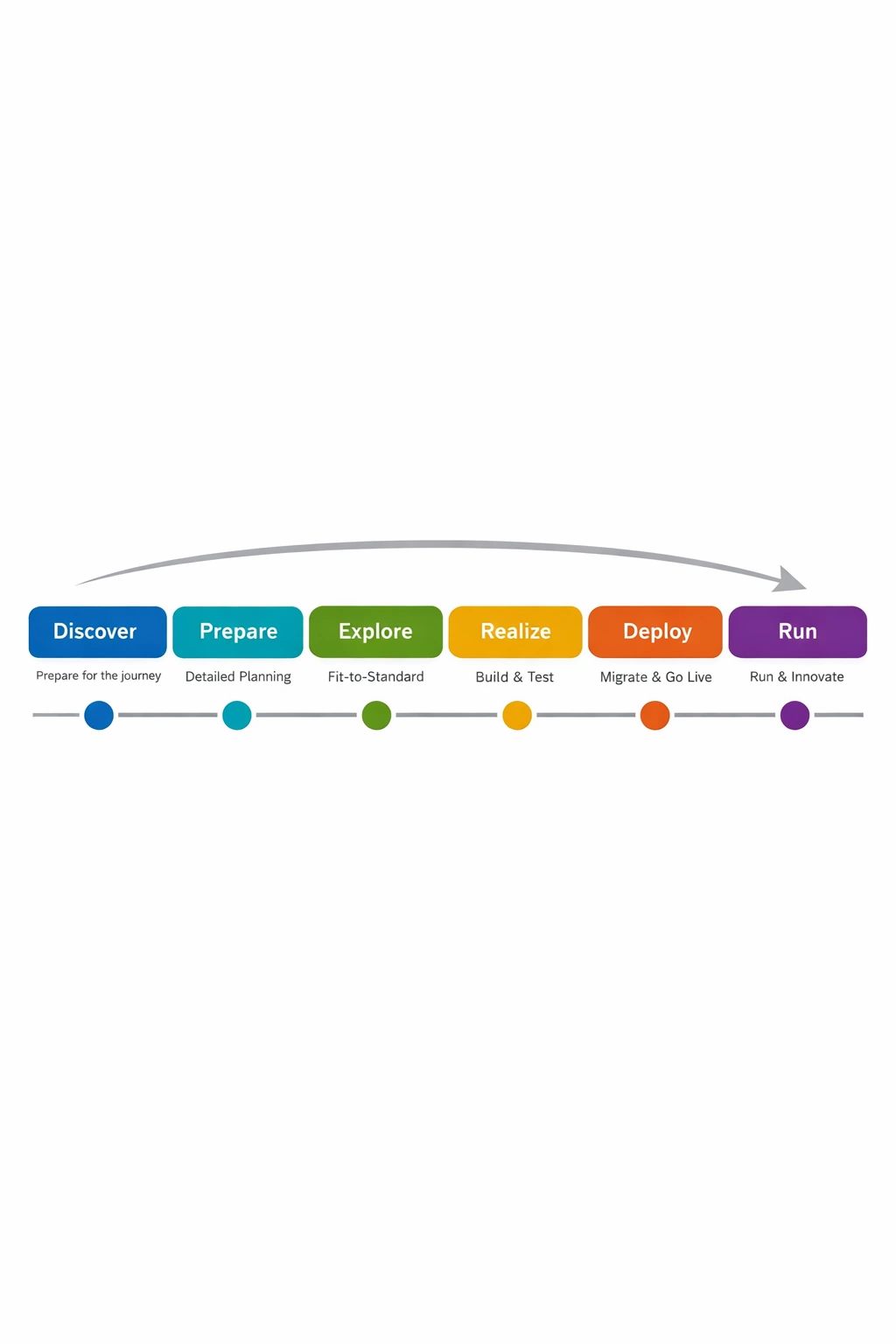
The six phases of a structured SAP ERP implementation
project preparation. Every SAP implementation begins with a preparation phase that defines scope, establishes governance, and aligns the organization on what success looks like. The deliverables include a project charter, an executive sponsor with real decision-making authority, a steering committee with cross-functional representation, and a timeline that includes realistic buffer for the phases most likely to run long.
The business case definition happens here. Before any configuration begins, the organization must answer three questions with specificity — what measurable problems is this implementation solving, what does success look like at go-live, and what is the realistic total cost of ownership over three years. Vague answers to those questions produce vague projects with unpredictable outcomes.
business process mapping and blueprint design. This is the most intellectually demanding phase and the one most frequently compressed under schedule pressure. Business process mapping means documenting how the organization actually operates today — not the idealized version in the org chart, but the real flow of work from trigger to completion across every department being brought into SAP.
Each current-state process gets redesigned as a future-state flow that reflects how SAP will handle it. The gap between those two states is the configuration requirement list. The output of this phase is a blueprint document — a formal specification that defines every process SAP will manage, every configuration decision that supports it, and every gap where custom development will be required.
A well-written blueprint is the most valuable document in the entire implementation. Every change request that surfaces later gets evaluated against it. Vendors who propose skipping or significantly abbreviating this phase are proposing to build your system without a specification — a risk that manifests as scope creep, budget overruns, and a go-live that does not match the original business requirements.
system configuration and development. With the blueprint signed off, configuration begins in a development environment — never directly in production. SAP implementations run a three-system landscape: development, quality assurance, and production. Changes move through that sequence in a controlled transport process.
Custom development — SAP calls these ABAP enhancements or BAdI implementations — is required when a business process genuinely cannot be handled by standard configuration. The governing principle is to exhaust configuration options before approving custom development. Every custom object created becomes a long-term maintenance obligation through every future upgrade.
data migration. Data migration is consistently the most underestimated phase in SAP ERP implementation. The technical tooling SAP provides is mature and capable. The challenge is data quality. Most organizations discover during migration preparation that their legacy data is significantly messier than anyone assumed — duplicate records, inconsistent naming conventions, incomplete master data, unreconciled open items.
Plan for a minimum of two full mock migration runs before go-live. The first run surfaces problems nobody knew existed. The second validates that the fixes worked. Going live without a successful mock migration is one of the most reliable predictors of a difficult post-go-live period.
testing. Testing in SAP implementation is a structured sequence, not a single event. Unit testing validates individual configuration objects in isolation. Integration testing validates end-to-end processes across modules — this is where configuration gaps between modules surface. User acceptance testing puts real end users in front of the system to execute their actual daily processes. Performance testing validates that the system handles peak transaction volumes without degradation.
A testing phase compressed to meet a go-live deadline does not eliminate problems. It moves them into production where they are significantly more expensive to resolve.
go-live and hypercare. Go-live requires a detailed cutover plan — a minute-by-minute sequence of activities that transitions the business from legacy systems to SAP in a controlled window. Most cutovers execute over a weekend. The cutover plan documents every task, every responsible person, every dependency, and every rollback trigger.
Hypercare is the period immediately following go-live — typically four to eight weeks — during which the full implementation team remains available to resolve issues in real time. Budget for hypercare explicitly and get the scope, team composition, and response time commitments documented in the contract before the project begins.
The implementation partner decision
Your implementation partner will have more influence over your project outcome than any other single variable, including the software itself. Evaluate partners on industry experience in your specific sector, team continuity commitments — get specific names in the contract — and a clearly defined post-go-live support model.

The module decisions made before implementation begins directly control the configuration scope, the data migration complexity, and ultimately the implementation cost. Those decisions connect directly to the budget conversation — and understanding the full cost picture before implementation starts is the next critical piece of the SAP ERP planning process. The SAP ERP cost breakdown that exposes every fee vendors rarely disclose upfront gives you the complete financial picture before any proposal lands on your desk.
For the complete phase-by-phase implementation roadmap — including the vendor behaviors that signal risk, the contract terms worth fighting for, and the testing protocols that protect your go-live — the SAP ERP implementation guide that covers what vendors consistently skip in the sales process goes deeper on every phase described here.
SAP ERP cost — what you are actually committing to
The SAP ERP system does not come with a price tag. It comes with a pricing conversation — one that is deliberately structured to favor vendors who engage with buyers who have not done their cost homework in advance.
SAP does not publish standard pricing. Oracle does not either. The number on your proposal reflects how informed you are walking into the negotiation as much as it reflects the actual market rate for the software and services you are buying. Entrepreneurs who understand the full cost structure before the first vendor meeting consistently negotiate better terms than those who learn the structure from the vendor presenting it.
There are five distinct cost categories in every SAP ERP investment. A budget that accounts for all five produces a number you can defend. A budget that misses any one of them produces a number that will not survive contact with reality.
software licensing
SAP licensing has shifted from perpetual licenses — where you pay once and own the software — to subscription-based licensing under SAP S/4HANA Cloud. This shift has significant implications for how total cost of ownership models over a three to five year horizon.
Named user licensing is the primary cost driver. SAP charges per named user, with different license types priced according to the level of system access they require.
Professional users — employees who create transactions, manage master data, and run reports — carry the highest per-user cost. In 2025, professional user licenses for SAP S/4HANA Cloud typically range from $150 to $300 per user per month depending on contract volume and negotiated terms.
Limited users — employees who primarily approve workflows, read reports, or perform a narrow set of transactions — are priced lower, typically $75 to $150 per user per month.
The most common licensing mistake is underestimating user counts. Every person in your organization who touches SAP — including managers who only approve purchase orders — requires a license. Map your actual user population across every department before accepting any user count in a vendor proposal.
Beyond named users, certain SAP capabilities carry engine-based licensing fees that do not appear in the headline per-user number. Document management, workflow automation, and advanced analytics modules sometimes carry separate engine fees. Ask specifically about engine licensing for every module being activated.
implementation services
Implementation services typically represent the largest single line item in an SAP investment — often exceeding software licensing by a ratio of two to one or higher for complex deployments. The cost is driven by three variables: project scope, system complexity, and the billing rates of the chosen implementation partner.
For a small to mid-sized business deploying a core SAP S/4HANA suite across a single location with clean data, 2025 implementation costs fall in these ranges.
Companies with 50 to 150 employees should budget $150,000 to $400,000 for a phased deployment starting with finance and operations modules. Companies with 150 to 500 employees should plan for $400,000 to $1,200,000 depending on module count, integration complexity, and custom development volume. Companies with more than 500 employees should treat $1,200,000 as a floor, with enterprise-scale deployments regularly exceeding $5,000,000 in implementation services alone.
Global system integrators — Deloitte, Accenture, IBM — charge premium rates that push these figures significantly higher. Regional SAP implementation partners often deliver comparable quality at meaningfully lower billing rates for mid-market deployments.
infrastructure
Infrastructure costs depend entirely on deployment model. The public cloud model bundles infrastructure into the subscription fee, making it the lowest-infrastructure-cost entry point. The private cloud model runs on dedicated infrastructure — either SAP’s own data centers or a hyperscaler such as AWS, Azure, or Google Cloud — adding $2,000 to $15,000 per month depending on system size and performance requirements. On-premise deployment requires the organization to own and operate the server infrastructure, carrying the highest infrastructure cost and the greatest internal IT capability requirement.
The infrastructure decision also directly affects implementation timeline and complexity. Cloud deployments follow more standardized methodologies with fewer infrastructure variables to manage, which generally means shorter timelines and lower implementation risk for businesses without deep internal SAP technical capacity.
training and change management
Training is the most consistently under-budgeted line item in SAP projects. It is also one of the most direct determinants of whether the business extracts value from the system after go-live.
End user training — preparing employees to perform their daily tasks in SAP — costs $500 to $1,500 per user for a structured program. For a 100-person organization, that translates to $50,000 to $150,000 in training investment. That number gets cut in budget negotiations more often than any other line item, and its absence shows up predictably in post-go-live adoption problems.
Change management — the organizational process of preparing people for a fundamentally different way of working — should be budgeted as a separate line item, not as a subset of training. For a mid-market implementation, $30,000 to $80,000 for a structured change management program is a reasonable planning range.
ongoing support and maintenance
The go-live date is not the end of the SAP ERP cost commitment. Ongoing support and maintenance represent a predictable annual expense that must be factored into the total cost of ownership from the beginning.
For cloud deployments, maintenance is bundled into the subscription fee. For on-premise deployments, SAP charges an annual maintenance fee — historically 22% of total license value — covering software updates, patches, and SAP support access.
Application management services — day-to-day system administration, break-fix support, minor configuration changes, and user access management — typically cost $3,000 to $12,000 per month for a mid-market SAP environment, depending on system complexity and the agreed service level.
Budget a separate reserve for upgrade projects. Major version upgrades require project-level effort. A reasonable planning assumption is 15% to 25% of the original implementation cost every three to four years for a managed upgrade cycle.
Building a realistic three-year total cost of ownership
A three-year total cost of ownership model is the only financially honest framework for evaluating an SAP ERP investment. For a representative mid-market company — 150 employees, core module suite, private cloud deployment — a realistic three-year total cost of ownership in 2025 looks approximately like this.
Year one includes software licensing at $180,000, implementation services at $600,000, infrastructure at $60,000, and training and change management at $120,000 — totaling approximately $960,000.
Years two and three combined include software licensing at $360,000, infrastructure at $120,000, application management at $144,000, and enhancement budget at $90,000 — totaling approximately $714,000.
The three-year total cost of ownership reaches approximately $1,674,000. That number is not a barrier for the right business. It is a baseline for an ROI conversation. If SAP ERP eliminates $600,000 per year in operational inefficiency — through reduced manual reconciliation headcount, faster financial close cycles, lower inventory carrying costs, and improved procurement pricing — the investment case is straightforward.
If the ROI case cannot be made clearly at those numbers, the conversation should shift to whether a more targeted solution addresses the immediate operational gaps at a lower entry cost — or whether the timing of an SAP investment needs to align with a later stage of business growth.
For the complete cost breakdown across all five categories — including the specific questions to ask vendors about engine licensing, the infrastructure cost ranges by deployment model, and the training investment levels that actually drive adoption — the SAP ERP cost guide that covers every number vendors rarely disclose upfront gives you the full picture before any proposal arrives.
SAP ERP vs competitors — making the right platform decision
Choosing an enterprise ERP platform is not a reversible decision. The system you select becomes the operational backbone of your business for the next seven to ten years at minimum. Migrating from one enterprise ERP to another is a project that rivals the original implementation in both cost and organizational disruption. Getting the platform decision right the first time is not just preferable — it is financially necessary.
SAP holds the largest share of the global enterprise ERP market. But market share is not a purchasing argument. The relevant question is whether SAP is the right platform for your specific business, at your current stage, in your industry, with your team’s capabilities and your growth trajectory.
Answering that question requires an honest comparison against the two platforms that most frequently appear alongside SAP in mid-market and enterprise evaluation processes — Oracle Fusion Cloud ERP and Microsoft Dynamics 365.
SAP vs Oracle Fusion Cloud ERP
Oracle is SAP’s most direct competitor at the enterprise level. Both platforms are mature, globally supported, and capable of handling the operational complexity of large and scaling businesses. The differences that matter for buyers emerge when you look at where each platform’s functional depth is concentrated.
SAP built its reputation in manufacturing and process industries. Decades of development driven by the operational complexity of industrial businesses produced a platform with unmatched depth in supply chain management, production planning, materials management, and procurement. If your primary operational complexity lives in physical goods moving through a multi-tier supply chain, SAP’s functional advantage in that domain is difficult to match.
Oracle’s roots are in database technology and financial management. The platform’s financial consolidation capabilities are particularly strong for businesses with complex multi-entity structures, international operations requiring sophisticated currency management, or project-based revenue models demanding granular billing and cost tracking. Financial services companies, technology firms, and professional services organizations have historically gravitated toward Oracle for these reasons.
The user experience comparison has become more relevant as enterprise software adoption expectations have shifted. Oracle Fusion Cloud’s interface is modern by default — built cloud-native from the ground up with contemporary UI standards. SAP Fiori, SAP’s modern interface layer, represents a significant improvement over classic SAP GUI but requires deliberate deployment investment to realize its full user experience benefit. Organizations that deploy S/4HANA but leave users on the classic interface miss most of the adoption improvement that Fiori delivers.
From a total cost of ownership perspective, SAP and Oracle land in comparable ranges for equivalent user counts and functional scope at the mid-market level. The difference tends to emerge in implementation costs rather than licensing. Oracle Fusion’s financial management layer requires less custom configuration for standard processes, which can produce faster time-to-value for finance-focused deployments. SAP implementations at equivalent scope tend to run longer due to the platform’s configuration depth — which is also the source of its functional advantage in complex operational environments.
SAP vs Microsoft Dynamics 365
Microsoft Dynamics 365 is the comparison that most SAP-versus-Oracle articles ignore, and it is the one most relevant to entrepreneurs in the 50 to 500 employee range evaluating enterprise ERP for the first time.
Dynamics 365 offers a modular cloud ERP suite with deep native integration into Microsoft 365, Teams, Power BI, and Azure. For businesses already operating in the Microsoft ecosystem — which describes the majority of small and mid-sized companies globally — the integration advantage is immediate, the user adoption curve is significantly lower than either SAP or Oracle, and the total cost of ownership for a comparable functional scope is meaningfully less.
Dynamics 365 is not the right answer for every business. It does not match SAP’s depth in high-complexity manufacturing, multi-tier distribution, or the industry-specific process requirements of sectors like chemicals, utilities, or life sciences. For businesses in those categories, SAP’s functional superiority justifies the premium.
But for service businesses, professional services firms, distribution companies with straightforward operational models, and retail businesses without significant supply chain complexity, Dynamics 365 delivers strong functional coverage at a total cost of ownership that makes the SAP investment difficult to justify at an early growth stage.
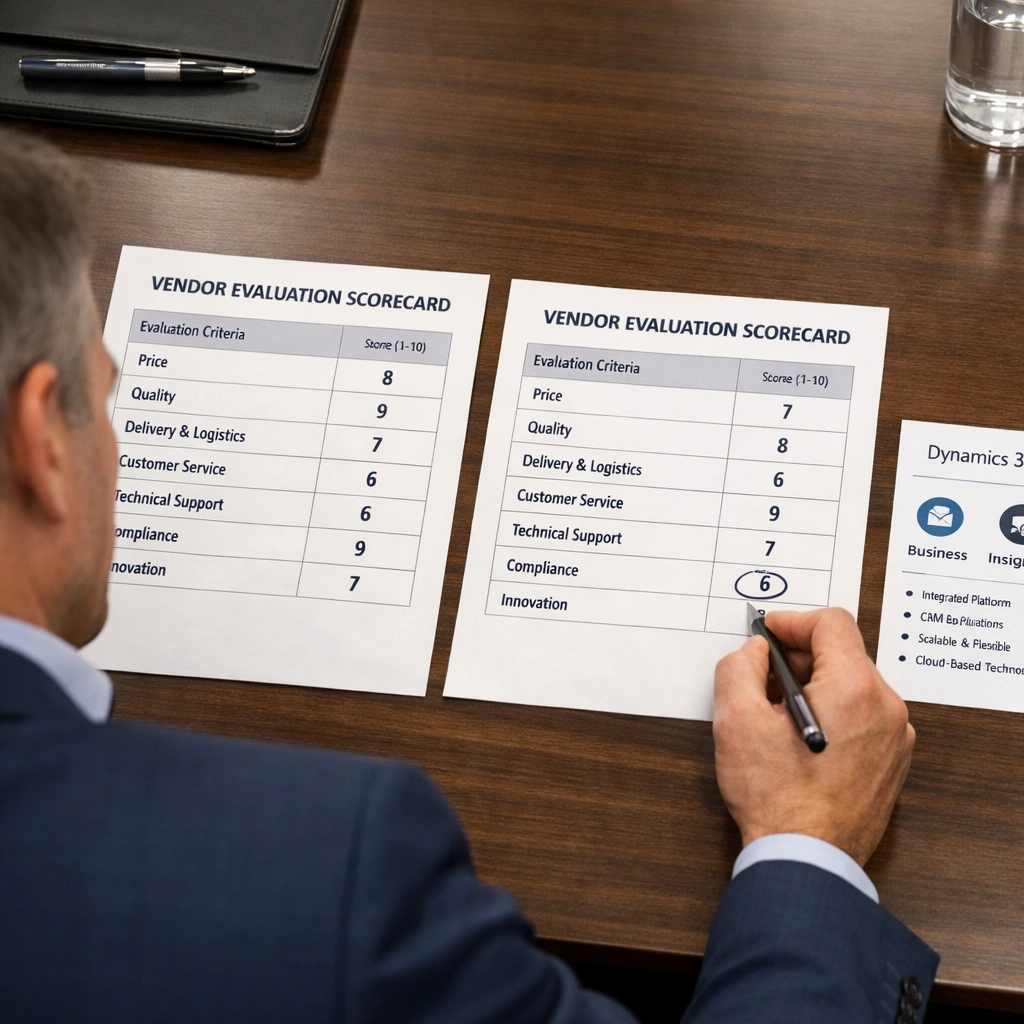
The six dimensions that determine the right platform
Rather than a feature checklist, platform selection for enterprise ERP is more accurately a six-dimension evaluation.
Functional depth by business area determines which platform covers your specific operational requirements without requiring significant custom development to fill gaps.
Industry fit determines whether pre-configured industry solutions reduce your implementation scope. SAP’s Industry Cloud solutions for manufacturing, retail, utilities, and life sciences are among the most mature available. Oracle leads in financial services and higher education. Dynamics 365 has growing industry accelerators but less depth than either at the enterprise level.
Total cost of ownership over three years — not headline licensing — determines the true financial commitment. A platform that licenses at a lower monthly rate but requires twice the implementation investment to configure to your requirements is not the lower-cost option.
Implementation timeline requirements matter when speed to value is operationally critical. A post-merger integration, a regulatory compliance deadline, or a legacy system end-of-life date can make implementation speed a determinant factor rather than a secondary consideration.
Technology architecture and innovation roadmap determines which platform’s investment in embedded analytics, process automation, and cloud infrastructure best aligns with where your business needs to be in five years, not just where it is today.
Partner ecosystem density in your geography and industry determines the quality and cost of the implementation resources available to you. SAP has the largest certified partner network globally. Oracle’s ecosystem is strong in North America and Western Europe. Dynamics 365 benefits from Microsoft’s extensive partner network across virtually every market.
The decision framework that cuts through vendor pressure
After evaluating SAP against Oracle and Dynamics 365 across these six dimensions, the platform decision comes down to four questions that only your business can answer with accuracy.
Where does your primary operational complexity live? If it is in supply chain, manufacturing, or procurement at scale, SAP’s functional depth is the strongest available. If it is in financial consolidation, project management, or HR, Oracle is competitive or superior. If it is in neither — if your business runs relatively standard processes and your primary need is operational integration rather than functional depth — Dynamics 365 deserves serious consideration before an SAP or Oracle commitment is made.
What does your industry require? SAP’s industry cloud solutions give it a structural advantage in manufacturing, chemicals, retail, and utilities. Oracle leads in financial services and professional services. Dynamics 365 is strongest in general commercial and distribution businesses.
What does a fully loaded three-year total cost of ownership look like for each platform under consideration? Get complete proposals — licensing, implementation, infrastructure, training, and ongoing support — before making any comparison. Headline license numbers without implementation estimates are not a basis for financial comparison.
What is your realistic implementation timeline requirement? If speed to value is critical, Oracle Fusion’s faster finance deployments or Dynamics 365’s lower implementation complexity may outweigh SAP’s functional depth for your current business needs — even if SAP is the right long-term destination.
For the complete head-to-head analysis of SAP versus Oracle across all six evaluation dimensions — including user experience, partner ecosystem, and technology architecture — the SAP ERP vs competitors comparison that breaks down platform selection across the metrics that matter most provides the full analytical framework.
SAP S/4HANA cloud — the upgrade decision every SAP customer faces
Every business running SAP today is on a migration clock. SAP has set a hard deadline for mainstream maintenance of SAP ECC — the previous generation on-premise platform that the majority of existing SAP customers currently run — ending in 2027. Extended maintenance runs through 2030 for customers willing to pay a premium surcharge. After that, SAP ECC is unsupported software running on infrastructure that SAP will no longer patch, update, or secure.
That deadline is not a sales tactic. It is a published product lifecycle commitment that SAP has maintained consistently since 2020. The businesses that plan their migration deliberately — with a clear business case, a realistic timeline, and a migration methodology matched to their actual complexity — will absorb the transition productively. The ones that wait until 2029 and scramble will pay a significant premium for the urgency they created by deferring the decision.
For businesses new to SAP entirely, SAP S/4HANA cloud is simply the current platform. There is no legacy version to migrate from, and the architecture decision is straightforward. This section addresses both audiences.
What SAP S/4HANA cloud actually changes
SAP S/4HANA cloud is not a software update applied to the existing ECC architecture. It is a complete redesign of the application layer, the data model, and the infrastructure foundation.
The data model in S/4HANA is significantly simplified. SAP ECC contained tens of thousands of database tables, many of which were redundant aggregates maintained to support the reporting performance limitations of traditional disk-based databases. S/4HANA consolidates that structure into a leaner model that HANA’s in-memory processing handles directly. The result is faster transaction processing, simpler data architecture, and a reduction in the volume of custom code required to run standard business processes.
The HANA database — High-performance ANalytic Appliance — stores and processes data in RAM rather than on disk. This architectural shift means that transaction processing and analytics run simultaneously on the same data set without separate reporting infrastructure. The financial close that previously required overnight batch processing and a separate Business Warehouse system for reporting now runs in real time on the transactional system itself.
The user interface defaults to SAP Fiori — the modern, role-based, tile-driven interface that replaces classic SAP GUI. Fiori runs in any browser on any device, eliminating the desktop client dependency that complicated SAP ECC deployments and drove user adoption problems for years.
The cloud deployment model means SAP manages the infrastructure, the upgrades, and the system administration rather than your internal IT team. The operational burden of maintaining a complex on-premise SAP landscape — hardware refresh cycles, database administration, security patching, disaster recovery — transfers to SAP or a certified cloud partner.
The three deployment models and what each means for your business
SAP S/4HANA cloud is available in three deployment configurations, each with distinct implications for cost, control, and implementation complexity.
The public cloud model — SAP S/4HANA Cloud, essentials edition — is a multi-tenant SaaS deployment managed entirely by SAP. Infrastructure costs are bundled into the subscription fee. Configuration flexibility is constrained to protect the multi-tenant environment and ensure upgrade compatibility. This model offers the fastest time to value and the most predictable upgrade path. For businesses deploying SAP for the first time with a relatively standard operational model, public cloud is the most practical entry point. Implementations typically complete in three to six months for a core suite deployment.
The private cloud model — SAP S/4HANA Cloud, extended edition — runs on dedicated infrastructure managed by SAP or a certified partner. Your organization retains significantly more configuration and customization flexibility than the public cloud model allows. This model is appropriate for businesses with complex, industry-specific processes that cannot be accommodated within standard best practice boundaries. Manufacturing companies with non-standard production planning models and organizations with heavily customized financial processes typically require private cloud deployment. Infrastructure costs add $3,000 to $20,000 per month depending on system size and performance specifications.
On-premise S/4HANA deployment means your organization owns and operates the server infrastructure running the HANA database and application layer. This model provides maximum control and customization flexibility but carries the highest infrastructure cost and the greatest internal IT capability requirement. On-premise is increasingly rare for new S/4HANA deployments, primarily chosen by businesses in regulated industries with strict data residency requirements or large enterprises with existing data center investments not yet ready for exit.
The three migration paths from SAP ECC to S/4HANA
For businesses currently running SAP ECC, the migration to S/4HANA requires a structured project approach. SAP defines three primary migration methodologies, and the choice between them has significant implications for cost, timeline, and the operational benefit the business ultimately realizes.
Greenfield implementation treats the S/4HANA deployment as a new implementation. The existing ECC system is not converted — instead, the business redesigns its processes from scratch in S/4HANA, migrates only the data it needs to carry forward, and goes live on a clean system. The advantage is the opportunity to eliminate accumulated technical debt — years of custom code, workarounds, and process compromises built up in the ECC environment. The business starts fresh on modern architecture with clean processes aligned to S/4HANA best practices. The cost is comparable to the original ECC implementation, ranging from $500,000 to $2,000,000 or more in implementation services for complex environments.
Brownfield conversion technically converts the existing ECC system to S/4HANA in place through SAP’s Software Update Manager tooling. Existing configuration, custom code, and historical data move to the new architecture. Brownfield is faster and less expensive than greenfield for businesses with stable, well-configured ECC systems. The trade-off is that the technical debt and process compromises in the ECC system carry forward into S/4HANA. The business gets modern architecture running legacy processes — which limits the operational benefit of the upgrade to infrastructure improvement rather than process transformation.
Selective data transition is a hybrid approach where specific business units, geographies, or process areas migrate greenfield while others convert brownfield. This model allows businesses to modernize their highest-value processes while managing migration risk and cost through phased execution. For most mid-market businesses, selective data transition represents the most pragmatic path — it delivers the process improvement benefits of greenfield where they matter most without requiring a full reimplementation across the entire business.
The measurable ROI case for SAP S/4HANA cloud
The business case for migrating to SAP S/4HANA cloud is built on five categories of measurable return. Vague claims about digital transformation are not a business case. These are.
Financial close cycle reduction. S/4HANA’s in-memory processing and simplified data model enable real-time financial reporting that eliminates the batch processing delays built into SAP ECC. Businesses that previously ran five to seven day month-end close cycles consistently report reductions to two to three days after migration. At the fully loaded cost of finance team resources, three fewer days of month-end close effort per month represents meaningful annual savings at scale.
Inventory optimization. Real-time inventory visibility across the full supply chain — enabled by S/4HANA’s embedded analytics — allows procurement and planning teams to reduce safety stock levels without increasing stockout risk. A 10% reduction in inventory carrying costs for a business managing $5,000,000 in average inventory releases $500,000 in working capital.
Infrastructure cost reduction. Migrating from on-premise ECC — with hardware refresh cycles, data center costs, and infrastructure management overhead — to a managed cloud deployment typically reduces infrastructure-related IT spend by 20% to 40% over a three-year period.
Custom code elimination. SAP ECC environments accumulate custom code over years of operation. Each custom object carries a maintenance cost — developer time spent keeping it compatible with system updates. S/4HANA migrations that include a custom code remediation effort consistently reduce the custom code footprint by 30% to 60%, translating directly into lower ongoing maintenance costs.
Elimination of separate BI infrastructure. Many SAP ECC environments run a separate Business Warehouse system to handle reporting workloads the transactional system could not support. S/4HANA’s embedded analytics eliminate the need for a separate BW layer in most mid-market scenarios, removing both the licensing cost and the data synchronization complexity of maintaining two parallel systems.
The warning signs that your business is not ready
Not every business is positioned to absorb an S/4HANA migration productively, regardless of deadline pressure. Four conditions indicate the timing may not be right.
Unresolved data quality problems in the current ECC system amplify through migration rather than resolve. Data remediation must precede migration, not accompany it. Unstable business operations — a merger, an acquisition, a significant market pivot — create compounding risk when combined with an ERP migration project. Insufficient internal project capacity consistently produces delays and cost overruns regardless of implementation partner quality. And a business case that cannot produce a credible payback period within four years does not support the investment at this stage — extended maintenance through 2030 may be the more rational choice while the business builds the operational foundation to absorb the transition productively.
For businesses evaluating whether S/4HANA cloud is the right deployment model for their industry and operational profile — and how the cloud migration decision interacts with the broader platform comparison between SAP, Oracle, and Microsoft Dynamics 365 — the SAP ERP vs competitors analysis that evaluates platform selection across six critical dimensions provides the analytical framework for making that decision with clarity.
Conclusion
The SAP ERP system is not a software purchase. It is an infrastructure decision — one that shapes how every department in your business operates, how every decision gets made, and how every process scales as the organization grows.
The businesses that get the most from SAP are not necessarily the ones with the largest budgets or the most sophisticated IT teams. They are the ones that approach the platform with operational clarity — a precise understanding of where their current infrastructure is failing them, which modules address those failures directly, what a realistic implementation looks like, and what the full financial commitment demands before a single contract is signed.
That clarity is what this guide is designed to build. Each section has addressed a distinct dimension of the SAP ERP decision — what the platform is and how it works, which modules match which operational needs, what the implementation process actually involves, what the true cost structure looks like across all five categories, how SAP compares against Oracle and Microsoft Dynamics 365 across the dimensions that matter for platform selection, and what the migration to SAP S/4HANA cloud demands from businesses on both sides of the ECC maintenance deadline.
The pattern across all six dimensions is consistent. The businesses that navigate SAP successfully — that implement on schedule, adopt the system across their organizations, and extract measurable operational return — are the ones that invest in preparation before they invest in software. They map their processes before selecting modules. They build a fully loaded cost model before accepting a vendor proposal. They define success metrics before configuration begins. They choose implementation partners based on industry experience and team continuity rather than brand recognition.
The ones that struggle are the ones that let vendor timelines compress the decisions that deserve the most rigor. Blueprint phases that get rushed. Data quality problems that get deferred. Change management budgets that get cut. Testing phases that get shortened to protect a go-live date that was never realistic.
SAP ERP is a platform built for complexity. Treating the decision to adopt it as anything less complex than it actually is produces outcomes that reflect that underestimation.
The operational foundation you build with SAP — one system, one source of truth, zero reconciliation — is the infrastructure that allows everything else in your business to scale without rebuilding from the ground up every time you grow into the next stage.
That foundation is worth building deliberately.
