

Failed SAP ERP implementation projects rarely fail because of the software. They fail because of poor planning, underestimated timelines, and vendors who skip the hard conversations upfront. SAP ERP implementation refers to the structured process of configuring, migrating, testing, and deploying the SAP platform across your business operations. Understanding that process starts with knowing how SAP is architected — something covered in depth in the SAP ERP system guide that maps the full operational picture. This page walks you through every phase of SAP ERP implementation so you know exactly what to expect and where to push back.
Why SAP ERP implementations fail before they start
The statistics on ERP project failures are not encouraging. Studies from Gartner and Panorama Consulting consistently show that more than half of ERP implementations run over budget, over schedule, or both. SAP projects are not immune to this pattern.
The root cause is almost never the software. SAP ERP is a mature, battle-tested platform used by over 400,000 companies worldwide. The failures trace back to decisions made — or avoided — in the weeks before a single line of configuration is written.
Vendors are incentivized to close the deal quickly. That urgency tends to compress the discovery and scoping phase, which is precisely where the most consequential decisions get made. Business process mapping gets rushed. Data quality assessments get skipped. Change management plans get postponed to “later in the project.” Later never comes.
Understanding the full SAP ERP implementation process before you sign anything is the single most effective way to protect your investment. That process has six distinct phases, and each one carries its own failure modes.
project preparation and business case definition
Every SAP ERP implementation begins with a project preparation phase. In practice, this phase is where the entire project either gets set up for success or quietly undermined.
The core deliverables of this phase include a defined project scope, an executive sponsor with real authority, a steering committee with cross-functional representation, a project charter that documents objectives and constraints, and a realistic timeline with buffer built in.
The business case definition is equally critical. Before any configuration begins, your organization needs to answer three questions with specificity.
What business problems is this implementation solving? Vague answers like “improve efficiency” are not sufficient. The problems need to be measurable — invoice processing takes 14 days and needs to reach 3, or inventory discrepancies are causing 8% order fulfillment errors.
What does success look like at go-live? Defining success metrics upfront creates accountability for both your internal team and your implementation partner.
What is the realistic total cost of ownership over three years? This includes software licensing, implementation services, infrastructure, training, internal resource time, and post-go-live support. The full SAP ERP cost breakdown that covers every fee vendors rarely disclose upfront is worth reviewing before you finalize your business case numbers.
business process mapping and blueprint design
This is the most intellectually demanding phase of SAP ERP implementation, and it is the one most frequently compressed under schedule pressure.
Business process mapping means documenting how your company actually operates today — not how it is supposed to operate according to an org chart, but how work actually flows from trigger to completion across every department you are bringing into SAP.
Each process gets documented as a current-state flow, then redesigned as a future-state flow that reflects how SAP will handle it. The gap between those two states is your configuration requirement list.
The blueprint document
The output of this phase is a blueprint document — a formal specification that defines every business process SAP will manage, every configuration decision that supports it, and every gap where custom development or third-party tools will be required.
A well-written blueprint is the most valuable document in your entire implementation. It is the contract between your business and your implementation partner. Every change request that comes later — and there will be many — gets evaluated against the blueprint.
If your vendor is proposing to skip or significantly abbreviate the blueprint phase, that is a red flag worth addressing directly before the project moves forward.

system configuration and development
With the blueprint signed off, the technical work begins. System configuration is the process of adjusting SAP’s standard settings to match your documented business processes. SAP ships with thousands of configurable parameters — organizational structures, document types, approval workflows, posting rules, pricing procedures, and more.
The configuration happens in a development system first, never directly in production. Most SAP implementations run a three-system landscape: development, quality assurance, and production. Changes move through that landscape in a controlled sequence.
Custom development: when it is justified and when it is not
SAP covers the majority of standard business processes out of the box. When a company’s process genuinely cannot be handled by standard configuration, custom development — called an ABAP enhancement or a BAdI implementation — becomes necessary.
The risk with custom development is long-term maintenance cost. Every custom object you create becomes your responsibility to maintain through future upgrades. The general principle is to exhaust configuration options before approving custom development, and to document every custom object with full technical specifications.
Selecting the right SAP ERP modules before this phase begins directly reduces the volume of custom development required. A company that has activated only the modules relevant to its operations has fewer configuration gaps to fill with custom code. The module selection guide that maps SAP ERP modules to business stage and operational need provides the framework for making those decisions before configuration starts.
data migration
Data migration is consistently underestimated in SAP ERP implementations. It is also consistently the phase most responsible for go-live delays.
The challenge is not technical — SAP provides robust data migration tooling. The challenge is data quality. Most businesses discover during migration preparation that their existing data is far messier than anyone assumed. Duplicate vendor records, inconsistent customer naming conventions, incomplete material master data, unreconciled open items in accounts payable — these issues surface when you attempt to load legacy data into a structured SAP environment.
The data migration process has four steps that must be completed in sequence.
Data extraction — pulling raw data from every legacy system being replaced or integrated.
Data cleansing — identifying and resolving duplicates, gaps, formatting inconsistencies, and invalid entries. This step takes longer than any project plan initially allocates.
Data mapping — defining how each field in the legacy system corresponds to the correct field in SAP’s data structure.
Data loading and validation — running test loads, identifying errors, correcting them, and repeating until the data loads cleanly and reconciles against source system totals.
Plan for at least two full mock migration runs before go-live. The first run will surface problems you did not know existed. The second run validates that your fixes worked. Going live without at least one successful mock migration is a significant risk.

testing
Testing in SAP ERP implementation is not a single event. It is a structured sequence of activities, each designed to validate a different layer of the system.
Unit testing confirms that individual configuration objects work as designed in isolation.
Integration testing validates that processes work end to end across modules. This is where most configuration gaps surface — a sales order flows correctly through SD, but when it triggers a goods movement in MM, the inventory posting fails because of a missing configuration link.
User acceptance testing (UAT) puts real end users — not consultants — in front of the system to execute their actual daily processes. UAT is not a formality. It is the last opportunity to catch issues before they become production problems.
Performance testing validates that the system handles peak transaction volumes without degradation. This is particularly important for businesses with high-volume order processing or month-end financial close cycles.
A testing phase that gets compressed to meet a go-live deadline is one of the most reliable predictors of a difficult post-go-live period. The problems do not disappear — they just move into production where they are significantly more expensive to fix.
go-live and hypercare
Go-live is not the finish line. It is the beginning of the most operationally sensitive period in the entire implementation.
The go-live event itself requires a detailed cutover plan — a minute-by-minute sequence of activities that moves the business from legacy systems to SAP in a controlled window. Most cutovers happen over a weekend. The cutover plan documents every task, every responsible person, every dependency, and every rollback trigger.
Hypercare is the period immediately following go-live, typically four to eight weeks, during which the full implementation team remains available to resolve issues in real time. Transaction processing errors, missing configuration, user confusion, and performance issues all surface in concentrated form during hypercare.
Budget for hypercare explicitly. Vendors sometimes treat it as a courtesy gesture rather than a billable phase. Get the hypercare scope, team composition, and response time commitments documented in your contract before the project begins.
For businesses considering the cloud-native version of SAP — which changes several aspects of the deployment and hypercare model — the SAP S/4HANA cloud upgrade analysis that breaks down what the migration actually demands covers those distinctions in detail.
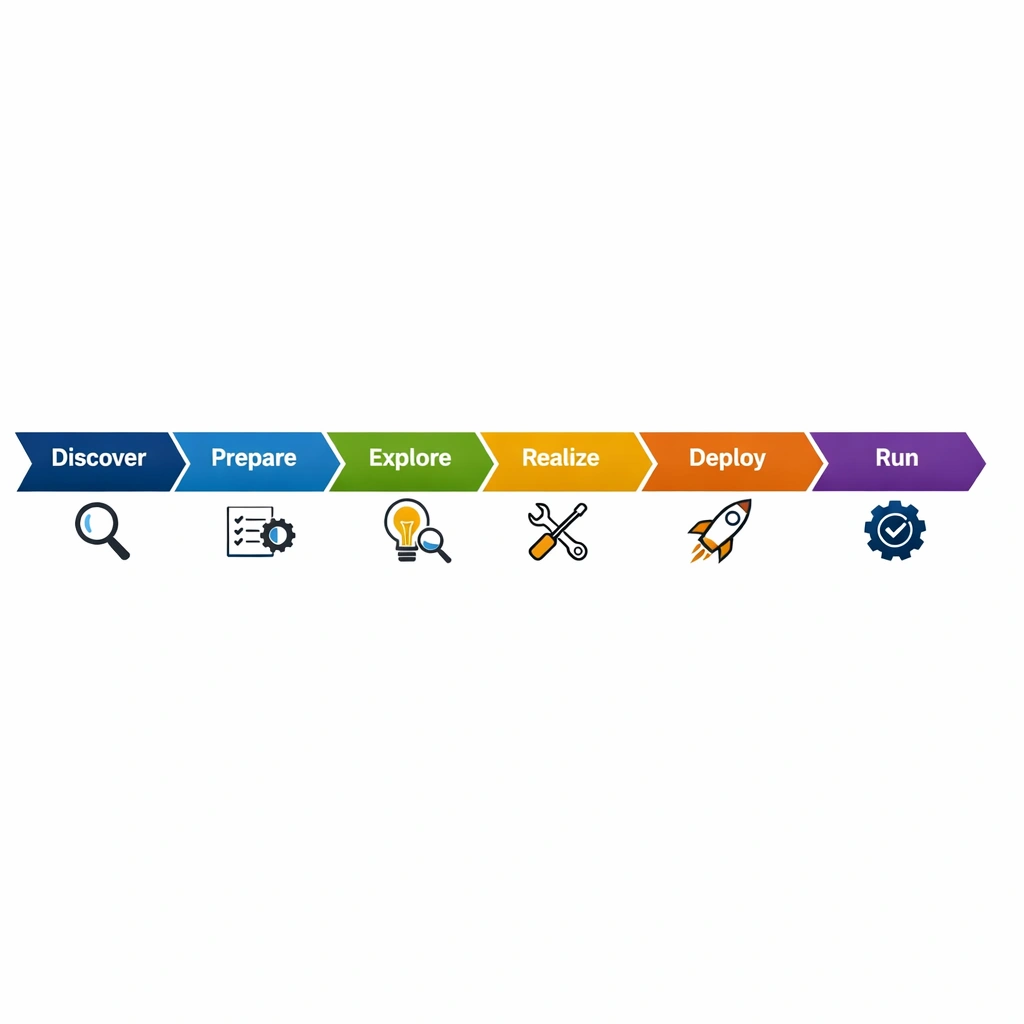
The implementation partner decision
Your implementation partner will have more influence over the outcome of your SAP project than any other single factor, including the software itself. Choosing the right partner deserves at least as much diligence as choosing the software.
Evaluate implementation partners on three dimensions beyond their SAP certification status.
Industry experience — a partner who has implemented SAP for five companies in your industry understands the common configuration decisions, the data migration challenges specific to your sector, and the module combinations that work. General SAP experience is not a substitute for industry-specific pattern recognition.
Team continuity — ask specifically who will be on your project and get their names in the contract. Partners sometimes sell projects with senior consultants and deliver them with junior staff. That gap is a known risk in the SAP consulting market.
Post-go-live support model — understand exactly what support looks like after hypercare ends. Who answers the phone when a month-end close fails at 11pm? What is the response time commitment? What is the escalation path?
Conclusion
SAP ERP implementation is a complex project, but it is not an unpredictable one. The failure modes are well documented. The phases that require the most rigor are known. The vendor behaviors that create risk are identifiable before you sign.
The businesses that navigate SAP implementations successfully are not the ones with the biggest budgets. They are the ones that invest in preparation, ask hard questions early, and refuse to let schedule pressure override quality at the phases that matter most.
