

One of the biggest mistakes entrepreneurs make when adopting SAP is licensing every module available without a clear operational map. SAP ERP modules are individual functional components — such as Finance (FI), Materials Management (MM), and Human Capital Management (HCM) each designed to automate a specific area of your business. Before selecting modules, it helps to understand how they sit inside the broader SAP ERP system framework that connects your entire business infrastructure. This page cuts through the noise and shows you exactly which SAP ERP modules match your current stage of growth.
Why module selection is where most SAP projects go sideways
The SAP ecosystem is vast. There are modules for finance, procurement, manufacturing, sales, HR, logistics, compliance, and more. A vendor’s incentive is to license as many of them as possible. Your incentive is to license exactly what your business needs to run better nothing more.
The disconnect between those two incentives is where SAP ERP projects become bloated, overbudget, and under-utilized. Companies activate modules they are not ready to use, pay for configurations they never complete, and end up with a system that is technically powerful but operationally ignored.
The right approach starts with mapping your business processes first and then identifying which SAP ERP modules address the friction points in those processes. That sequence matters. Software should follow strategy, not the other way around.
The core SAP ERP modules every growing business should know
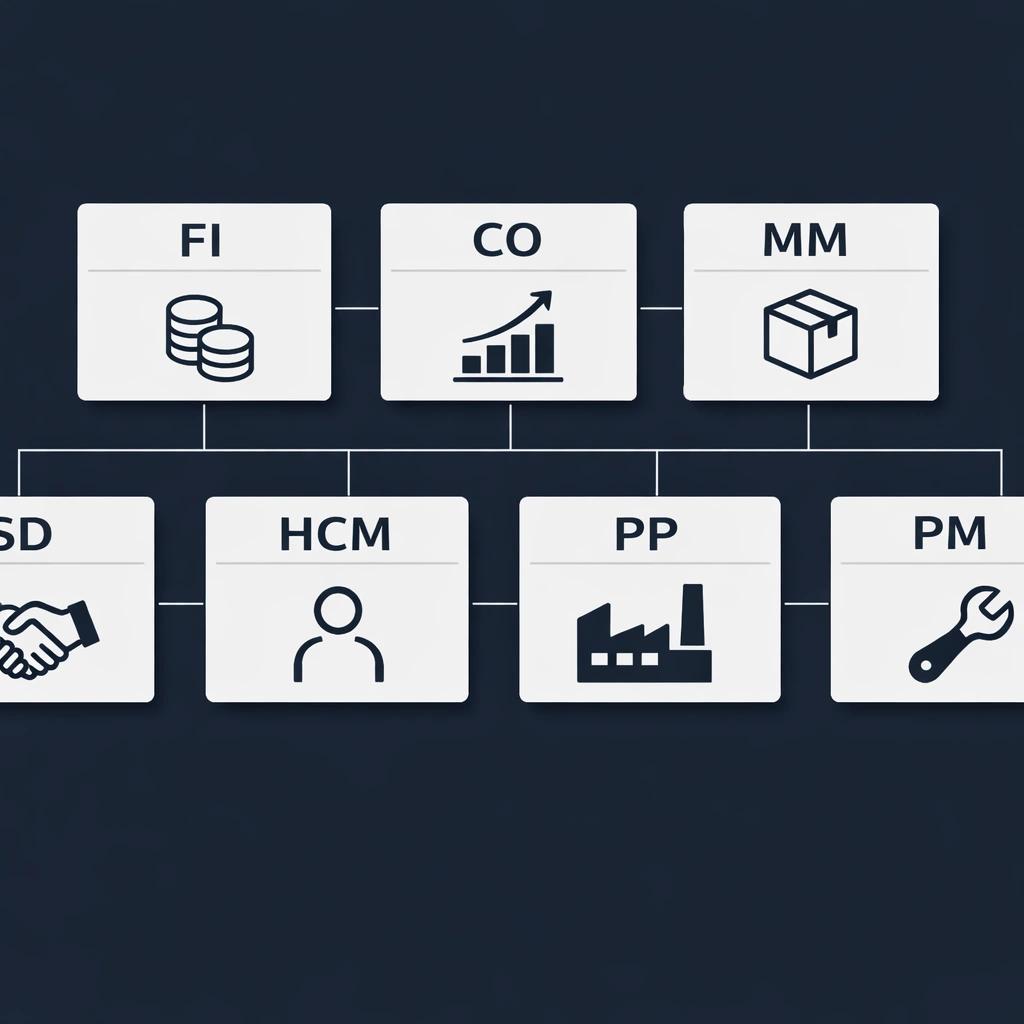
SAP organizes its modules into functional areas. Each area addresses a specific domain of business operations. Here is a straightforward breakdown of the modules most relevant to entrepreneurs scaling their companies.
Financial accounting (FI)
This is the foundation. The FI module manages all financial transactions — general ledger, accounts payable, accounts receivable, asset accounting, and bank reconciliation. Every other module in SAP feeds financial data into FI, which means it is almost always the first module a business activates.
If your finance team is spending more time consolidating data than analyzing it, FI alone delivers immediate value.
Controlling (CO)
CO works alongside FI but focuses on internal cost management. It tracks overhead costs, profit center performance, and budget variance. For entrepreneurs who need to understand where money is being made and lost at a department level, CO provides that visibility without requiring a manual cost allocation exercise every month.
Materials management (MM)
MM handles everything related to procurement and inventory. Purchase orders, goods receipts, invoice verification, and warehouse stock levels all run through this module. For businesses managing physical products — whether in manufacturing, retail, or distribution — MM is typically a non-negotiable activation.
Sales and distribution (SD)
SD manages the entire order-to-cash cycle. Customer inquiries, quotations, sales orders, delivery, billing, and payment all flow through SD. When integrated with MM, the system automatically checks inventory availability at the point of sale and triggers procurement if stock falls below threshold.
Human capital management (HCM)
HCM covers personnel administration, payroll, time tracking, and organizational management. For companies with more than 20 employees, managing HR in a separate system creates reconciliation work that compounds with every hire. HCM eliminates that by keeping headcount, compensation, and time data inside the same platform as finance and operations.
Production planning (PP)
PP is built for manufacturers. It manages bills of materials, production orders, capacity planning, and shop floor control. If your business produces goods — whether discrete manufacturing or process manufacturing — PP connects your production floor directly to your inventory and finance systems.
Plant maintenance (PM)
PM tracks equipment, schedules maintenance, and manages repair orders. For businesses with significant physical assets — machinery, vehicles, facilities — PM prevents unplanned downtime by building preventive maintenance schedules directly into the system.
How to match SAP ERP modules to your business stage
Not every business needs every module on day one. The goal is a phased activation strategy that delivers value quickly and expands as operations mature.
Early-stage companies (under 50 employees) typically start with FI and CO for financial clarity, and SD if they manage a sales pipeline with significant order volume. MM is added when inventory management becomes a manual burden.
Growth-stage companies (50–250 employees) usually add HCM as HR complexity increases, and MM becomes critical if procurement is scaling. PP is activated when production planning outgrows spreadsheet-based scheduling.
Scaling companies (250+ employees) benefit from the full core suite — FI, CO, MM, SD, HCM — with PP and PM added based on whether the business is asset-heavy or production-driven.
This phased approach is also more practical from a change management perspective. Deploying every module simultaneously forces your team to learn an entirely new way of working across every function at once. Phased rollouts allow the organization to adapt department by department.
For a full picture of what deploying these modules actually involves from a project standpoint, the SAP ERP implementation roadmap that covers every phase of a successful rollout is worth reviewing before you finalize your module selection.
The modules businesses most commonly over-license
There are three modules that appear on nearly every initial SAP proposal but rarely deliver value for companies under a certain size.
Extended warehouse management (EWM) is a sophisticated warehouse control system designed for large distribution centers with complex picking, packing, and routing logic. For most businesses, the standard inventory functions within MM are more than sufficient.
Treasury and risk management (TRM) is built for financial institutions and large corporates managing complex investment portfolios and hedging strategies. Unless your business operates in financial services or has a treasury function managing significant capital, this module adds cost without proportional value.
Environment, health, and safety (EHS) is highly relevant for manufacturing and chemical companies operating under strict regulatory frameworks. For service businesses or straightforward retail operations, it is rarely a day-one priority.
The pattern here is straightforward. Modules built for large-scale operational complexity in specific industries tend to get proposed universally. Pushing back on those proposals with a clear map of your actual processes is the most effective way to control your initial SAP ERP cost.
Speaking of cost — understanding how module selection directly impacts your licensing and implementation fees is covered in detail in the full SAP ERP cost breakdown that exposes what vendors rarely quote upfront.

SAP S/4HANA and the next generation of module architecture
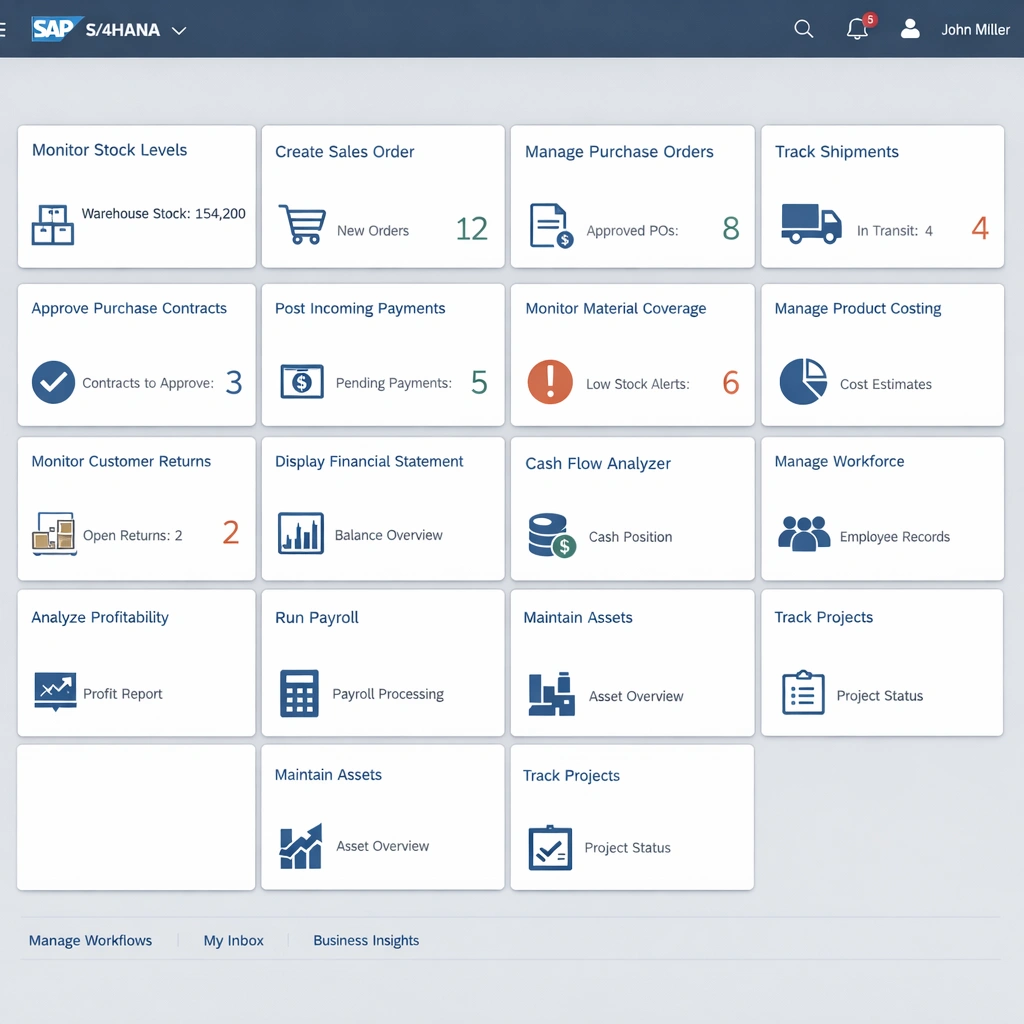
It is worth noting that the traditional SAP ERP module structure described above reflects the classic SAP ECC architecture, which SAP is phasing out by 2027. The current generation platform, SAP S/4HANA, reorganizes many of these modules under a streamlined architecture built on SAP’s in-memory HANA database.
In S/4HANA, the distinction between FI and CO largely disappears into a unified financial management structure. MM and SD are simplified and redesigned for faster processing. The user interface shifts entirely to SAP Fiori, a modern tile-based design that runs on any device.
For businesses starting fresh with SAP today, S/4HANA is the correct platform to build on. For businesses already running ECC, the migration path to S/4HANA is a strategic conversation that deserves its own analysis — one covered directly in the SAP S/4HANA cloud upgrade guide that breaks down whether the migration is worth it for your business.
Conclusion
Module selection is not a technical decision. It is a business strategy decision that happens to involve software. The companies that get the most from SAP ERP are the ones that start with a clear picture of their operational friction, map that friction to the right modules, and resist the pressure to activate everything at once.
License what you need. Deploy in phases. Expand as the business demands it. That approach keeps your initial investment manageable, your team focused, and your SAP implementation on track from day one.
