
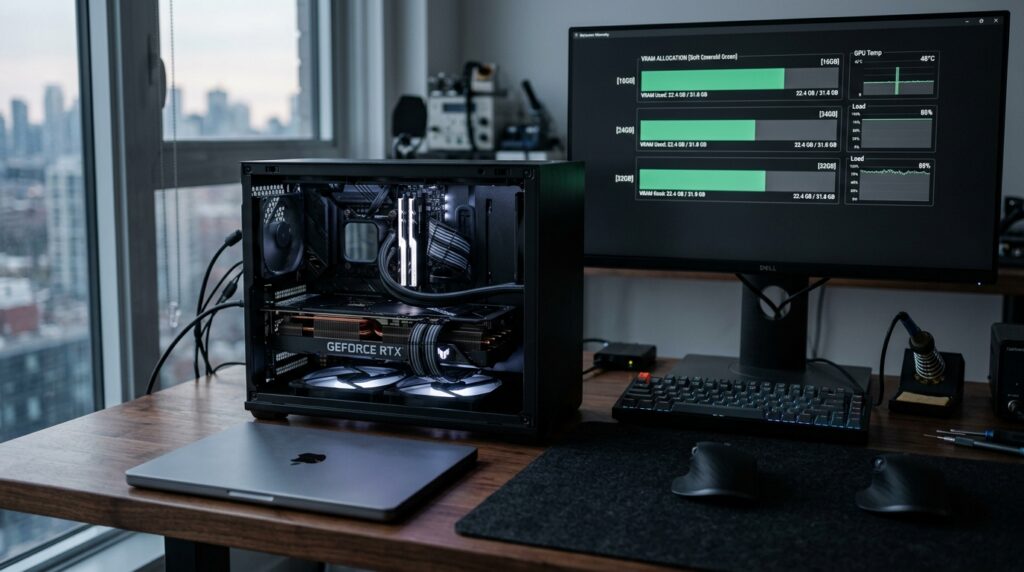
Hardware marketing frequently promises seamless local artificial intelligence on consumer workstations, but the reality for most engineers is an abrupt encounter with fatal CUDA Out-of-Memory (OOM) crashes or debilitating system swap thrashing. The underlying physics are straightforward: raw model parameter weights represent only the baseline floor of memory consumption. Once you factor in runtime KV-cache allocations for active context windows, intermediate activation tensors, and operating system display overhead, your available VRAM disappears rapidly. In this practical 2026 hardware guide, we eliminate the guesswork with realistic estimated memory footprints for 16GB, 24GB, 32GB, and 48GB configurations across the latest open-weights generation.
Last updated: September 20, 2026 | Practical engineering estimates by Brian Walsh, Principal Systems Architect
⚡ Practical VRAM Estimation Rule of Thumb
To calculate a realistic baseline of your peak operational memory before downloading weights, use this engineering rule of thumb:
Estimated Peak VRAM ≈ Resident Model Weights + KV Cache Buffer + Runtime Overhead (~1.5–2.5GB)
Where Resident Model Weights = (Total Parameters × Bits_Per_Weight ÷ 8). KV Cache Buffer is calculated using architectural attention head layouts. Runtime Overhead accounts for execution scratchpad and CUDA runtime (~1.0–1.5GB on headless Linux, ~1.8–2.5GB on desktop display environments). Actual consumption varies by inference backend (llama.cpp, Ollama, vLLM).
The 3-State Execution Reality
Do not treat execution as a binary “works or crashes”. Local inference runtimes (llama.cpp, Ollama, vLLM) operate across three distinct operational states:
- ✅ 100% GPU Resident (Native Bandwidth): Entire model + KV-cache reside in high-speed VRAM. Tokens stream at maximum memory bandwidth limits (35–90+ tok/s).
- 🟡 Hybrid CPU/System RAM Offload: Fits partially in VRAM; overflow layers offload to system DDR5 memory via PCIe. Inference works reliably but token speed drops by 70%–90% (down to 2–6 tok/s for dense models, ~8–14 tok/s for sparse MoE) due to the severe PCIe bus bottleneck.
- ❌ Out of System Memory / Swap Thrashing: Total footprint exceeds combined VRAM + physical RAM. The OS enters hard disk swap thrashing (<0.5 tok/s, unusable system hang) or the kernel OOM-killer immediately terminates the process.
2026 Model Sizing Matrix: Estimated VRAM vs. Hardware Requirements
The table below details practical estimated footprints across the latest 2026 model generation (including sparse MoE architectures and high-efficiency dense models) assuming standard 8,192 (8K) token context in Ollama, llama.cpp, and vLLM:
| Model & Architecture | Quantization | Raw Weights | KV-Cache (8K Ctx est.) | Total Peak VRAM | Minimum Hardware Tier |
|---|---|---|---|---|---|
| Llama-3.1-8B-Instruct | FP16 (Native) | 16.0 GB | 1.0 GB | 18.7 GB | 24 GB VRAM (OOM on 16GB) |
| Llama-3.1-8B-Instruct | Q4_K_M | 4.9 GB | 1.0 GB | 7.4 GB | 12 GB / 16 GB VRAM |
| Gemma 4 12B | Q4_K_M | 7.8 GB | 1.3 GB (est.) | 10.7 GB | 16 GB VRAM |
| Qwen3-Coder-30B-A3B (MoE) | Q4_K_M | 18.6 GB | 0.75 GB | 21.5 GB | 24 GB VRAM (High Speed) |
| Qwen3.6-27B (Dense) | Q4_K_M | 16.8 GB | 1.0 GB (est.) | 19.8 GB | 24 GB VRAM (Comfortable) |
| Qwen2.5-Coder-32B / Qwen3-32B (Dense) | Q4_K_M | 19.8 GB | 2.0 GB | 23.8 GB | 24 GB (Capped 8K Ctx) |
| Gemma 4 31B | Q4_K_M | 19.5 GB | 2.0 GB (est.) | 23.2 GB | 24 GB VRAM |
| Qwen2.5-Coder-32B / Qwen3-32B (Dense) | Q8_0 (Near-FP16) | 34.5 GB | 2.0 GB | 38.3 GB | 40 GB+ / Dual 24GB (Hybrid) |
| Llama-3.3-70B-Instruct | Q3_K_M | 34.5 GB | 2.5 GB | 38.5 GB | 40 GB+ / Mac Studio 48GB |
| Llama-3.3-70B-Instruct | Q4_K_M | 42.5 GB | 2.5 GB | 47.0 GB | 48 GB+ (Dual 24GB tight / 64GB Mac, requires raising wired limit) |
Memory Bandwidth Physics: What Determines Your Tokens/Second?
A widespread misconception is that raw compute (TFLOPS) drives local LLM generation speed. In autoregressive token generation, decode speed is primarily governed by memory transfer physics.
Dense vs. MoE Bandwidth Dynamics: Dense batch-1 decode is often primarily memory-bandwidth-bound, as the GPU must transfer resident weights on every forward pass. For sparse Mixture of Experts (MoE) models like Qwen3-Coder-30B-A3B, active expert routing significantly reduces memory bus traffic compared to a full 30B dense model (~3.3B active weights vs ~30B total), but throughput also depends on shared layers, router overhead, dequantization kernels, cache locality, and runtime efficiency. The formulas below represent theoretical memory-bandwidth upper bounds, not direct end-to-end performance predictors:
Dense Upper Bound (tok/s) ≈ Memory Bandwidth (GB/s) ÷ Resident Model Size (GB)
MoE Memory Bound (tok/s)  ≈ Memory Bandwidth (GB/s) ÷ Active Parameter Weights (GB) [Real decode dominated by routing/kernels]
Because dense memory buses operate at typical real-world runtime efficiencies between 60% and 75%—while MoE throughput reflects empirical kernel and routing benchmarks—here is what you can realistically expect across popular hardware platforms:
| Hardware Platform | Memory Bandwidth | Model Architecture & Size | Estimated tok/s |
|---|---|---|---|
| Nvidia RTX 5090 (32GB GDDR7) | 1,792 GB/s | Dense 27B / 32B Q4_K_M (~17–20GB) | 65 – 80 tok/s |
| Nvidia RTX 4090 (24GB GDDR6X) | 1,008 GB/s | Qwen3-Coder-30B-A3B MoE (~3.3B active) | 65 – 75 tok/s |
| Nvidia RTX 3090 (24GB GDDR6X) | 936 GB/s | Qwen3-Coder MoE (~3.3B act) / Dense 32B Q4 | 45 – 55 tok/s / 28 – 35 tok/s |
| Nvidia RTX 4080 (16GB GDDR6X) | 717 GB/s | Gemma 4 12B Q4_K_M (~8GB) | 55 – 65 tok/s |
| Apple Mac Studio (M5 Ultra) | 1,200 GB/s | Llama-3.3-70B Q4_K_M (~43GB) | 17 – 21 tok/s |
| Apple Mac Studio (Previous-gen M3 Ultra) | 819 GB/s | Llama-3.3-70B Q4_K_M (~43GB) | 11 – 14 tok/s |
| Apple MacBook Pro (M4 Max) | 410 GB/s | Dense 32B Q4_K_M (~20GB) | 13 – 16 tok/s |
| Apple Mac Mini (M5 Pro) | 307 GB/s | Gemma 4 12B Q4_K_M (~8GB) | 20 – 26 tok/s |
| Apple Mac Mini (M6) | 153–170 GB/s (config dependent) | Dense 27B Q4_K_M (~17GB) | 5.5 – 7.0 tok/s |
| Apple Mac Mini M4 (24GB Unified, Previous-gen) | 120 GB/s | Dense 27B Q4_K_M (~17GB) | 3.5 – 4.5 tok/s |
1. The 16GB VRAM Tier: Fast 8B–14B Daily Drivers
Target hardware in this tier includes the Nvidia RTX 4070 Ti SUPER (16GB), RTX 4080 (16GB), and Apple Silicon configurations with 16GB Unified Memory.
What Runs 100% GPU Resident:
- 8B Models at Q4_K_M and Q8_0: While an 8B model at uncompressed FP16 requires ~18.7GB total VRAM (exceeding 16GB cards), running
Llama-3.1-8BorQwen3-8Bat Q4_K_M (7.4GB total) or Q8_0 (~11GB total) fits with generous headroom for deep context buffers up to 32K. - Gemma 4 12B at Q4_K_M: Occupies ~10.7GB of peak memory, leaving 5GB free for 16K context windows and operating system buffers.
- Lightweight Multimodal Vision:
Llama-3.2-11B-Visionfits comfortably at 4-bit quantization, enabling local image analysis and document parsing.
The 16GB Unified Memory Allocation on Apple Silicon:
If you are on a 16GB Mac, macOS defaults to capping GPU access to approximately 75% of total unified memory (~11.5 GB to 12 GB) to preserve stability for system UI and open applications. While you can adjust this limit via terminal flags (sudo sysctl iogpu.wired_limit_mb=12288 to allocate 12GB to the GPU), models with memory footprints exceeding ~10–11GB (roughly >14B at Q4) will force macOS into aggressive swap thrashing on internal SSD storage.
2. The 24GB VRAM Tier: The AI Engineer’s Sweet Spot
The 24GB tier represents the most versatile baseline for local LLM practitioners: Nvidia RTX 3090 (24GB), RTX 4090 (24GB), and the Apple Mac Mini with 24GB Unified Memory.
Why 24GB is the Industry Standard:
The step from 16GB to 24GB crosses the critical threshold required to run the 27B–32B parameter class fully GPU-resident:
- Dense Coding Workhorses:
Qwen3.6-27Bfits cleanly atQ4_K_Mwithin ~19.8GB peak, leaving comfortable headroom for 16K context. DenseQwen2.5-Coder-32B / Qwen3-32Boccupies ~23.8GB at 8K context, operating near the 24GB ceiling. - Sparse MoE Architecture (Qwen3-Coder-30B-A3B): Mixture of Experts models provide exceptional practical efficiency for 24GB setups. While the entire ~30.5B parameter set resides in memory (~18.6GB at Q4_K_M), only 3.3B active parameters activate during each generation pass. This delivers the coding reasoning depth of a 30B model with the inference throughput of a lightweight model (65–75 tok/s on an RTX 4090). See our dedicated guide: How to Run Qwen3-Coder-30B-A3B Locally on 24GB Hardware.
# Run local MoE coding model on 24GB hardware:
ollama run qwen3-coder:30b

# Or specify exact quantization tag:
ollama run qwen3-coder:30b-a3b-q4_K_M
Looking at Apple’s latest desktop hardware? Read our complete breakdown: Mac mini M6 vs. M5 Pro for Local LLMs: How Much Unified Memory Do You Actually Need?.
Context Caution on 24GB: When running dense 32B models at Q4_K_M on a single 24GB GPU, remaining headroom is narrow (~1.5GB to 2.0GB). Expanding context beyond 8,192 tokens without KV-cache quantization will trigger an immediate CUDA OOM abort.
3. The 32GB to 48GB+ Tier: Unlocking High-Precision 32B & Frontier 70B
This tier spans single flagship cards like the Nvidia RTX 5090 (32GB GDDR7), dual-GPU workstations (2x RTX 4070 Ti SUPER for 32GB or 2x RTX 3090 for 48GB), and Apple Mac Studio setups (scalable up to 512GB Unified Memory).
The Math on 32GB vs. 48GB:
- What 32GB Unlocks: A 32GB buffer (RTX 5090 or dual 16GB GPUs) is the ideal platform for running 32B models at Q4_K_M or Q5_K_M with generous context, or running 32B models with massive 32K–64K context windows when utilizing FP8 quantized KV-cache. Standard FP16 KV-cache for 32B consumes ~2.0GB per 8K context, reaching ~16GB at 64K, which would exceed 32GB without cache compression. (Note: Uncompressed FP16 32B models require ~64GB+ VRAM). A 32GB buffer does not run standard 70B models at full Q4_K_M (which require ~47GB). On 32GB, 70B models require extreme sub-3-bit quantization (IQ2_XS / IQ3_XXS) where syntax degradation becomes noticeable.
- What 48GB Unlocks (Dual RTX 3090/4090 or 64GB+ Mac): This is the home of Llama-3.3-70B-Instruct at Q4_K_M (42.5GB weights + 2.5GB KV cache + runtime = ~47.0GB peak). On dual 24GB consumer GPUs (48GB total), this is an extremely tight theoretical fit that requires headless Linux or FP8 KV caching (
--kv-cache-dtype fp8) to avoid CUDA OOM from desktop display buffers. Once configured, it delivers dependable local deployment for autonomous agent execution and multi-document analysis without cloud dependency.

The Hidden KV-Cache Trap: FlashAttention vs. KV-Cache Compression
Many developers configure a model, note 3 GB of leftover VRAM, and assume their system is stable. Then, an IDE assistant injects a 20,000-token codebase context, and the terminal terminates with:
RuntimeError: CUDA out of memory. Tried to allocate 3.42 GiB (GPU 0; 23.69 GiB total capacity; 21.80 GiB already allocated)
To avoid context crashes, it is vital to distinguish between two distinct architectural technologies:
1. FlashAttention-2 & FlashAttention-3 (Peak Activation Optimization)
Standard attention materializes an N × N attention matrix in GPU High-Bandwidth Memory (HBM), leading to quadratic O(N²) memory spikes during calculation. FlashAttention computes attention in SRAM tiles without writing intermediate attention tensors to HBM. While FlashAttention prevents intermediate memory blowouts during processing, it does not reduce the permanent memory footprint of stored tokens.
2. Quantized KV-Cache (FP8 / Q4 / Q8 Cache Compression)
Every token in your active dialogue must store its Key and Value projection vectors in memory. The formula for architectural Grouped-Query Attention (GQA) KV-cache consumption is:
KV Cache Size (Bytes) = 2 × Num_Layers × Num_KV_Heads × Head_Dim × Context_Length × Precision_Bytes
KV/cache-state estimates are architecture-specific: standard GQA applies to full-attention layers (e.g. Qwen2.5-Coder-32B with 64 layers and 8 KV heads uses ~8.0GB in FP16 for 32K context), whereas hybrid linear/sliding-attention architectures like Qwen3.6 and Gemma 4 employ model-specific state and sliding-window KV accounting. By switching the cache to FP8 or 4-bit quantization in vLLM or llama.cpp, you cut this footprint by 50% to 75% with minor quality trade-offs:
# vLLM launch using a 4-bit AWQ community checkpoint with FP8 KV caching:
# (Example community AWQ checkpoint; verify checkpoint size on Hugging Face before deployment)
# (Note: Uncompressed BF16 weights require ~54GB and will OOM on a single 24GB/32GB GPU)
python3 -m vllm.entrypoints.openai.api_server \
    --model QuantTrio/Qwen3.6-27B-AWQ \
    --kv-cache-dtype fp8 \
    --gpu-memory-utilization 0.92 \
    --max-model-len 16384
Curious how inference runtimes differ under heavy load? See our deep-dive benchmark: vLLM vs. Ollama vs. SGLang 2026 Benchmark Guide.
Frequently Asked Questions
Is Apple Unified Memory truly equivalent to dedicated Nvidia VRAM?
For capacity, Apple Silicon is superior dollar-for-dollar: flagship Mac Studio configurations (such as M5 Ultra) scale to 512GB of unified memory with 1.2 TB/s bandwidth, allowing you to load massive 70B models and multiple concurrent instances that would otherwise require multi-GPU server clusters. However, for raw single-stream bandwidth efficiency, dedicated Nvidia desktop GPUs remain exceptionally agile. An RTX 5090 or RTX 4090 delivers 1,008 to 1,792 GB/s dedicated memory bandwidth (streaming tokens at 55–80+ tok/s), whereas compact base Mac mini architectures generate tokens at a quieter, more power-efficient 5.5–7.5 tok/s on equivalent dense 27B models.
Can I combine two different GPUs (e.g., RTX 4080 16GB + RTX 3060 12GB)?
Yes. Frameworks like llama.cpp and Ollama support heterogeneous layer offloading across multiple GPUs. However, total system throughput will be constrained by the slowest card’s memory bandwidth and PCIe bus transfer latency between cards.
How much does a dual-GPU setup complicate workstation requirements?
Significantly. Running two full-sized GPUs (such as 2x RTX 3090 for 48GB) requires a high-wattage power supply (minimum 1,000W–1,200W Platinum), a motherboard supporting PCIe bifurcation (x8/x8 or x16/x4 mechanical spacing with sufficient physical clearance), and robust case exhaust ventilation to dissipate 600W–750W of continuous thermal load.
Does 4-bit quantization (Q4_K_M) noticeably degrade code generation?
Across standard coding and dialogue benchmarks, modern Medium-K quantizations (Q4_K_M) represent the industry’s practical quality-to-memory sweet spot. Quality loss is usually modest at Q4_K_M across general coding and dialogue tasks, but the actual impact varies by model architecture, task sensitivity, and quantization format. For most day-to-day engineering workflows, Q4_K_M offers a widely adopted quality-to-memory trade-off.
Authoritative Sources & Technical References
To verify parameter counts, architectural attention head configurations, and hardware memory bus specifications, reference the following technical documentation:
- Model Cards & Architectural Configs: Official Qwen3-Coder-30B-A3B-Instruct and Qwen2.5-Coder-32B model cards; Ollama Gemma 4 Library; and QuantTrio Qwen3.6-27B-AWQ.
- Inference Frameworks: llama.cpp Official GitHub (quantization documentation,
--cpu-moeexpert offload, and GQA cache kernels) and vLLM Project Documentation (PagedAttention and FP8 KV cache). - Hardware Bandwidth Specifications: Official NVIDIA GeForce RTX 3090, 4090, and 5090 architectural whitepapers; Apple Newsroom announcements for Mac Studio M5 Ultra (up to 512GB Unified Memory, 1.2 TB/s) and Mac mini (M6 / M5 Pro).
Final Hardware Buying Blueprint for 2026
If you are investing in local AI hardware today, choose according to your workflow requirements:
- The Secondary Market Benchmark (roughly $950–$1,650 used, with clean units clustering around $1,000–$1,400): A second-hand Nvidia RTX 3090 (24GB) remains the benchmark price-to-performance choice on the secondary market. Pair it with a 750W PSU and a modern PCIe 4.0 platform for high-speed 27B–32B coding assistance.
- The Single-Card Flagship ($1,999 MSRP; street pricing is volatile and trades well above MSRP during supply shortages): The Nvidia RTX 5090 (32GB GDDR7) delivers an astounding 1,792 GB/s memory bandwidth, unlocking ultra-fast 32B execution and deep context handling on a single desktop slot.
- The Compact Desktop Baseline: Apple Mac mini with Unified Memory. The newly announced M6 Mac mini ($899+, up to 32GB, 153–170 GB/s) and M5 Pro mini ($1,699+, up to 64GB, 307 GB/s) represent high-efficiency desktop AI workstations, while the previous-gen M4 (24GB) remains an attractive discounted entry point.
- The Large-Model Contender: Apple Mac Studio. Current flagship M5 Ultra configurations scale to 512GB unified memory and 1.2 TB/s memory bandwidth (from $5,499), delivering massive 70B+ model serving in a quiet desktop form factor, while previous-generation M3 Ultra systems remain capable options on the refurbished market.
Hardware pricing reflects prevailing retail and secondary market estimates as of September 2026.