
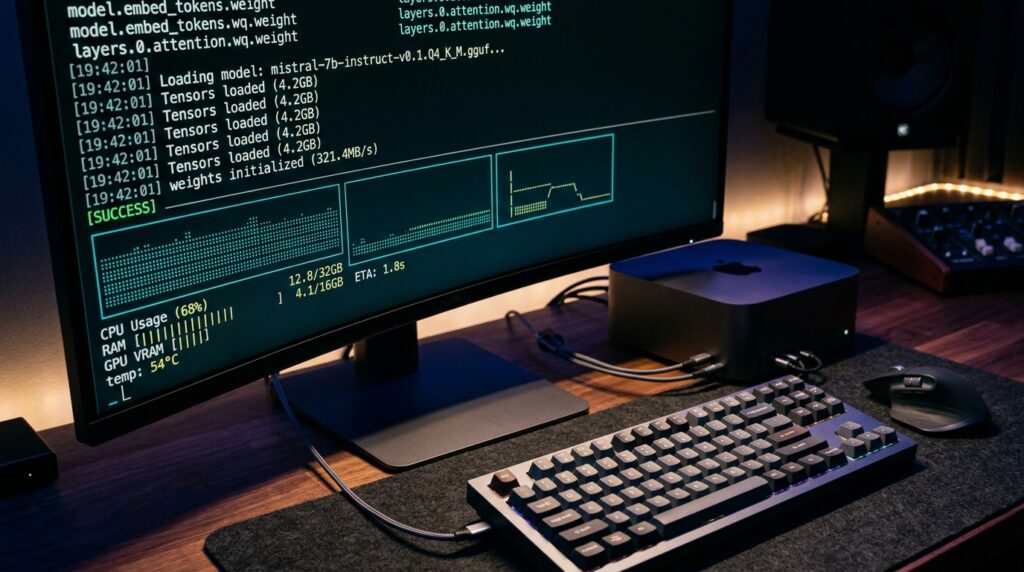
When DeepSeek announced V4.1-Flash highlighting “8B to 16B active parameters,” thousands of developers rushed to their terminals hoping to spin up a cutting-edge reasoning model on an RTX 4070 or an M-series MacBook. However, running DeepSeek-V4.1-Flash locally comes with a massive 510GB reality check. Active parameters are not the same as total model weights. In this comprehensive technical guide, we dismantle the 8B vs. 552B architecture confusion, map out exact enterprise and community hardware requirements, examine Ollama’s cloud routing limitations, and provide production deployment recipes via vLLM.
Last technically verified: September 20, 2026 | By Brian Walsh, Principal Systems Architect
⚡ Reality Check: Can You Actually Run It Locally?
- Consumer GPUs (12GB – 24GB): No. The official unquantized checkpoint exceeds 510 GB. Even extreme 2-bit community quantizations require upwards of 160 GB of memory.
- The 8B Active Trap: DeepSeek-V4.1-Flash is a 552B Mixture-of-Experts (MoE) architecture. While only 8B parameters compute during prefill and 16B during decoding, all 552B parameters must remain resident in accessible high-speed memory for routing.
- Ollama CLI Clarification: The official Ollama tag is
deepseek-v4.1-flash:cloud. Ollama serves as a local client, but the inference is processed remotely on hosted cloud clusters, not offline on your local silicon. - Cost Reality: At $0.15–$0.30 per 1M input tokens on DeepSeek’s official API, cloud API calls are orders of magnitude cheaper than provisioning multi-GPU infrastructure for 99% of use cases.
8B Active vs. 552B Backbone: Why Memory Footprint Explodes
The primary source of confusion across developer forums is how Mixture-of-Experts (MoE) networks handle memory allocation. In a dense model (like Llama-3.1-8B), every single parameter activates for every generated token. In an MoE architecture like DeepSeek-V4.1-Flash:
- Total Parameter Backbone: 552 Billion parameters (~510 GB raw weights in FP8/BF16).
- Prefill Activation: Only 8 Billion parameters activate per token during prompt processing.
- Decode Activation: Only 16 Billion parameters activate per token during token generation.
While computing only 16B parameters drastically slashes floating-point operations (FLOPs) and delivers blistering token generation speeds (upwards of 200+ tok/s on datacenter clusters), the inference engine must hold all 552B parameters in VRAM or high-speed unified memory. The router dynamically assigns tokens to specialized expert layers on the fly; if the inactive experts are not instantly addressable in memory, the system experiences catastrophic pipeline stalls.
Hardware Reality Matrix: From Consumer GPUs to Datacenter Clusters
Before investing time attempting to download 500+ GB checkpoints, review the verified hardware tiers below:
| Hardware Tier | Typical Setup | VRAM / Unified Memory | Supported Quantization | Feasibility Verdict |
|---|---|---|---|---|
| Consumer Workstation | RTX 4070 / 4080 / 4090 | 12 GB – 24 GB | None | ❌ Impossible (OOM) |
| Standard Apple Mac | M2 / M3 / M4 Pro / Max | 16 GB – 64 GB | None | ❌ Impossible (OOM) |
| Extreme Mac Studio | M2 / M3 Ultra | 192 GB – 256 GB | Community 2-bit EXL3 / NVFP4 | ⚠️ Experimental (167GB Peak) |
| Multi-GPU Workstation | 2x RTX PRO 6000 Ada | 192 GB (2x 96GB) | EXL3 2.0bpw | ✅ Viable (Community Quant) |
| Enterprise Server | 8x Nvidia H100 / H200 / B200 | 640 GB – 1.1 TB | Official BF16 / FP8 Native | ✅ Full Production Spec |
The Ollama Reality: Client Interface vs. Cloud Routing
Many developers assume running ollama run deepseek-v4.1-flash executes entirely on their local graphics card. It is essential to inspect the official tag architecture:
# Inspecting the official manifest:
ollama run deepseek-v4.1-flash:cloud
Notice the :cloud suffix. Ollama has integrated managed cloud routing for ultra-large frontier models that exceed consumer memory capacities. When executing this command:
- Your local Ollama daemon acts as an authentication proxy and streaming terminal UI.
- Prompts are encrypted and dispatched over HTTPS to Ollama’s high-performance cloud clusters.
- Tokens stream back at approximately 140–160 tokens/second.
Crucial Security Takeaway: If your organization requires strict air-gapped data compliance or zero external data transmission, ollama run deepseek-v4.1-flash:cloud does not satisfy local offline privacy requirements.
Production Self-Hosting Recipe: Multi-GPU Deployment via vLLM
For organizations equipped with multi-GPU hardware (such as 4x or 8x A100/H100 rigs), the verified production runtime is vLLM or SGLang utilizing Tensor Parallelism:
# Deploying DeepSeek-V4.1-Flash across 8 GPUs using vLLM:
python3 -m vllm.entrypoints.openai.api_server \
    --model deepseek-ai/DeepSeek-V4.1-Flash \
    --tensor-parallel-size 8 \
    --max-model-len 32768 \
    --gpu-memory-utilization 0.95 \
    --trust-remote-code \
    --port 8000
Key configuration parameters for stability:
--tensor-parallel-size 8: Splits the 552B parameter layers across 8 GPUs to balance memory distribution.--max-model-len: While the architecture natively supports up to 1,048,576 tokens (1M context), allocating full 1M context requires massive KV-cache reserves. Cap the production window to your operational requirements (e.g., 32K or 64K).- Engine Startup Delay: Due to loading ~510 GB of tensors across PCIe/NVLink topologies, cold engine initialization typically takes 3 to 6 minutes before passing health checks.
Native Specifications & Official Benchmarks
When evaluated in datacenter environments or via direct API endpoints, DeepSeek-V4.1-Flash exhibits frontier-level coding and reasoning metrics:
- Native Multimodal Vision: Unlike earlier text-only iterations, V4.1-Flash integrates a native vision encoder pre-trained to parse UI screenshots, architectural blueprints, and complex document layouts directly without external wrappers like LLaVA.
- Context Window: Natively scaled to 1,048,576 tokens (1 Million) with compressed sparse attention (CSA2), maintaining a remarkably compact global KV-cache footprint of ~890 bytes per token.
- Open Weights Licensing: Official checkpoint weights are distributed under the permissive MIT License, allowing full commercial adaptation.
- Coding Benchmark Results:
- DeepSWE: 74.2% (Software engineering benchmark)
- Terminal-Bench 2.1: 90.6% (Bash tool orchestration & multi-turn execution)
- GPQA Diamond: 90.9% (Graduate-level scientific reasoning)
- HumanEval (Base): 79.4% pass@1
Cost Analysis: Official API vs. Provisioning Hardware
Unless your legal mandate strictly forbids external API transmission, self-hosting a 552B model on rented or purchased hardware is economically unjustifiable for individual developers:
| Deployment Method | Upfront / Monthly Cost | Input Cost / 1M Tokens | Output Cost / 1M Tokens | Best For |
|---|---|---|---|---|
| DeepSeek Official API | $0 upfront / Pay-as-you-go | $0.15 (off-peak) / $0.30 | $0.60 (off-peak) / $1.20 | 95% of developers, startups, SaaS pipelines |
| Ollama Cloud Proxy | Free tier / Subscription | Managed | Managed | Rapid CLI prototyping in local workflows |
| Cloud GPU Cluster (8x H100) | ~$18,000 – $24,000 / month | Fixed hardware cost | Fixed hardware cost | Enterprise banks, defense, strict air-gapped data |
| 256GB Mac Studio Rig | ~$7,500 one-time purchase | Electricity & depreciation | Slow generation (12–18 tok/s) | AI researchers testing 2-bit community quantizations |
Best True Local Alternatives for 12GB – 24GB GPUs
If you own an Nvidia RTX 4070, 4080, 4090, or a 16GB–36GB MacBook and want genuine offline privacy, deploy these purpose-built models instead:
- DeepSeek-R1-Distill-Qwen-14B: Runs flawlessly on 12GB VRAM using
Q4_K_M. Delivers exceptional chain-of-thought reasoning at 45+ tok/s. - Qwen2.5-Coder-14B-Instruct: The undisputed champion for local programming, refactoring, and code generation within 16GB unified memory or 12GB VRAM.
- DeepSeek-R1-Distill-Qwen-32B: Fits comfortably on 24GB GPUs (RTX 3090/4090) or 36GB MacBooks at
Q4_K_M, offering near-frontier coding autonomy.
Frequently Asked Questions
Can I run DeepSeek-V4.1-Flash on a 16GB or 32GB RAM PC?
No. The official checkpoint is ~510 GB. Attempting to load this model on a consumer machine will immediately trigger Out-of-Memory (OOM) fatal errors or freeze the operating system.
Is ollama run deepseek-v4.1-flash:cloud completely private?
No. While Ollama handles the command-line interface on your computer, your prompts and data packets travel securely over the internet to remote cloud clusters for inference processing.
Does DeepSeek-V4.1-Flash support image input?
Yes. The model features native multimodal capabilities, allowing it to inspect, OCR, and analyze images and screenshots alongside code and text.
What is the minimum hardware to run a quantized community build locally?
Community experiments using extreme 2-bit EXL3 quantizations require a minimum of ~167 GB of free memory, achievable on a 192GB/256GB Mac Studio or dual RTX PRO 6000 (96GB each) workstations.
Final Editorial Verdict
DeepSeek-V4.1-Flash is a triumph of MoE engineering, achieving remarkable latency and compute efficiency. However, marketing claims highlighting “8B active parameters” must not be misconstrued as an 8B model footprint. For local developer environments, utilize distilled 14B or 32B models. For access to the full 552B V4.1-Flash model, leverage the official API or Ollama Cloud to enjoy unmatched speed at fractions of a cent per request.