

Paid visibility on review platforms sounds like a shortcut, but most SaaS founders who try Capterra ads end up either overpaying for clicks that never convert or pulling the budget after two weeks without a clear read on performance. Running Capterra ads for SaaS effectively requires a different mindset than Google or Meta — the buyer is already comparison-shopping, which changes your bidding logic, your landing page, and your follow-up speed. This paid channel fits inside a larger SaaS review platform strategy across G2, Capterra, and GetApp as the accelerant you layer on top of a strong organic presence, not a replacement for it. Here’s how to set it up so it actually pays back.
Most SaaS founders discover Capterra ads the same way — they notice a competitor sitting at the top of a high-traffic category page with a green sponsored badge and assume it must be working. So they set up a campaign, assign a modest budget, and wait.
Two weeks later, they’ve spent $400, collected a handful of clicks, and have no idea whether any of it mattered. They pause the campaign, call it a failed experiment, and move on.
The experiment didn’t fail because Capterra ads don’t work. It failed because the decision to run paid visibility on a review platform requires a different logic than most SaaS companies use for their other paid channels. When you understand what Capterra ads for SaaS actually buy you — and what they don’t — the ROI calculation looks very different.
What Capterra ads actually are
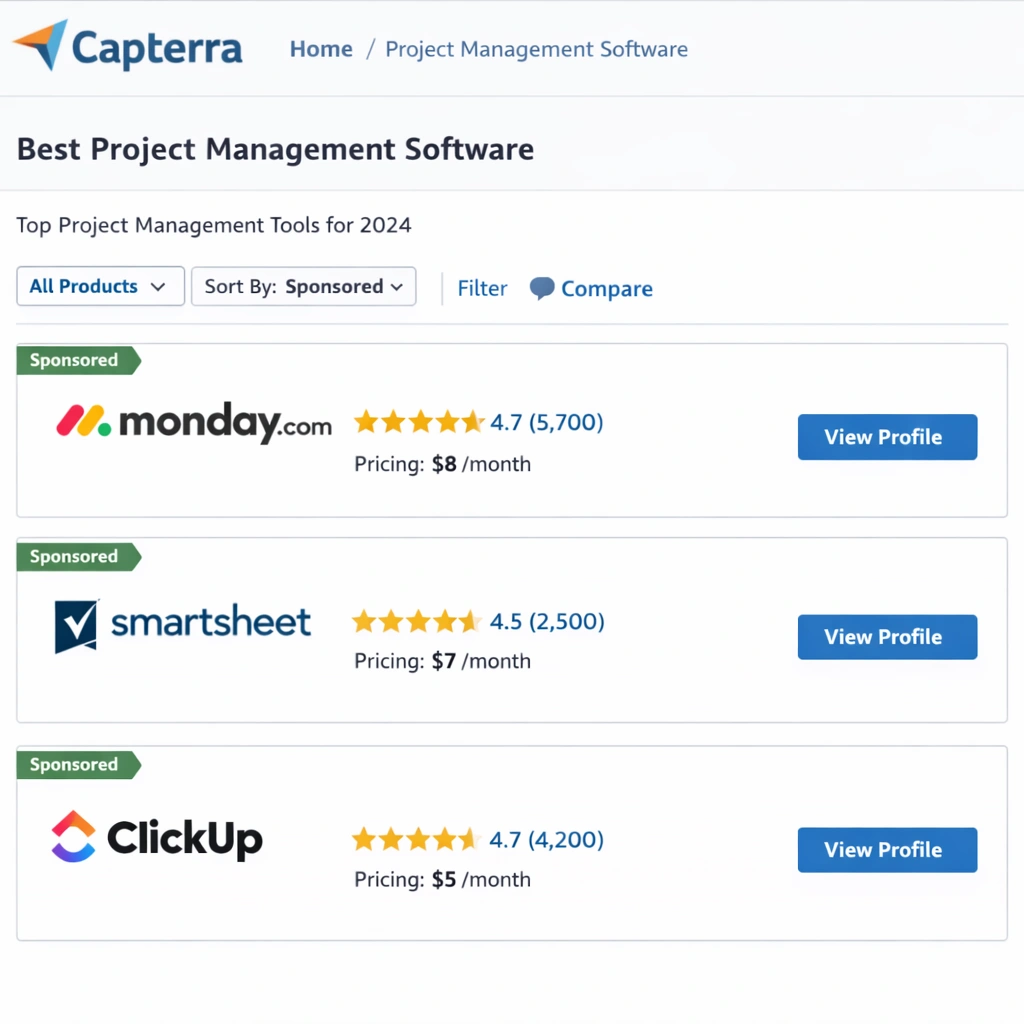
Capterra operates a cost-per-click model inside its software directory. When a buyer searches for tools in a specific category — help desk software,inventory management,email marketing — Capterra displays a list of products. The top positions in that list are paid placements. Every time a buyer clicks through to your profile or your website from one of those positions, you pay.
This is not display advertising. The buyer is not passively scrolling a feed. They are actively searching for software to evaluate, which means intent is built in. That distinction matters a great deal when you interpret your click costs and conversion rates.
Capterra ads for SaaS are a demand-capture tool, not a demand-generation tool. The buyer already knows they have a problem and they are looking for a solution. Your ad is not creating awareness — it is competing for attention at the exact moment the buyer is building their shortlist.
How the bidding system works
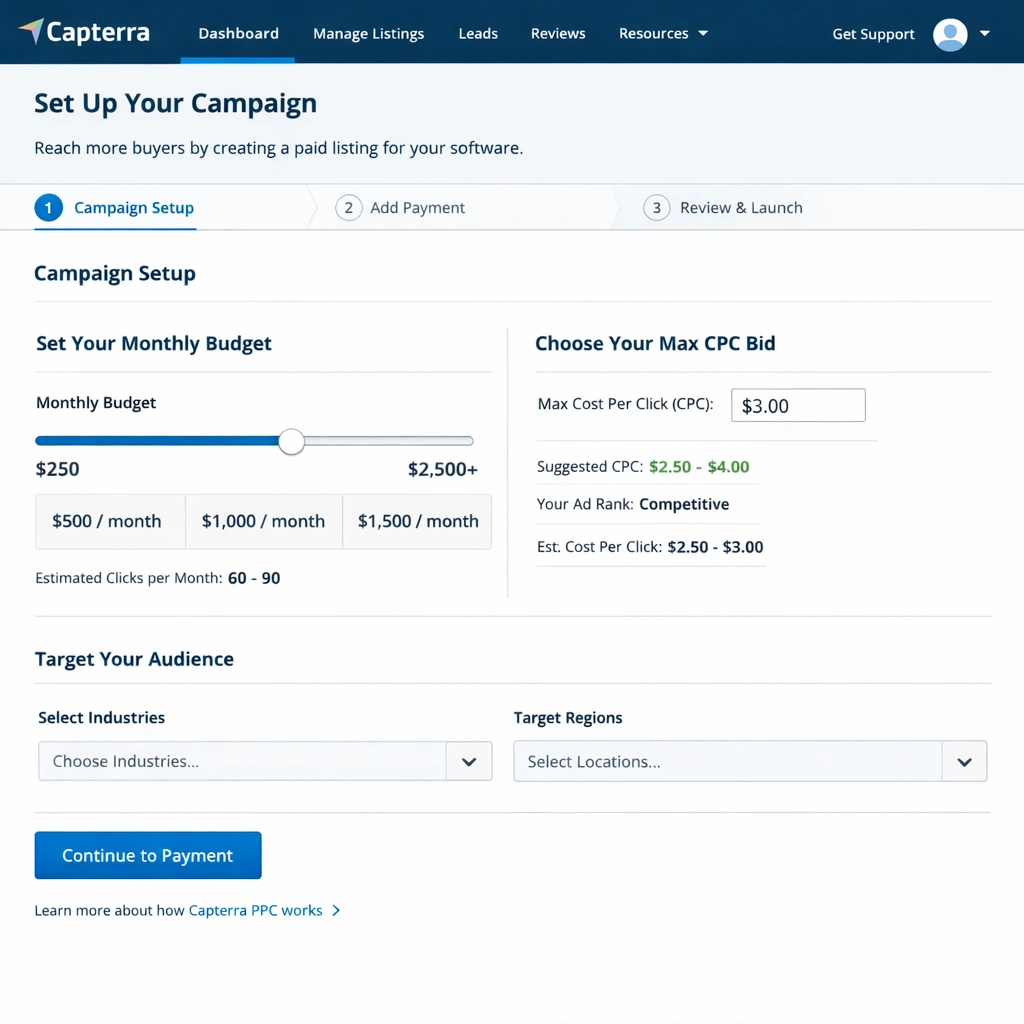
Capterra uses a second-price auction, similar in structure to Google Ads. You set a maximum bid — the most you’re willing to pay per click — and the system places you in the highest position your bid qualifies for. You pay slightly above the next bidder’s maximum, not your own ceiling.
There is no single “right” bid. Category competitiveness determines your actual cost per click. In categories like CRM, marketing automation, or HR software, where dozens of funded companies are bidding simultaneously, clicks can cost $8–$25 or more. In niche verticals with fewer advertisers, the same click might cost $2–$5.
A few mechanics that trip up first-time Capterra advertisers:
Budget exhaustion happens fast. Capterra will spend your daily budget as soon as impressions are available. If your budget is $30/day in a $15 CPC category, you get two clicks and your ad goes dark for the rest of the day. Set a realistic daily cap that can sustain at least 5–10 clicks per day before drawing conclusions.
You bid on categories, not keywords. Unlike search ads where you target specific keyword phrases, Capterra ads place you inside a category. Every buyer searching within that category sees your sponsored listing. This means category selection is the most important targeting decision you make.
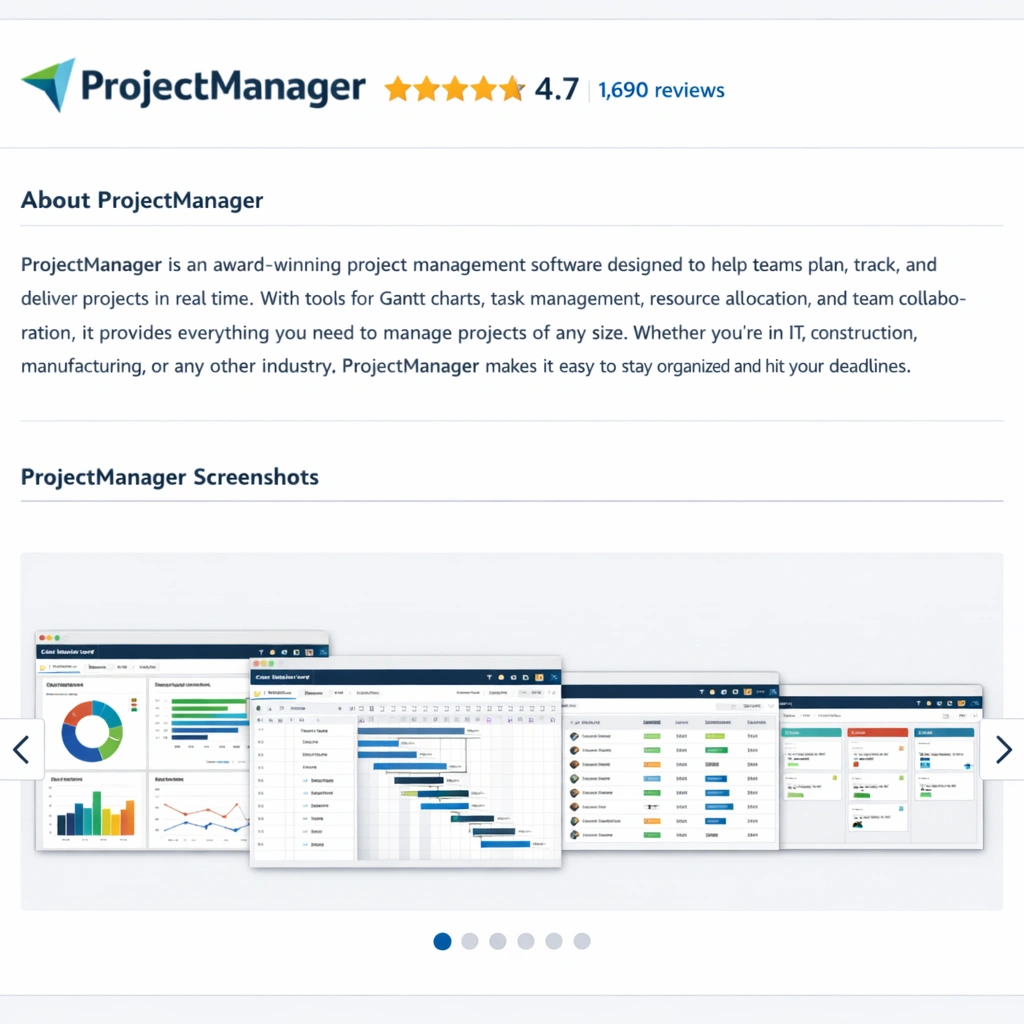
Profile quality amplifies paid results. A sponsored position sends buyers to your Capterra profile first, not your website (unless you pay for a direct click-through). If your profile is incomplete, has few reviews, or lacks screenshots, a buyer will land on your listing and leave within seconds. Capterra ads for SaaS only work when the profile they point to is already built for conversion.
The profile floor you need before spending a dollar
This is the step most founders skip, and it’s why their campaigns underperform.
Before running Capterra ads, your profile needs to clear a minimum bar:
- At least 15–20 published reviews with an average rating above 4.0
- A complete “About” section with a clear value proposition in plain language
- A minimum of 5–8 product screenshots showing the actual interface
- Accurate pricing information (even a starting price range helps)
- A response from your team to at least the most recent few reviews
A buyer who clicks a sponsored result and lands on a sparse profile with three reviews and no screenshots will bounce in under 30 seconds. You paid for that click. The issue was never the ad — it was the destination.
Optimizing your G2 profile uses the same principles that apply to your Capterra listing — profile completeness, screenshot quality, and category positioning all determine whether paid traffic converts or evaporates.
How to structure your first Capterra campaign
Start with a single category — the one that most closely matches how your buyers describe their problem, not how you describe your solution. These are often different. A buyer looking for a tool to manage client projects doesn’t search “client collaboration platform.” They search “project management software for agencies.”
Spend the first two weeks collecting baseline data, not optimizing. Run a modest budget — $20–$40 per day — in your target category. Track three numbers: clicks, profile visits, and demo requests or trial signups that originate from Capterra. Most CRMs allow you to add a UTM parameter to your Capterra profile URL so you can trace conversions back to the platform.
After two weeks, you have enough data to ask the real question: what is your cost per qualified lead from this channel? Not cost per click. Cost per lead.
If a click costs $12 and one in eight profile visitors converts to a trial, your cost per trial is $96. Whether that number is acceptable depends entirely on your average contract value and your sales efficiency. A $50/month tool with a 3% trial-to-paid conversion has a very different math than a $500/month tool with a 25% trial-to-paid rate.
What a healthy Capterra campaign looks like
For Capterra ads for SaaS to produce a sustainable return, a few conditions typically need to be true simultaneously:
Your category has meaningful buyer volume. Some categories on Capterra generate thousands of buyer searches per month. Others generate a few hundred. Before committing budget, look at how many products are listed in your category and how many have reviews — that proxy tells you whether buyers are actively researching there.
Your average contract value justifies the click cost. If you sell a $29/month product and clicks cost $15, you need an unusually high conversion rate to break even on paid. The economics work better for products with ACVs above $2,000 annually.
Your sales team can follow up within the hour. Capterra buyers are in active research mode. They may be evaluating three to five tools simultaneously. A demo request that sits in a queue for 24 hours is often a lost opportunity because a faster competitor already booked the call.
You have organic reviews as your baseline. Paid placement accelerates discovery. Your reviews determine whether discovery converts. These two levers need to work together — Capterra ads for SaaS without a review base is like running traffic to a landing page with no copy.
The category trap that drains budgets
One of the most expensive mistakes in Capterra ads for SaaS is bidding in the wrong category — or bidding in too many categories at once.
Capterra allows products to be listed in multiple categories. Some vendors list themselves in eight or ten categories to maximize exposure. In theory this sounds smart. In practice, it splits your review count across categories (reducing your ranking in each one), spreads your ad budget thin, and attracts buyers who weren’t actually looking for what you build.
A tighter strategy — one primary category, well-reviewed, with a focused paid presence — consistently outperforms a scattered approach. Buyers who find you in the right category convert at a higher rate because there is genuine alignment between what they searched and what you offer.
Once your primary category is generating a predictable return, you can test a second one. Treat category expansion the same way you’d treat geographic expansion in paid search: prove the model in one market before scaling it.
How Capterra ads compare to G2’s paid options
Capterra and G2 take different approaches to paid visibility.
Capterra’s model is primarily CPC — you pay for clicks, and you control your daily budget directly. The barrier to entry is relatively low and the feedback loop is fast. You can test with $500 and have meaningful data within a month.
G2’s paid options include enhanced profile features, category sponsorship, and buyer intent data. The intent data — knowing which companies are actively researching your category right now — is arguably the more valuable product for enterprise SaaS teams with a sales-led motion. But the price point is higher, and the ROI is harder to measure in the short term.
For early-stage SaaS companies with limited budgets, Capterra ads are the more accessible starting point. The direct CPC model makes attribution easier and gives you faster feedback on whether the channel works for your buyer profile.
For companies with a sales team and an enterprise motion, G2’s intent data can unlock a prospecting layer that Capterra doesn’t offer. Both platforms have a place in a mature review platform strategy — the sequencing depends on your stage and your sales model.
Measuring ROI without losing your mind
Attribution on review platforms is messier than attribution on Google Ads. Buyers don’t always click through in a straight line. They might discover you on Capterra, leave to research competitors, come back directly to your website three days later, and sign up for a trial without any Capterra touchpoint in the final session.
Last-click attribution will undercount Capterra’s contribution. That’s normal. The more useful frame is influenced pipeline — how many deals in a given period had a Capterra touchpoint somewhere in the journey, even if it wasn’t the last one.
To get a clean read on Capterra ads for SaaS, do three things. First, add UTM parameters to your Capterra profile URL so every visit from the platform is tagged in your analytics. Second, ask every new trial signup or demo request how they found you — the self-reported answer is often different from what your analytics show, and both data points matter. Third, compare deal close rates for Capterra-sourced leads against your other channels. Review platform buyers often close at higher rates than cold outbound leads because they arrived with intent and prior research.
Building your review collection system on G2 follows the same compounding logic — the more recent, high-quality reviews you accumulate, the better your organic ranking gets, and the more your paid spend converts. Paid and organic are not separate strategies on these platforms. They feed each other.
Conclusion
Capterra ads for SaaS are not a magic button, but they are one of the most direct ways to put your product in front of buyers who are actively shopping. The formula is not complicated: clear your profile floor, pick the right category, set a realistic budget, measure cost per lead rather than cost per click, and give the channel at least 30 days before drawing conclusions.
The founders who write off Capterra ads after two weeks usually made a profile mistake, a category mistake, or a budget mistake — not a channel mistake. The ones who get it right treat paid visibility as the multiplier on top of an organic review foundation they already built.
That foundation starts with understanding the full landscape. The complete SaaS review platform strategy across G2, Capterra, and GetApp shows you how every piece connects — from your first review request to your first paid campaign — so nothing you build here sits in isolation.
