
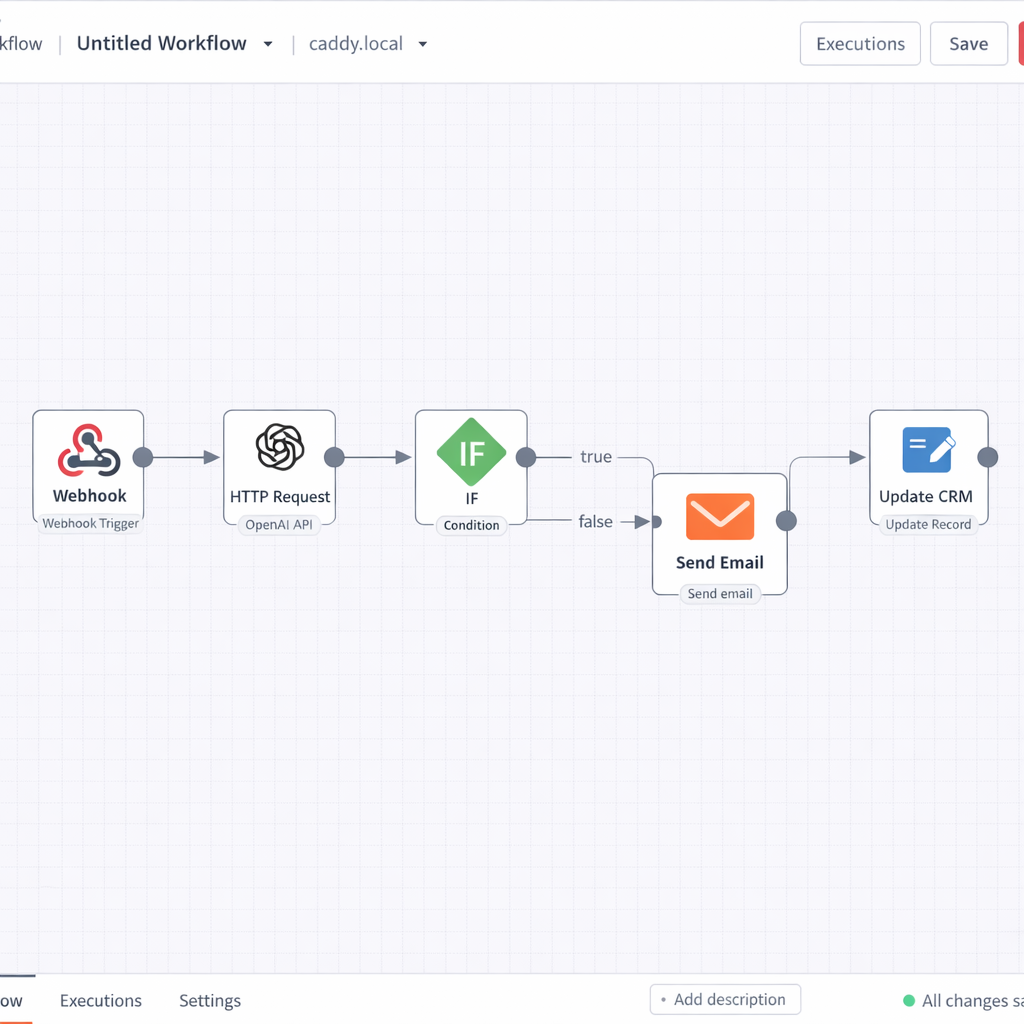
Most entrepreneurs who build their first LLM app stop at one — a customer service agent here, a lead qualification bot there. Each one works in isolation and saves time, but none of them talk to each other.
That is where the real leverage lies: not in individual apps, but in connected **LLM automation workflows** where data flows automatically between systems, LLM logic processes it intelligently at each step, and your business operates around the clock without manual intervention.
An LLM automation workflow is a sequence of connected steps — triggers, logic, actions — where at least one step uses a large language model to interpret, generate, or transform information. The result is a smart pipeline that doesn’t just move data between apps; it thinks about the data as it moves, enabling true agentic automation.
If you’re still building your first LLM app, start with the complete guide to building LLM apps for business to get the foundation before diving into **LLM automation workflows**. If cost is a concern before scaling your workflow stack, check the LLM app development cost breakdown for a realistic picture of what connected LLM-powered automation workflow actually run.
What an LLM automation workflow actually is
A standard automation workflow — the kind you build in Zapier or Make without any LLM involvement — moves data from point A to point B based on fixed rules. If this happens, do that. It is deterministic, which makes it reliable but limited. It cannot interpret ambiguity, generate new content, or make judgment calls LLM automation workflow
Adding an LLM step changes the nature of what the workflow can do. Now the pipeline can read an incoming email and classify its intent. It can take a raw support transcript and generate a structured summary. It can evaluate a lead response and assign a quality score based on criteria you define in natural language.
The LLM does not replace the workflow logic. It enhances specific steps within it — the steps that previously required human judgment because they involved language, context, or interpretation.
That distinction is important. The goal is not to hand everything to the model. The goal is to identify the steps in your workflow where human language processing was the bottleneck, and replace that bottleneck with an LLM step that runs instantly, at scale, every time.
The three workflow archetypes every entrepreneur should know
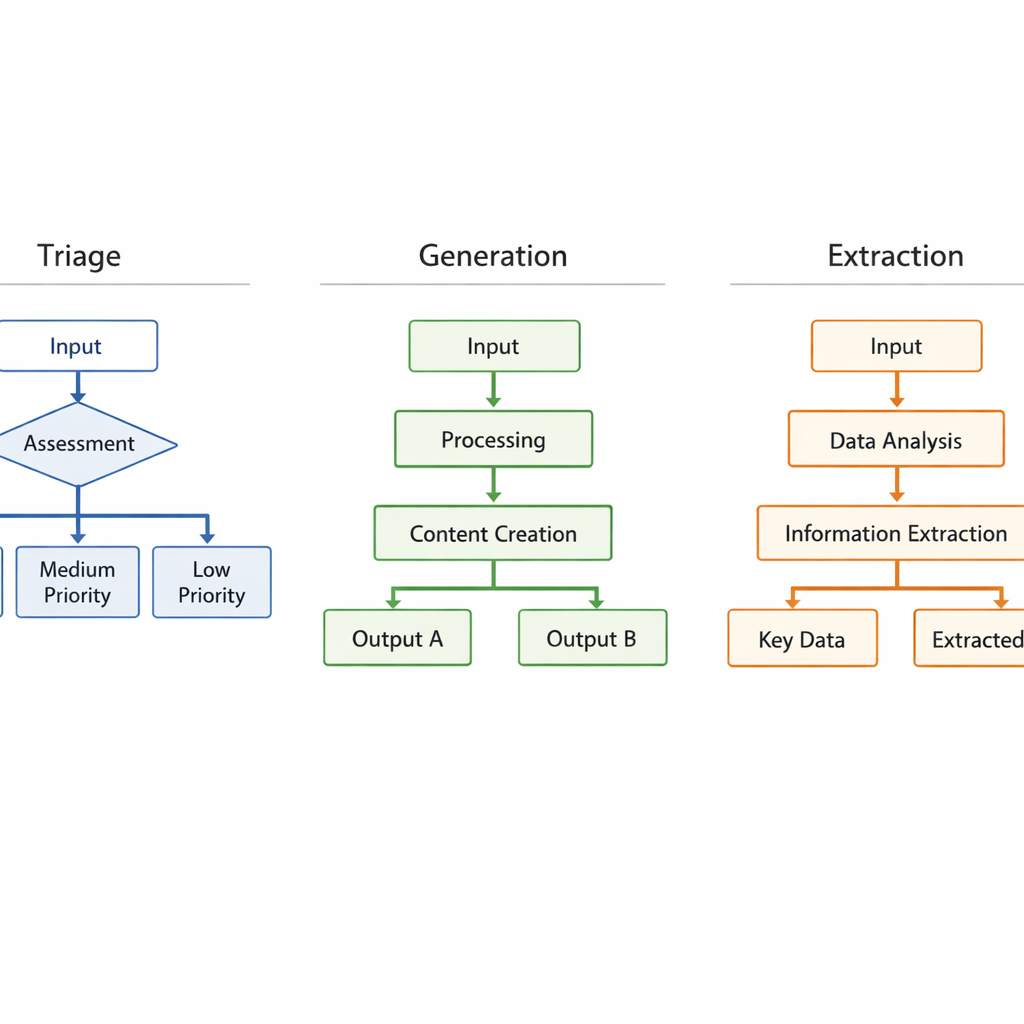
Across business functions and industries, LLM automation workflows tend to fall into three structural patterns. Understanding these archetypes helps you design faster and avoid building from scratch every time LLM automation workflow.
The triage workflow
Structure: Incoming data → LLM classifies or scores → Route to appropriate destination
Example: A support ticket arrives. The LLM reads it, classifies it as billing, technical, or general, assigns a priority score, and routes it to the right team member or response queue automatically.
Where it wins: Any function with high inbound volume and variable content — support, sales inquiries, job applications, partnership requests.
The generation workflow
Structure: Trigger event → LLM generates content → Human reviews or system delivers
Example: A new deal is marked as closed in your CRM. The workflow pulls the deal details, feeds them to the LLM, which generates a personalized onboarding email. The email is either sent automatically or queued for a thirty-second human review before delivery.
Where it wins: Any function requiring personalized written output at volume — onboarding, follow-ups, proposals, weekly reports.
The extraction and enrichment workflow
Structure: Raw input → LLM extracts structured data → Data stored or actioned
Example: A sales call transcript lands in your storage. The LLM reads it, extracts key details — objections raised, next steps agreed, competitor mentions — and writes them directly into the corresponding CRM record as structured fields.
Where it wins: Any function where unstructured data — calls, emails, documents, forms — needs to be converted into structured, actionable records.
The core tools that power connected LLM workflows
LLM automation workflow Building connected workflows requires two categories of tools working together: orchestration platforms that manage the flow logic, and LLM connectors that provide the language processing at specific steps.
Orchestration platforms
Make is the most flexible option for entrepreneurs building multi-step, multi-app workflows. Its visual canvas lets you map out complex logic paths — including branches, filters, error handlers, and loops — without writing code. Its LLM modules slot directly into any step of the workflow.
n8n is an open-source alternative to Make with deeper customization options. It supports self-hosting, which matters for entrepreneurs handling sensitive data who want full control over their infrastructure. The learning curve is steeper than Make, but the ceiling is higher.
Zapier AI is the fastest entry point for entrepreneurs already using Zapier. The integration library is unmatched, and adding LLM logic to an existing Zap requires minimal reconfiguration.
LLM connectors and agents
LangChain is a framework — a structured set of tools and conventions — for building LLM-powered applications with complex logic. It supports chaining multiple LLM calls together, managing memory across a conversation, and connecting to external data sources. It is code-based, which puts it outside the no-code path, but understanding its architecture helps you design better workflows even if you are using no-code tools.
Flowise brings LangChain’s capabilities into a visual, no-code interface. For entrepreneurs who want the power of chained LLM logic without writing Python, Flowise is the most direct path. The no-code LLM app builders guide covers Flowise in detail alongside the other major platforms.
How to map your first automation workflow
Before opening any platform, map the workflow on paper. This step takes thirty minutes and prevents hours of rebuilding later.
Step one: identify the trigger. What event starts the workflow? A new email received, a form submitted, a row added to a spreadsheet, a calendar event created. Every workflow begins with a trigger. Define yours precisely.
Step two: map the current manual steps. Write out every action a human currently takes between the trigger and the final outcome. Do not skip steps, even obvious ones. The manual map is what you are replacing.
Step three: identify the LLM step. Look at your manual steps and find the one that requires reading, interpreting, or generating language. That is your LLM insertion point. There is usually one clear candidate — sometimes two.
Step four: define the output format. What does the LLM step need to produce for the next step in the workflow to work correctly? A category label, a score, a drafted text block, a structured JSON object? Define this output format before you write a single prompt. It shapes everything downstream.
Step five: map the post-LLM actions. Once the LLM step produces its output, what happens next? Data gets stored, a message gets sent, a record gets updated. Map these final steps before you build.
This five-step mapping process works for every workflow archetype. It is the same process whether you are building a triage system for customer support or an extraction pipeline for sales calls. For entrepreneurs who have already built a customer service agent and want to connect it to broader business data, the LLM-powered customer service agent guide shows how that agent’s output feeds naturally into downstream workflows.
Real workflow examples by business functionSales
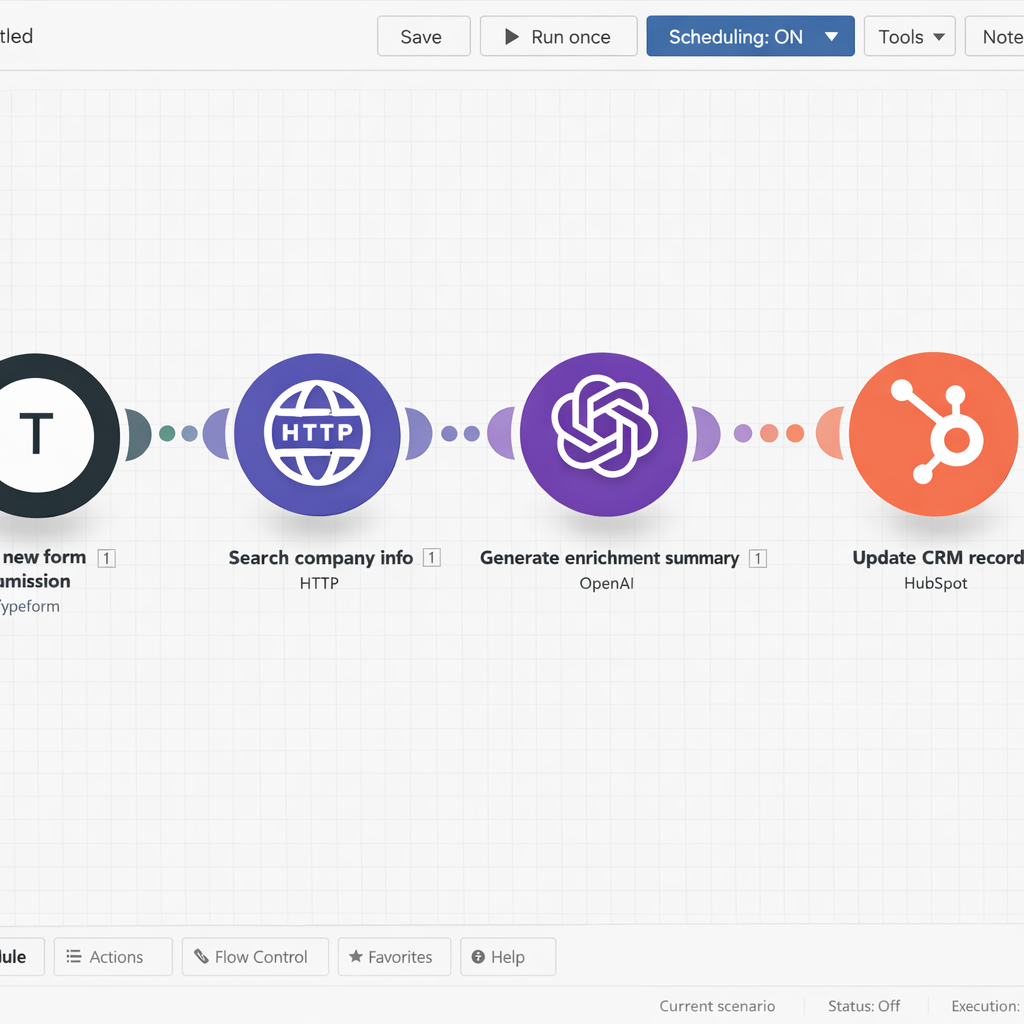
Lead enrichment pipeline. A prospect fills out a contact form. The workflow pulls their company name, runs a web search via an LLM agent, and enriches the CRM record with company size, industry, and likely pain points — before any human reviews the lead.
Follow-up sequencing. After a sales call, the transcript is processed by an LLM that generates a personalized follow-up email referencing specific points from the conversation. The email is queued for one-click send by the sales rep.
Operations
Invoice and document processing. Incoming invoices are read by an LLM that extracts vendor name, amount, due date, and line items, then writes them directly into an accounting system. No manual data entry.
Meeting summary distribution. After every team call, the recording transcript is processed by an LLM that generates a structured summary — decisions made, action items, owners, deadlines — and distributes it to relevant team members automatically.
Marketing
Content repurposing pipeline. A published blog post triggers a workflow that generates a LinkedIn post, three tweet variations, and an email newsletter intro — all drafted by an LLM using the original article as source material, ready for human review and scheduling.
Inbound lead response. A new subscriber joins your email list. Based on the source — webinar, content download, ad click — the LLM generates a personalized welcome sequence that matches the subscriber’s likely intent and stage of awareness.
When workflows break and how to prevent it
LLM automation workflow Connected workflows have more failure points than single apps. Every integration is a potential break point. Every API update from a connected platform is a potential disruption. Every change to your business data structure can cascade into unexpected behavior downstream.
Three practices keep your workflows stable:
Build error handlers from day one. Every orchestration platform supports error handling — steps that trigger when something in the workflow fails. Do not skip this. At minimum, route failures to a notification that alerts you immediately so you can investigate before the problem compounds.
Version your prompts. When you update a prompt inside a running workflow, document what changed and why. Prompt changes that seem minor can produce meaningfully different outputs at scale. Treat prompts like code — version them, test changes before deploying, and keep a rollback option available.
Monitor output quality, not just workflow completion. A workflow can complete successfully — all steps executed, no errors logged — and still produce bad outputs. Set up a regular review cadence where you sample actual outputs from your running workflows and check them against your quality standard. Weekly for new workflows. Monthly for stable ones.
The infrastructure investment required to maintain connected workflows at scale is also worth understanding before you build. The RAG for business LLM apps guide covers how knowledge infrastructure — the data layer that feeds your LLM steps — needs to be maintained as your workflow stack grows.
Conclusion
LLM automation workflows are where the operational leverage of this technology becomes real. Single apps save hours. Connected workflows save entire job functions. The entrepreneurs who build workflow stacks — not just individual automations — are the ones who create compounding efficiency advantages that are genuinely difficult for competitors to replicate.
Start with one workflow. Map it before you build it. Get it running. Measure it. Then build the next one.
