

LLM app development cost is the number one reason entrepreneurs delay building their first AI-powered application — not technical complexity, but uncertainty about whether the final bill will hit $500 or $50,000+ in 2026.
The honest answer is that it depends — but not vaguely. It depends on knowable variables: what you’re building, which tools you choose (no-code vs. custom), expected traffic volume, and whether you need developers at all.
This page breaks down every cost layer with realistic 2025–2026 ranges so you can build a solid budget before writing a single prompt. For context on the types of apps entrepreneurs are building with these budgets, start with our guide on what an LLM is and why it matters for your business. For the full strategic framework, the complete guide to building LLM apps for business covers the end-to-end pictureLLM app development cost.
Why most cost estimates are misleading
LLM app development cost Search for LLM app development cost and you will find ranges so wide they are functionally useless. “$5,000 to $500,000” tells you nothing actionable.
The problem is that most cost guides conflate two completely different build paths: no-code tools built by the entrepreneur themselves, and custom-engineered solutions built by a development team. These are not comparable. They serve different use cases, carry different risks, and have entirely different cost structures.
A second source of confusion is API pricing. Most guides present token costs — the per-unit pricing for using a language model — without contextualizing them against realistic usage volumes. The result is that entrepreneurs either dramatically overestimate or underestimate their ongoing operational costs.
This page separates those tracks clearly.
The four cost layers of any LLM app
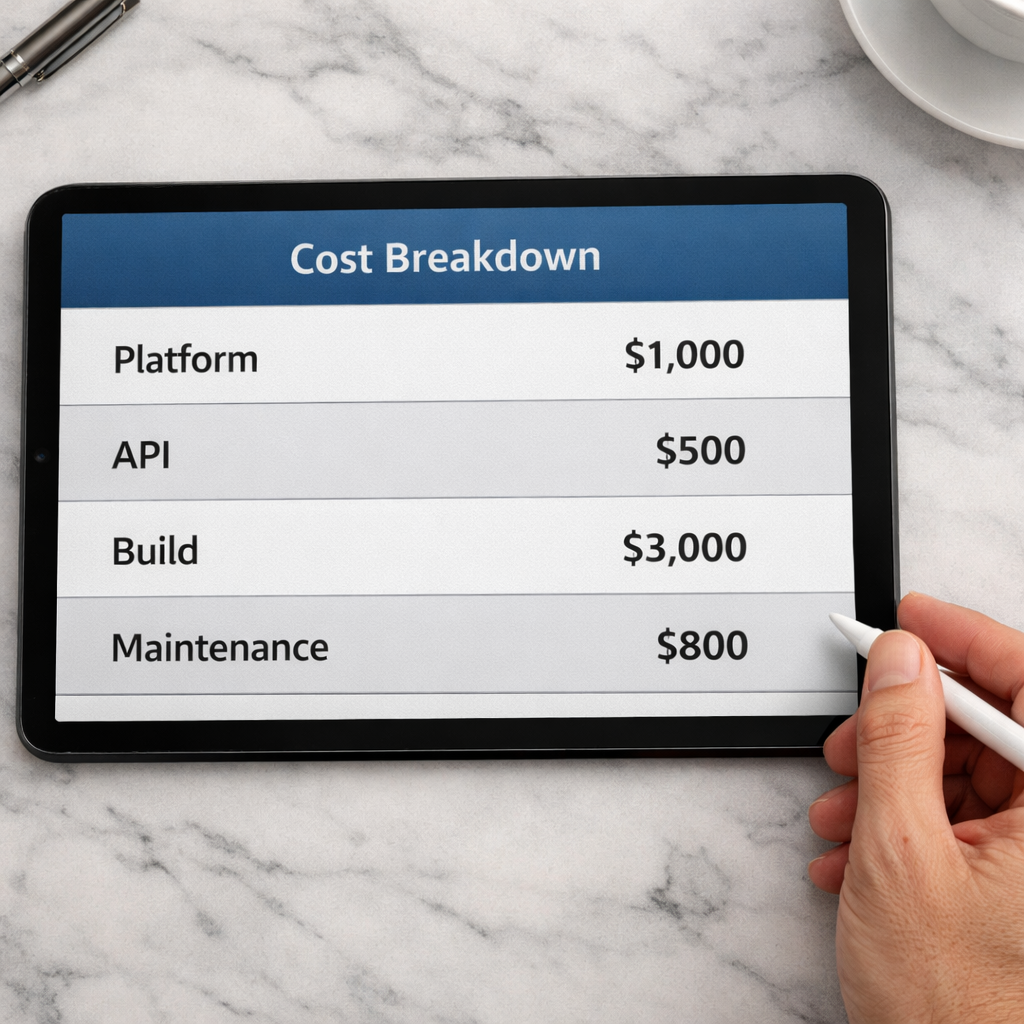
Regardless of how you build, every LLM app has four cost layers:
Platform or infrastructure cost. This is what you pay to use the no-code tool, hosting service, or cloud infrastructure that runs your app. It is usually a flat monthly fee or a usage-based charge.
API cost. Every time your app calls a language model, you pay for the tokens processed — both the input (what goes into the model) and the output (what comes back). This cost scales directly with usage volume.
Build cost. This is the one-time or project-based cost of actually constructing the app. On the no-code path, this is your time. On the custom path, this is developer or agency fees.
Maintenance cost. Apps need updates. Knowledge bases need refreshing. Prompts need refining. This is an ongoing time or money investment that most first-time builders forget to factor in.
Understanding these four layers is what makes budgeting accurate instead of speculative.
No-code builds: what you actually spend
For most entrepreneurs, the no-code path is the right starting point. Here is what realistic budgets look like across the main platforms.
Platform subscriptions
Most no-code LLM tools operate on tiered monthly pricing:
- Botpress: Free tier available. Paid plans start around $89 per month for production-ready features.
- Flowise: Free to self-host. Cloud hosting adds infrastructure costs — typically $10 to $50 per month depending on your server setup.
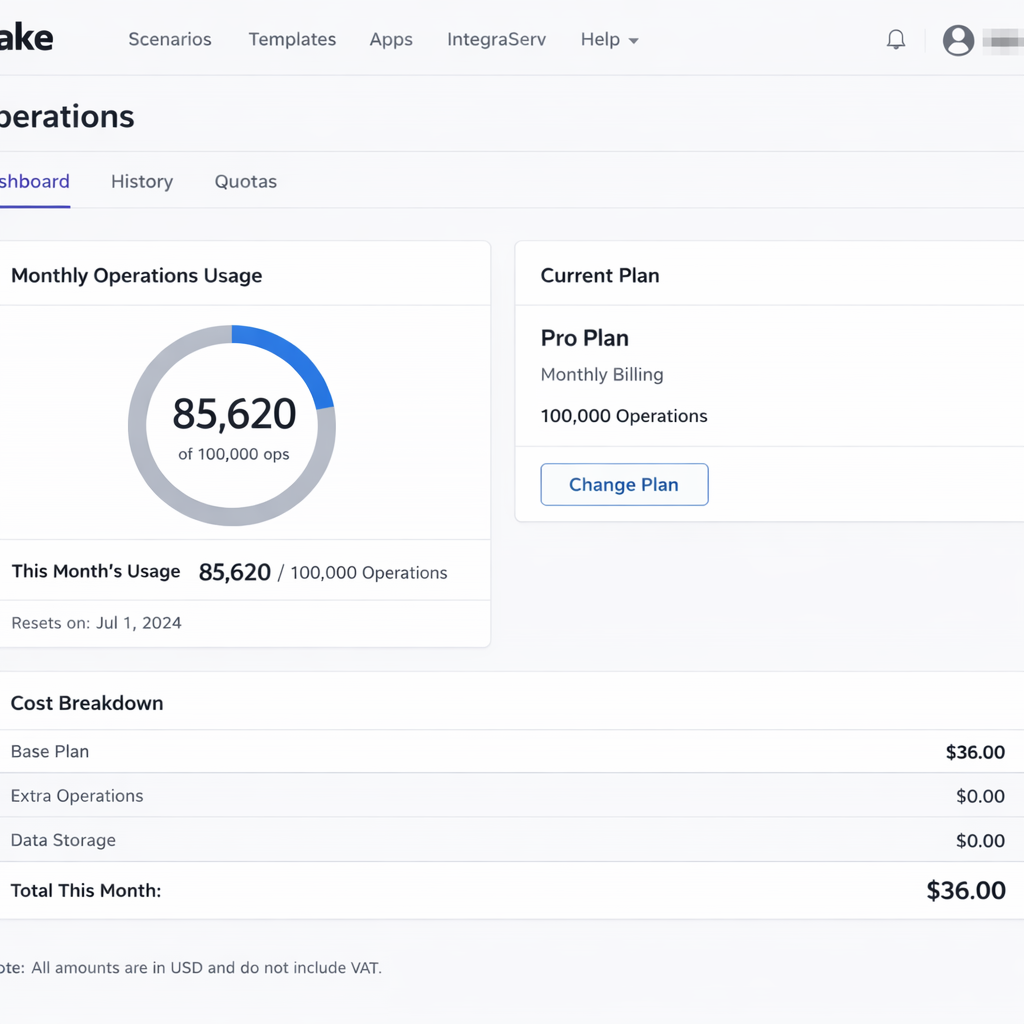
- Make: Plans start at $9 per month for basic usage. Most entrepreneur-level automation workflows land between $29 and $99 per month.
- Zapier AI: Bundled into Zapier’s existing plans. Relevant tiers range from $49 to $149 per month.
For a full comparison of what each platform delivers at these price points, the no-code LLM app builders guide covers the feature breakdown in detail.
API costs at realistic volumes
This is where entrepreneurs most often miscalculate. Token pricing varies by model, but here is a practical reference using current market rates:LLM app development cost
A customer service agent handling 500 conversations per month, averaging 800 tokens per exchange, consumes roughly 400,000 tokens monthly. At current pricing for mid-tier models, that translates to approximately $1.20 to $4.00 per month in API costs.
At 5,000 conversations per month — a meaningful business volume — that scales to $12 to $40 per month.
API costs are not the budget risk people fear. At entrepreneur-level volumes, they are almost always a minor line item.
Total no-code budget: realistic range
For a functional no-code LLM app — a customer service agent, a lead qualification flow, or an internal knowledge tool — a realistic monthly operating budget is:
- Entry level: $30 to $80 per month
- Growth level: $100 to $300 per month
One-time build cost in time: 20 to 40 hours for a first version, depending on complexity.
Custom builds: when the price jumps and why
Custom development becomes relevant when your use case exceeds what no-code platforms can handle. The most common triggers are:
- Deep integration with proprietary internal systems
- High-volume usage requiring optimized infrastructure
- Fine-tuned models trained on your specific business data
- Complex multi-agent architectures with custom orchestration logic
When you cross into custom territory, the cost structure changes fundamentally.
Developer and agency rates
Freelance LLM developers currently charge between $80 and $180 per hour in the US market. Specialized AI agencies charge project rates that typically range from $15,000 to $80,000 for a first production build, depending on scope.
A mid-complexity custom LLM app — a fully integrated customer service system with custom RAG pipelines, CRM connectivity, and a management dashboard — realistically costs $20,000 to $40,000 to build from scratch.
Infrastructure costs at scale
Custom builds also carry infrastructure costs that no-code platforms absorb for you. Cloud hosting, vector databases — the systems used to store and retrieve your knowledge base content — and monitoring tools add $200 to $2,000 per month at production scale, depending on traffic volume.
When custom makes financial sense
The break-even point for custom development is roughly when your automation is saving more than $3,000 to $5,000 per month in operational costs. Below that threshold, no-code tools almost always deliver better ROI. Above it, the control and performance gains of a custom build begin to justify the investment.
Hidden costs most entrepreneurs miss
LLM app development cost Four costs consistently catch first-time builders off guard:
Prompt engineering time. Writing effective prompts is not trivial. Getting an agent to respond consistently, accurately, and in the right tone requires iteration. Budget two to five hours of refinement per major use case, ongoing.
Knowledge base maintenance. Your business information changes. Product details, pricing, policies — all of it needs to stay current inside your agent’s knowledge base. Budget two to four hours per month for this, minimum. This connects directly to the knowledge base principles outlined in the LLM-powered customer service agent guide.
Integration updates. When the platforms your app connects to update their APIs or change their data structures, your workflow may break. This happens more often than expected. Factor in a maintenance buffer of roughly 10 percent of your build cost annually.
Testing and quality review. Reviewing conversation transcripts, identifying failure patterns, and refining responses is ongoing work. It is not a one-time launch task. The entrepreneurs who get the most out of their agents are the ones who treat quality review as a recurring operation, not an afterthought LLM app development cost.
How to budget your first LLM app
A practical budgeting framework for entrepreneurs:
Step one: define your use case precisely. Vague use cases produce vague budgets. I want an AI assistant is not a use case. “I want an agent that handles the top 25 support questions from my Shopify store and escalates billing issues to my team” is a use case. Specificity is what makes accurate budgeting possible.
Step two: start with the no-code path. Unless you have a specific technical requirement that rules out no-code tools from the start, begin there. Build a working version. Measure its performance. Only move to custom development when you have identified a concrete limitation that justifies the cost jump.
Step three: budget for three months, not one. Month one is build and launch. Month two is stabilization and refinement. Month three is optimization. Your real operating cost picture does not become clear until month three. Budget accordingly.
Step four: track API usage from day one. Set up usage alerts on your API account before your app goes live. Token costs can spike unexpectedly if a prompt is poorly structured or if a workflow triggers more calls than anticipated. Catching this early prevents bill shock LLM app development cost.
If you want to see how these costs evolve as you connect multiple LLM apps into a broader automation system, the LLM automation workflows guide covers the infrastructure picture at scale.
Conclusion
Understanding LLM app development cost is key — building an LLM app does not require a large budget in 2026. It requires a clear use case, the right tool for that use case, and a realistic understanding of where costs actually live.
For most entrepreneurs, the no-code/low-code path delivers fully functional LLM apps for $500–$5,000/month (ongoing inference + platform fees) or $10K–$80K one-time MVP setup — far less than the cost of a part-time hire, with a fraction of the management overhead. Custom builds jump to $50K–$500K+ for fine-tuning or proprietary models, but start small: pick a no-code tool, measure ROI, and scale only when data justifies it.
The real win? Start there, track results, and let the numbers guide when (or if) to invest more in LLM app development cost.
