

An AI customer service agent can eliminate hours of manual support for small businesses — turning repeated questions, overnight tickets, and frustrated customers from revenue leaks into instant, automated wins.
Customer service is where most small businesses bleed time: every repeated question answered manually, every ticket that sits overnight, every frustrated customer who didn’t get a fast response — these are not just operational problems; they are revenue problems. An LLM-powered AI customer service agent — a software system that handles customer conversations autonomously using a large language model — changes that equation. Built correctly, it resolves the majority of incoming questions without human involvement, responds instantly 24/7, and maintains consistent tone across interactions AI customer service agent.
This page walks through the full build process in a five-day framework designed specifically for entrepreneurs. If you’re still getting familiar with the underlying technology, start with our guide on what an LLM is and why it matters for your business. For a broader view of how this agent fits into complete automation strategy, the guide to building LLM apps for business covers the full picture.
Why customer service is the highest-ROI automation target
When entrepreneurs ask where to start with LLM automation, the answer is almost always customer service. Here is why.
The volume is predictable. Unlike creative tasks or strategic decisions, support questions follow patterns. The same twenty to forty questions account for the majority of incoming tickets in most businesses. That predictability is exactly what LLM agents are built to handle.
The cost of inaction is visible. Every hour a support question goes unanswered has a measurable effect — on customer satisfaction, on refund rates, on repeat purchase behavior. Automating this function has a direct, trackable ROI.
The tolerance for imperfection is higher than people expect. Customers do not need a perfect answer. They need a fast, accurate, helpful one. An agent that resolves 70 percent of tickets without human involvement is already a significant operational win.
What your agent actually needs to do
Before touching any platform, define the scope of your agent’s job. An agent without a defined scope will either over-promise or underperform.Start by answering three questions: AI customer service agent
What questions will it handle? Pull your last three months of support tickets and identify the top twenty questions by volume. These become your agent’s primary knowledge targets.
What should it never handle? Define the hard boundaries. Billing disputes, legal questions, complex account issues — these should always escalate to a human. Build that escalation path into the agent from day one.
What does success look like? Set a containment rate target — the percentage of conversations the agent resolves without human handoff. A realistic first-month target for most businesses is 50 to 65 percent.
The five-day build framework
Day one: audit and define
Spend day one entirely on research, not building. Export your support tickets. Identify your top questions. Write out the ideal answer to each one in plain language. This becomes the raw material your agent will work from.Also define your agent’s persona at this stage. What is its name? What tone does it use? How does it open a conversation? These decisions shape every interaction.
Day two: choose your platform and set up
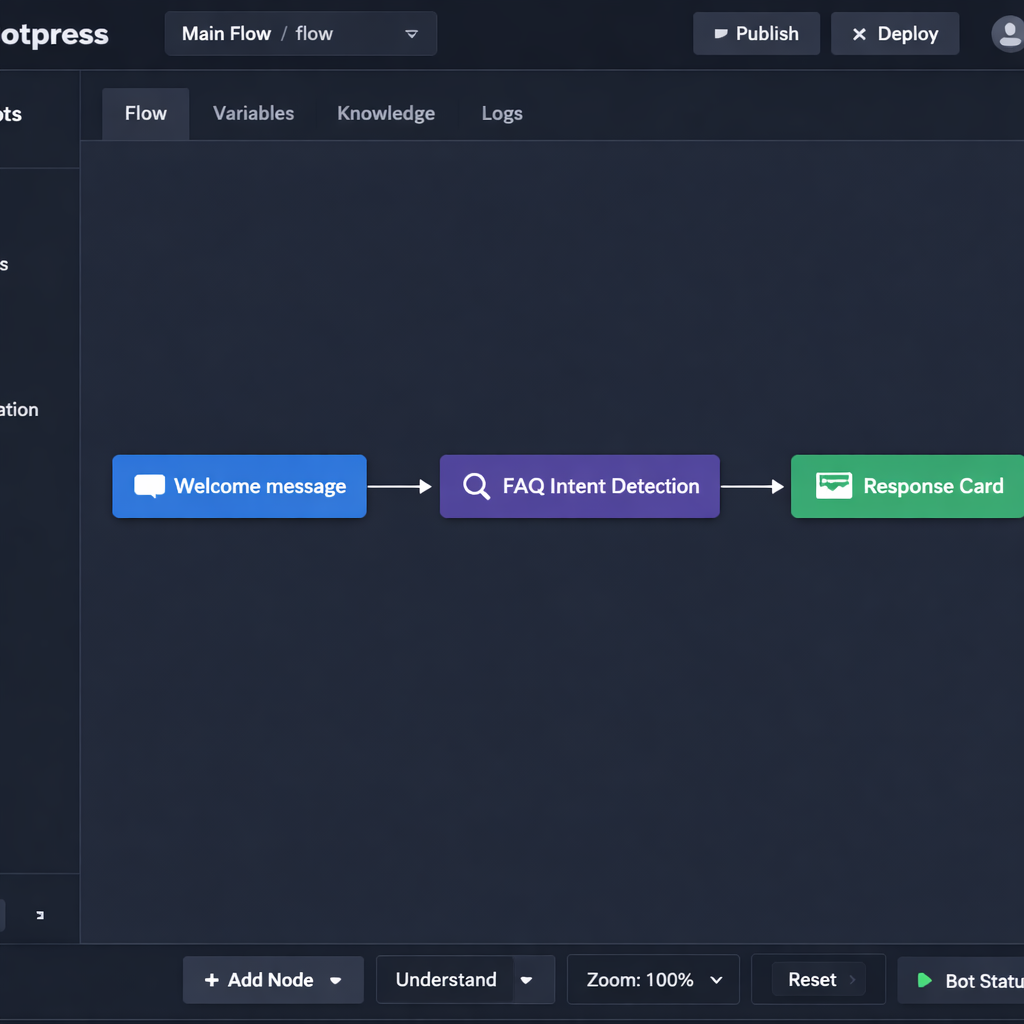
AI customer service agentBased on your use case, select your no-code builder. For a customer-facing conversational agent, Botpress is the most direct path. For an agent embedded inside a broader workflow, Make or Flowise may be the better fit.
The no-code LLM app builders guide covers the full platform comparison if you have not made this decision yet.
Set up your account, create your first project, and connect your LLM provider. Do not build anything on day two. Just get the environment configured and run one test prompt to confirm the connection works.
Day three: build the core conversation flows
On day three, you build the skeleton. Map out your main conversation paths:
- Opening greeting and intent detection
- FAQ response flows for your top twenty questions
- Escalation trigger — the phrase or condition that hands the conversation to a human
- Closing and follow-up message
Keep the logic simple at this stage. Resist the urge to add complexity before the core works correctly.
Day four: connect your knowledge base
A generic LLM knows a lot about the world but nothing about your business. Day four is about changing that.
Feed the agent your documentation: product pages, FAQ content, return policies, shipping information, pricing details. The mechanism for doing this is called RAG — retrieval-augmented generation — which allows the model to pull from your specific content when generating responses rather than relying on its general training.
For a plain-language explanation of how RAG works and why it matters, the RAG for business LLM apps guide breaks it down without the technical overhead.
Day five: test, refine, and prepare for launch
Run at least fifty test conversations before going live. Use real questions from your support history. Push the agent into edge cases — questions it should not answer, ambiguous requests, frustrated customer tones.
Document every failure. Fix the most critical ones before launch. Accept that you will not catch everything on day five, and build in a review process for the first two weeks post-launch.
Feeding your agent the right knowledge
The quality of your agent’s responses is directly proportional to the quality of the knowledge you give it. This is the step most entrepreneurs rush, and it is the primary reason agents underperform after launch.
Three principles for building a strong knowledge base:
Write for the agent, not for SEO. Your website copy is written to persuade. Your agent needs content written to inform. These are different. Go through your FAQ answers and rewrite them in plain, direct language — no marketing fluff, no vague phrases.
Cover the edge cases explicitly. What happens when a customer asks something your agent is not trained on? Write explicit instructions for how the agent should respond in those situations. “I do not have that information right now, but I can connect you with our team” is better than a hallucinated answer.
Update it on a schedule. Your business changes. Prices change. Policies change. Product lines change. Set a monthly reminder to review and update your agent’s knowledge base. An outdated agent erodes customer trust fast.
Testing before you go live
Internal testing will only take you so far. Before a full public launch, consider a soft rollout — deploy the agent to a small percentage of incoming conversations, or to a single channel like your website chat widget, before expanding.
Monitor the first two weeks closely. Review transcripts daily. Identify the questions the agent is getting wrong and the points where customers are disengaging. Every failure in this period is data that makes the agent stronger.
Set a human review trigger for any conversation the agent flags as unresolved. This is your safety net and your primary feedback loop during the early stage.
Measuring success after launch
Three metrics tell you whether your agent is working:
Containment rate. The percentage of conversations resolved without human handoff. Track this weekly. If it is below 50 percent after the first month, your knowledge base needs work.
Response accuracy. Pull a random sample of fifty conversations each week and review them manually. Score each response as accurate, partially accurate, or inaccurate. Use inaccurate responses to identify knowledge gaps.
Customer satisfaction score. Send a one-question survey at the end of agent-handled conversations: Did you get the help you needed? A simple yes or no gives you a fast read on whether customers are actually satisfied — not just contained.
If you want to understand how this agent connects to the rest of your automation stack, the LLM automation workflows guide shows how customer service data feeds into broader business pipelines.
Conclusion
Building an AI customer service agent is one of the highest-leverage moves an entrepreneur can make in 2026. The technology is accessible, the use cases are proven, and the timeline from zero to live is shorter than most people expect — often just a week of focused work to get a functional first version in front of real customers.
From there, every iteration makes your AI customer service agent sharper and more effective. The goal isn’t a perfect agent on day one; it’s a working AI customer service agent that improves every week through real feedback and data.
Start small: Pick a no-code platform like YourGPT, Voiceflow, or Lindy, define one high-impact use case (e.g., FAQ handling or ticket triaging), deploy, measure, and iterate. The advantage goes to the entrepreneurs who ship fast.
