

There is a specific type of entrepreneur this platform was built for. You are not looking for a simple key-value store or a basic REST API. Your product has relational data — users connected to organizations, orders tied to products, events linked to accounts and you want a backend that reflects that structure cleanly rather than forcing you to flatten everything into a document model.
Nhost self-hosted is the answer to that problem. It bundles Postgres, Hasura — a GraphQL engine that auto-generates an API directly from your database schema — authentication, file storage, and serverless functions into a single deployable stack. When you run it on your own server, you get a backend architecture that rivals what engineering teams at funded startups spend months building, at a cost that fits a bootstrapped budget.
This guide covers what Nhost self-hosted actually involves, how the setup works, and where it earns its place over alternatives like Appwrite or managed platforms like Supabase.
How Nhost self-hosted fits into the open-source BaaS landscape
The open-source self-hosting ecosystem offers real choices right now, and the right platform depends heavily on your data model and your team’s technical preferences. The complete guide to open-source BaaS self-hosting: Appwrite, Nhost, and Parse maps out the full comparison — including how Nhost stacks up against Appwrite and Parse Server across deployment complexity, feature coverage, and ideal use cases.
The short version is this: Nhost is the strongest option when your application needs relational data with complex querying requirements. Appwrite’s document-model database is faster to set up but less expressive for relational use cases. Parse Server is more mature but requires more manual configuration to achieve what Nhost delivers out of the box. If your product’s data has real relationships — and most SaaS products do — Nhost self-hosted gives you the architecture that scales with that complexity.
What the Nhost self-hosted stack actually includes
Understanding what you are deploying matters before you run a single command. Nhost self-hosted is not one service — it is a coordinated set of services that work together as a unified backend.
Postgres is the core data layer. Every piece of application data lives in a Postgres database running inside your deployment. You have full access to the database — you can connect directly with any Postgres client, run migrations, create custom functions, and use every Postgres feature without restriction.
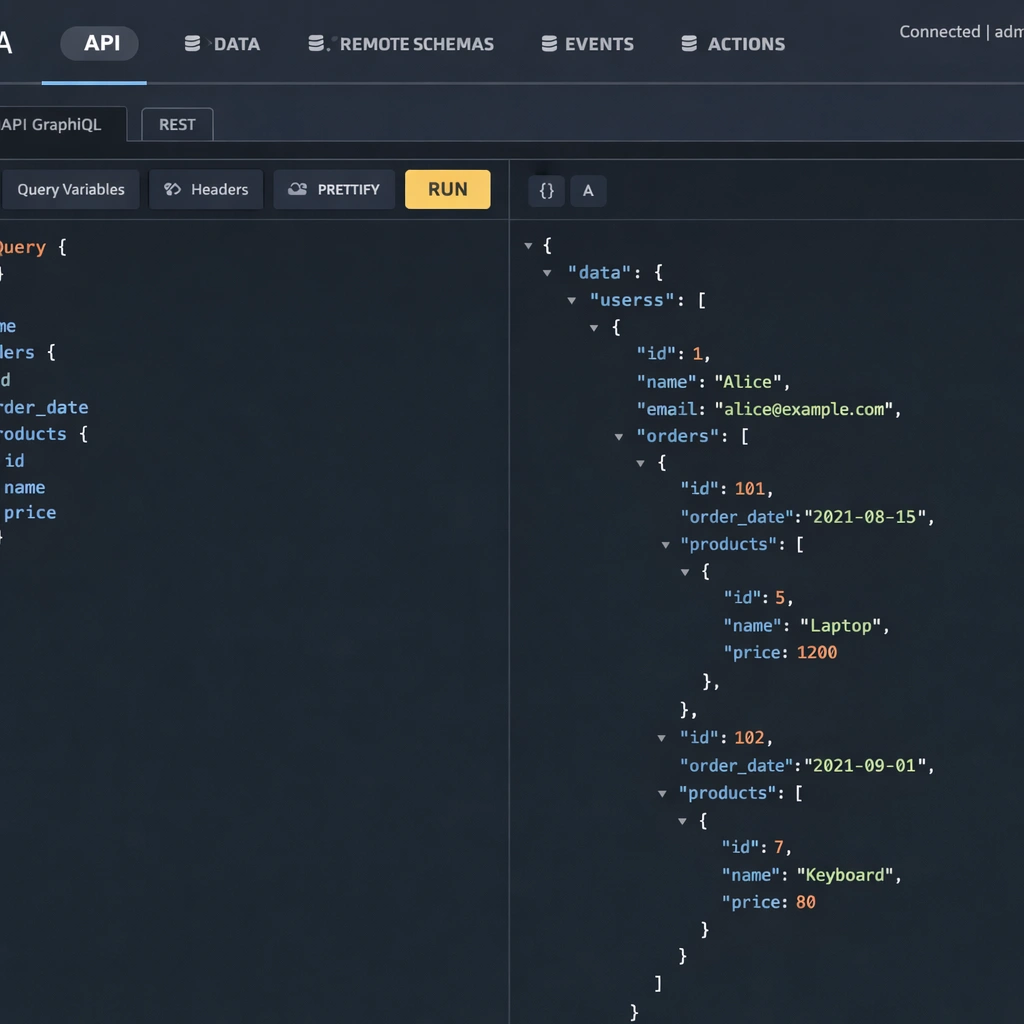
Hasura sits on top of Postgres and auto-generates a GraphQL API from your database schema. When you create a table in Postgres and track it in Hasura, you immediately get a full GraphQL API for that table — queries, mutations, subscriptions, and relationships — without writing a single resolver. For a team building a data-intensive product, this eliminates an entire layer of backend development work.
Nhost Auth handles user authentication. It supports email and password login, magic links, OAuth providers including Google, GitHub, Apple, and Spotify, and SMS OTP. Authentication state integrates directly with Hasura’s permission system, so your GraphQL API automatically enforces row-level security based on who is logged in.
Nhost Storage manages file uploads. Files are stored in a MinIO instance — an S3-compatible object storage system — running inside your deployment. You get presigned URLs, access control per file or bucket, and image transformation capabilities without connecting to an external storage provider.
Nhost Functions runs serverless Node.js code for backend logic that does not belong in the database layer — webhook handlers, third-party API integrations, scheduled tasks, and event-driven automation.
Infrastructure requirements for Nhost self-hosted
Nhost self-hosted has a higher minimum resource requirement than Appwrite because it runs more services in parallel. A server with 4GB of RAM is the practical minimum for a stable deployment. Postgres, Hasura, the auth service, the storage service, and the functions runtime all run as separate containers, and each needs headroom to operate without competing for memory.
A Hetzner CX32 or DigitalOcean’s 4GB basic droplet — both in the $12 to $20 per month range — handles a production Nhost self-hosted instance comfortably for an early-stage product. The full breakdown of server sizing relative to traffic expectations is covered in the self-hosted BaaS VPS deployment guide.
Ubuntu 22.04 LTS is the recommended operating system. Docker Engine and Docker Compose are the only software prerequisites, identical to the Appwrite setup process.
Installing Nhost self-hosted
The Nhost self-hosted deployment uses the Nhost CLI, which manages the Docker Compose configuration for the full stack. Install the CLI first:
sudo npm install -g nhostInitialize a new Nhost project in your working directory:
nhost initThis creates the project configuration files including the Docker Compose manifest, the Hasura migrations directory, and the environment variable template. Open the generated .env file and configure your domain, Postgres credentials, and JWT secret before starting the stack.
Start the full Nhost self-hosted stack:
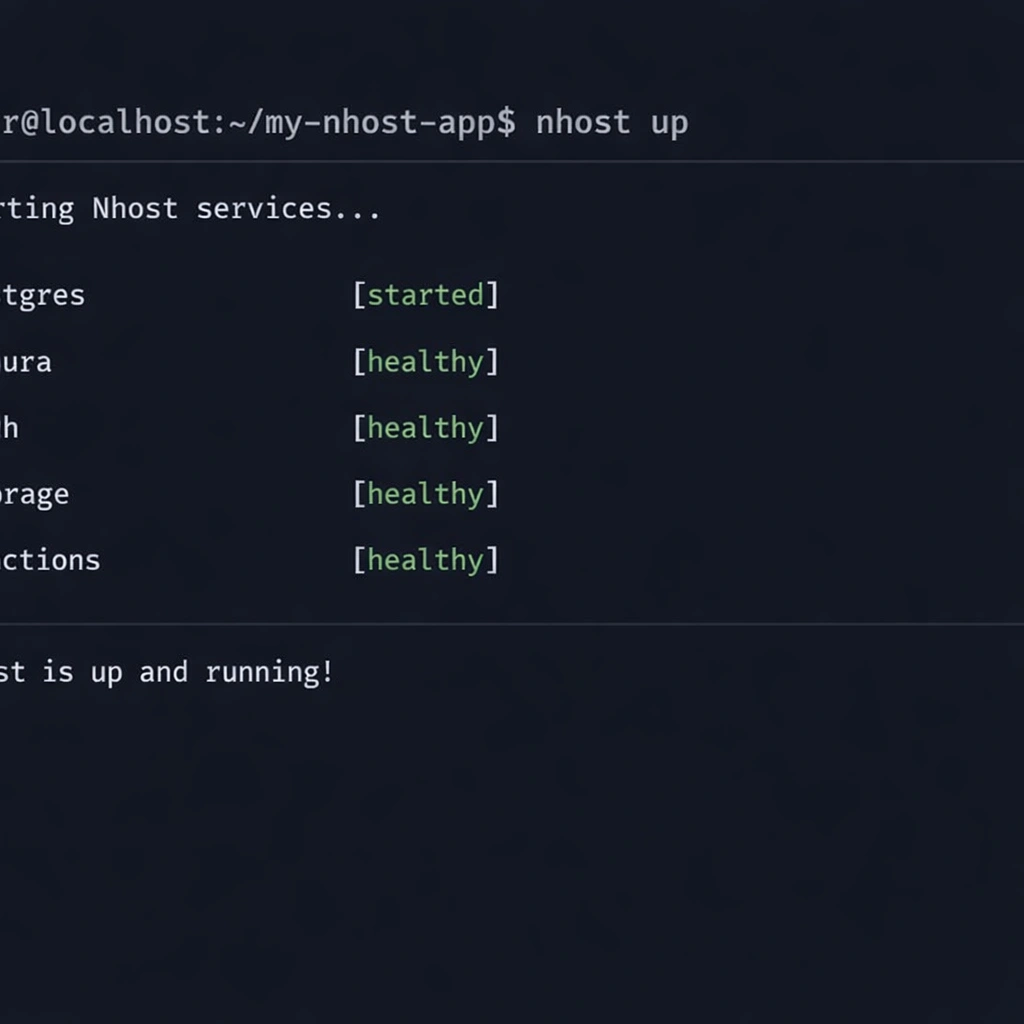
nhost upThe first run pulls all container images — Postgres, Hasura, the auth service, MinIO, and the functions runtime — which takes between five and fifteen minutes depending on your connection speed. When all services report healthy status, you access the Hasura Console at port 9695 and the Nhost dashboard at port 3030.
Configuring Hasura permissions for a multi-tenant SaaS product
This is where Nhost self-hosted earns its complexity cost. Hasura’s permission system is the most powerful row-level security implementation available in any open-source BaaS, and understanding it is the difference between a backend that enforces data isolation correctly and one that exposes every user’s data to every other user.
Defining roles
Hasura works with roles that map to your application’s user types. For a standard SaaS product, you define at minimum a user role and an admin role. These roles are passed in the JWT that Nhost Auth generates when a user logs in — Hasura reads the role from the token and applies the corresponding permission rules automatically.
Setting row-level permissions
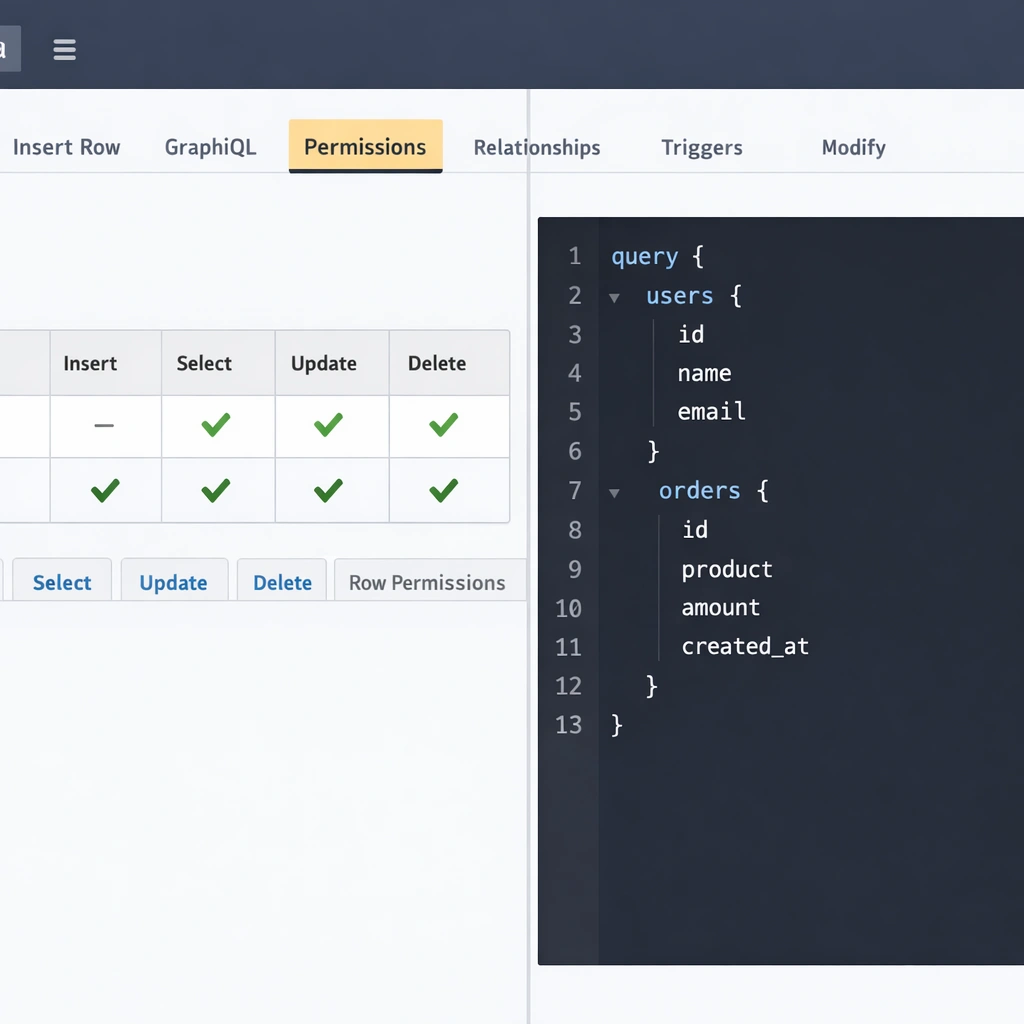
For each table you track in Hasura, you define insert, select, update, and delete permissions per role. A user role on an orders table would have a select permission with a condition like user_id: {_eq: "X-Hasura-User-Id"} — meaning each user can only query their own orders. Hasura enforces this condition at the database query level, not at the application layer.
This architecture means your frontend can query the GraphQL API directly without a custom backend middleware layer validating every request. The permission rules are the middleware, and they live in your Hasura configuration rather than in application code you have to maintain.
Relationships and nested queries
Once your tables are tracked and permissions are set, Hasura auto-generates relationship queries. A query that fetches a user’s profile along with their associated subscription, their recent orders, and the products in each order is a single GraphQL query — no multiple round trips, no custom resolver chain, no JOIN logic written by hand.
For an entrepreneur building a SaaS product with a data model of any meaningful complexity, this is the capability that justifies Nhost self-hosted over simpler alternatives.
Connecting your frontend to Nhost self-hosted
Nhost provides an official JavaScript SDK that handles authentication, GraphQL queries, file uploads, and function calls from your frontend. Install it with:
npm install @nhost/nhost-js graphqlInitialize the client with your self-hosted instance URL:
javascript
import { NhostClient } from '@nhost/nhost-js'

const nhost = new NhostClient({
  subdomain: 'localhost',
  region: 'local'
})
For a production self-hosted deployment, you replace the subdomain and region with your server’s domain configuration. The SDK automatically handles JWT refresh, session persistence, and authenticated GraphQL requests — your frontend code does not change whether you are pointing at a local development instance or a production server.
React, Next.js, and Vue all have dedicated Nhost packages that wrap the core SDK with framework-specific hooks and providers, reducing the integration to a few lines of configuration at the application root.
Where Nhost self-hosted requires more attention than Appwrite
Nhost self-hosted is more powerful than Appwrite for relational use cases, but that power comes with a steeper initial configuration curve. Here are the areas worth planning for before you start.
Hasura migrations require a deliberate workflow. Every schema change you make in the Hasura Console needs to be captured as a migration file and committed to version control. Nhost’s CLI handles this automatically when you work in local development mode, but teams that make schema changes directly on a production instance without tracking migrations accumulate technical debt that becomes painful to unwind.
The Nhost self-hosted stack also consumes more memory than Appwrite under load. Monitoring your server’s RAM usage during peak traffic periods and setting up alerting before you need it — rather than after an outage — is a step worth taking early. The production hardening checklist, including monitoring and backup configuration, is detailed in the open-source BaaS security and hardening guide.
Finally, debugging a multi-service stack requires comfort with Docker logs across multiple containers simultaneously. The docker compose logs -f command with service filtering becomes a tool you use regularly. This is not a steep learning curve, but it is a different debugging workflow than a managed platform where all logs appear in a single dashboard.
Conclusion
Nhost self-hosted is the most architecturally complete open-source BaaS available for entrepreneurs building products with relational data. The combination of Postgres, Hasura’s auto-generated GraphQL API, and a mature authentication layer gives you a backend that handles real product complexity without requiring a backend engineering team to build and maintain it. The infrastructure cost is a fixed server bill. The data is yours. The permissions system enforces isolation at the database level. For a founder building a SaaS product where data relationships matter, this is the setup that removes the ceiling from day one.
